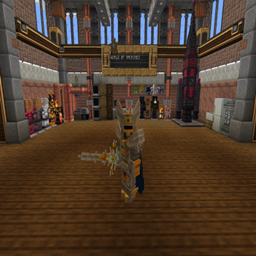
截图


介绍
Ita version:
Questo modpack è in stato sperimentale quindi potrebbe avere qualche problema di lag e sarà in continuo sviluppo.
se avete consigli saranno bene accetti.
in questo modpack troverete molte mod tecniche e magiche ed alcune mod di esplorazione
si richiede un pc abbastanza potente da reggere le 200+ mod e si consiglia di alzare la ram che usa il modpack.
Ps.
- la optifine non funziona con questo modpack
- per fare un backup scrivi in chat [/backup start] dopo questa operazione verrà creata una cartella nella cartella del modpack chiamata [Backups] e li dentro ci saranno tutti i backup fatti con il comando
- per mantenere dopo la morte le skill apprese dalla epich fight mod digita /gamerule keepSkills true
Eng version:
This modpack is in an experimental state so it may have some lag problems and will be in continuous development.
If you have any advice they will be welcome.
In this modpack you will find many technical and magical mods and some exploration mods
It requires a PC powerful enough to hold the 200+ mods and it is recommended to raise the RAM that uses the modpack.
Ps.
- The Optifine won’t work with this modpack
- to make a backup write in chat [/backup start] after that the mod will create a folder in the folder of the modpack called [Backups] and there will be all the backups made with the command
- to keep the skill learned from the epic fight mod after death type /gamerule keepSkills true
常见问题
world of machines 支持哪些 Minecraft 版本?
world of machines 基于 Minecraft Java 版 1.19.2、1.18.2,使用 Forge 加载器。
world of machines 怎么安装?
点本页「前往下载」拿到整合包文件(Modrinth 的是 .mrpack,CurseForge 的是 .zip),在 PCL2 或 HMCL 启动器里选择「导入整合包」,启动器会自动装好 Minecraft、加载器和全部模组。建议在启动器里给游戏分配 4–6 GB 内存。
world of machines 开服需要多大内存?
推荐服务器内存 12 GB。在线人数多、或者建了大量机器和区块加载器时,可以再加 2–4 GB。
怎么和朋友一起玩 world of machines?
点本页的「一键开服」,选好配置后会自动安装 world of machines 的服务端,几分钟就能开好。把服务器地址发给朋友,大家用同一个版本的整合包连进去就行。

评论
登录后评论和评分