介绍
The Goal I Had For Making This Modpack:
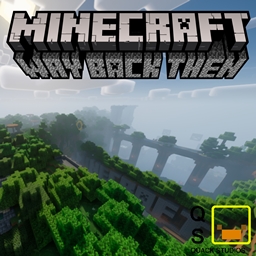
My goal here was to bring Legacy Minecraft to modern Minecraft along with some extra features to make it feel smooth and new while still feeling nostalgic
Modpack content from original legacy edition(s)
Legacy 4J (if you want to enable shaders or if you’re annoyes with the movement mechanics, turn it off in the app), Controller Support, Sword Blocking Mechanic, Legacy Texture Pack, Limited World (2000×2000), and Legacy Tutorial Worlds. (You’re welcome)
Extra Features
Gui Dark Mode (Can be switched on/off)
Player animation that doesn’t change much (used in my previous modpack) (Data pack, so you can switch it on/off if you feel it ruins the nostalgic experience)
Mob animations (Also a data pack, so you can switch it on/off if you feel it ruins the nostalgic experience, it might be buggy with the eye animations if you turn the legacy texture pack on (Idk if it will/won’t))
Shaders that suit the nostalgic feel
Subtle Effects (Also used in my previous modpack)
A certain horror mod for when we were kids and we fell for a trick on the internet (this is the only non-vanilla thing I’ve added, I thought it’d be cool to include it since its been here as long as console edition has.) (If you do not like it, you can disable it in the CurseForge app)
Desclaimer: I wrote this whole thing WHILE MAKING THE MODPACK, meaning I did all of this before even testing the modpack! So this WILL be updated if I’m wrong.
Quick Easter Egg!
Check out the quality of the thumbnail image!
Spoiler:
The image quality is 2015×2015, I did this on purpose.
2015 was when Legacy Minecraft was at it’s peak, this is when everyone was playing it, and everyone remembers what it was like at this time so vividly that it brings nostalgia at the mention of it.
Remembering when they were a kid, on their Xbox 360, playing Minecraft Xbox 360 Edition.
This modpack is not just for nostalgia, but in memory Minecraft Xbox 360 Edition and other console editions since the store for Xbox 360 was shut down in 2018 and Mojang stopped making different versions of Minecraft for consoles.
常见问题
Way Back Then 支持哪些 Minecraft 版本?
Way Back Then 基于 Minecraft Java 版 1.20.1,使用 Forge 加载器。
Way Back Then 怎么安装?
点本页「前往下载」拿到整合包文件(Modrinth 的是 .mrpack,CurseForge 的是 .zip),在 PCL2 或 HMCL 启动器里选择「导入整合包」,启动器会自动装好 Minecraft、加载器和全部模组。建议在启动器里给游戏分配 4–6 GB 内存。
Way Back Then 开服需要多大内存?
推荐服务器内存 12 GB。在线人数多、或者建了大量机器和区块加载器时,可以再加 2–4 GB。
怎么和朋友一起玩 Way Back Then?
点本页的「一键开服」,选好配置后会自动安装 Way Back Then 的服务端,几分钟就能开好。把服务器地址发给朋友,大家用同一个版本的整合包连进去就行。
Quackles 的其他作品
查看全部 →
Quackles’ Dungeons
Gives Minecraft the Minecraft Dungeons mechanics and weapons and enchants and more! [Aesthetic Shaders Included!] (Does NOT include camera position, I want to keep it vanilla) (May also get updated)

Mods For Pals
A nice modpack to play with your friends!
Quackles’ Dungeons Reimagined
Reimagined version of my canceled modpack, for multiple mod loaders this time.

Quackles’ Aesthetics
A vanilla based modpack that adds new items, blocks, and mechanics without making the game feel overwhelming.
评论
登录后评论和评分