Virtual Reality Essentials
Modpack for running Minecraft in VR with little to no lag and immersion.
介绍
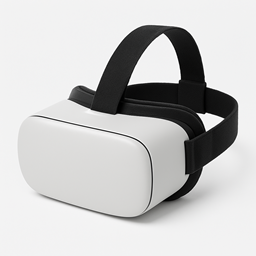
This modpack allows you to experience Minecraft in VR (with the right technology of course), where one block is a cubic metre big. We have added ImmersiveMC to allow you to play with less GUIs and of course, be more immersed. It requires a decent PC (no need for a NASA computer, as we have added performance mods), a VR headset, and a way to connect to the computer (virtual desktop, oculus link, a long cable). Instructions on how to get Vivecraft running can be found here.
This was made for me to run Virtual Reality (Vivecraft) on my gaming laptop. It works amazingly, and if you give this modpack to your friends, even if they don’t have a VR headset, they can still play with you and see your movements.
Please note this is just a bare minimum, and you can add other mods yourself. (Just make sure they work with ViveCraft.)
(None of these mods are made by me)
Full modlist:
Distant Horizons – James_Seibel
ImmersiveMC – 275hammy
Architectury API – shedaniel
Cloth Config API – shedaniel
Fabric API – modmuss50
FerriteCore (Fabric) – malte0811
Indium – comp500
Lithium – JellySquid
MC VR API – 275hammy
ModernFix – embeddedt
Redirector [Modern] – pOtAto__bOy
Sodium – JellySquid
Vivecraft – Ferri_Arnus
常见问题
Virtual Reality Essentials 支持哪些 Minecraft 版本?
Virtual Reality Essentials 基于 Minecraft Java 版 1.19.2,使用 Fabric 加载器。
Virtual Reality Essentials 怎么安装?
点本页「前往下载」拿到整合包文件(Modrinth 的是 .mrpack,CurseForge 的是 .zip),在 PCL2 或 HMCL 启动器里选择「导入整合包」,启动器会自动装好 Minecraft、加载器和全部模组。建议在启动器里给游戏分配 4–6 GB 内存。
Virtual Reality Essentials 开服需要多大内存?
推荐服务器内存 12 GB。在线人数多、或者建了大量机器和区块加载器时,可以再加 2–4 GB。
怎么和朋友一起玩 Virtual Reality Essentials?
点本页的「一键开服」,选好配置后会自动安装 Virtual Reality Essentials 的服务端,几分钟就能开好。把服务器地址发给朋友,大家用同一个版本的整合包连进去就行。
评论
登录后评论和评分