
Ultimate Verity Horror
A friendly yellow sphere named Verity that helps you survive, gives tips, and talks like a companion. but after 4 in-game days, everthing changes.
截图


介绍
VERITY.jar – Minecraft Horror Companion Mod
HOW TO USE VERITY JE MOD THX TO THIS USER FOR EXPLAINING: user_2o5q8g4b9nbu2t40
1. Install Curseforge
2. Open the mod’s page
3. to the left of the orange play button, click the three dots, then Profile options, then under advanced settings, current modloader version – set to 47.4.18 or 47.4.20
4. Google “GROQ” and sign up for it. Next click “API Keys”. Create a new API key and copy it. It does not cost money it is free
5. Open minecraft. Open settings or the esc menu and click “Mods”. Find Verity. Click the AI Settings tab. Paste your API Key.
6. Close and play. everything should work now. Also make sure you are using minecraft latest update v26.2
OR FOLLOW TUTORIAL ON THIS VIDEO: https://www.curseforge.com/linkout?remoteUrl=https%3a%2f%2fyoutu.be%2f_i4O7pyMlks
VERITY.jar is a psychological horror mod for Minecraft, originally created by ThatMob and later developed into a mod by 55ashich (Verity.jar 1.0 – 1.1), but i changed to new Verity mod called “Verity.” it was made by PKFL and ThatMob himself (Verity version 1.2-1,5) and change again to Falsity mod by PKFL and Verity JE by VarmiteYT. At first, Verity™ appears as a small, floating yellow sphere — a friendly companion designed to help players survive their world.
From the moment you install the mod, Verity™ begins interacting with you. It talks, gives helpful tips, and acts like a supportive friend. It may guide you through crafting, warn you about dangers, and even keep you company during long nights. It feels alive… almost too alive.
But everything changes after four in-game days.
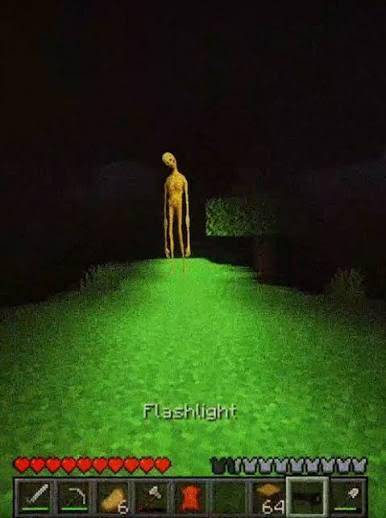
As time passes, Verity™ begins to behave differently. Its dialogue becomes strange. It starts saying things it shouldn’t know. The friendly tone slowly fades, replaced by something unsettling. Players may notice subtle changes — delayed responses, distorted messages, or moments where Verity™ seems to be watching rather than helping.
By Day 4, Verity™ is no longer just a companion.
It evolves into something unknown.
The once cheerful yellow sphere becomes unpredictable. It may manipulate the environment, mislead the player, or create disturbing events that blur the line between the game and something more aware. What started as a helpful guide turns into a presence you cannot ignore… or escape.
VERITY.jar is not just a mod — it is an experience that challenges trust, perception, and the feeling of being alone in your world.
It was never just helping you. It was learning.
常见问题
Ultimate Verity Horror 支持哪些 Minecraft 版本?
Ultimate Verity Horror 基于 Minecraft Java 版 1.21.1、1.20.1,使用 Forge / NeoForge 加载器。
Ultimate Verity Horror 怎么安装?
点本页「前往下载」拿到整合包文件(Modrinth 的是 .mrpack,CurseForge 的是 .zip),在 PCL2 或 HMCL 启动器里选择「导入整合包」,启动器会自动装好 Minecraft、加载器和全部模组。建议在启动器里给游戏分配 4–6 GB 内存。
Ultimate Verity Horror 开服需要多大内存?
推荐服务器内存 12 GB。在线人数多、或者建了大量机器和区块加载器时,可以再加 2–4 GB。
怎么和朋友一起玩 Ultimate Verity Horror?
点本页的「一键开服」,选好配置后会自动安装 Ultimate Verity Horror 的服务端,几分钟就能开好。把服务器地址发给朋友,大家用同一个版本的整合包连进去就行。
评论
登录后评论和评分