
截图


介绍
Love to Decorate Your minecraft World?
DecoCraft has been specifically created so you can add all the extra decorations to make your world look amazing. This modpack has a tone of additions to create houses, markets and really spruce up your buildings.
Chisel Reforged
You can use your chisel to change each block to many other variants, or if you’re using the creative menu, you now have lots and lots of new blocks to build with.
Furniture & Building
By combining Mr CrayFishes Furniture mod with a variety of Macaws mods you can create with all the extra items you need, from sofas to vases, fires to lights. You will find it here!
Seasons
Seasons are also part of this modpack to make it even more realistic to life when playing.
Backpacks
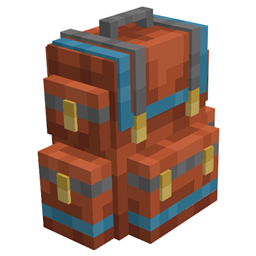
You can not only use backpacks to carry extra stuff and upgrade them. But you can also fix the backpack down like a shulker!

Mods Used









常见问题
TheDecoPack 支持哪些 Minecraft 版本?
TheDecoPack 基于 Minecraft Java 版 1.19,使用 Forge 加载器。
TheDecoPack 怎么安装?
点本页「前往下载」拿到整合包文件(Modrinth 的是 .mrpack,CurseForge 的是 .zip),在 PCL2 或 HMCL 启动器里选择「导入整合包」,启动器会自动装好 Minecraft、加载器和全部模组。建议在启动器里给游戏分配 4–6 GB 内存。
TheDecoPack 开服需要多大内存?
推荐服务器内存 12 GB。在线人数多、或者建了大量机器和区块加载器时,可以再加 2–4 GB。
怎么和朋友一起玩 TheDecoPack?
点本页的「一键开服」,选好配置后会自动安装 TheDecoPack 的服务端,几分钟就能开好。把服务器地址发给朋友,大家用同一个版本的整合包连进去就行。
jdog131131 的其他作品
查看全部 →
Craft Theft Auto
汽车、汽车改装、枪械、互动角色与城市

WarBox
A War Modpack For 2 Teams

HavoCraft
The HavoCraft Modpack

Termination Nation
Village Wars and Terrifying Mobs. Good Luck
评论
登录后评论和评分