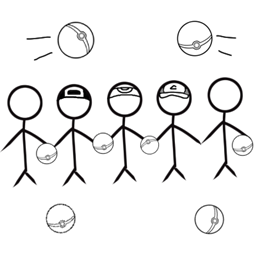
The Crew Catches
Small cobblemon modpack with some biomes and furniture, meant to be lightweight!
介绍
It’s that time of the year again! Time for a quick little adventure with the crew.
The theme this time will be Cobblemon!
This pack will give you an opportunity to play minecraft while finding new mon’s to capture, train, battle, and level up!
Use a pokeball after weakening any mon to capture it (if you’re lucky)! Catch ’em All!
Included in the world are some nice new biomes with new blocks and furniture to decorate your base!
Some of the added mods include:
– Armourer’s Workshop: You can use a global database of designs and decorations to use in your builds!
– Chipped: New block designs for every vanilla and modded block! MANY different dirt styles than just the default dirt!
– ComputerCraft: LUA-based little terminals for games, farms, you name it!
– Corpse: If you ever perish, you can go to your last known location and recover your items safely!
– Etched: Too many disc’s you have nothing to do with? Smelt them and make new ones!
– Every Compat: Have a log block that doesn’t have a fence? This’ll solve that problem!
– Sophisticated Backpacks: Extra storage on the move!
– Sophisticated Storage: And more for your base!
– Time in a Bottle: Speed up any task that requires you to wait!
– Toolbelt: Hotswap items you’re holding with a push of a button!
– Waterframes: Streams, Videos, Images and the like all in the world of minecraft!
– Waystones: Teleports! Here, there, anywhere!
& a couple more!
常见问题
The Crew Catches 支持哪些 Minecraft 版本?
The Crew Catches 基于 Minecraft Java 版 1.21.1,使用 NeoForge 加载器。
The Crew Catches 怎么安装?
点本页「前往下载」拿到整合包文件(Modrinth 的是 .mrpack,CurseForge 的是 .zip),在 PCL2 或 HMCL 启动器里选择「导入整合包」,启动器会自动装好 Minecraft、加载器和全部模组。建议在启动器里给游戏分配 4–6 GB 内存。
The Crew Catches 开服需要多大内存?
推荐服务器内存 12 GB。在线人数多、或者建了大量机器和区块加载器时,可以再加 2–4 GB。
怎么和朋友一起玩 The Crew Catches?
点本页的「一键开服」,选好配置后会自动安装 The Crew Catches 的服务端,几分钟就能开好。把服务器地址发给朋友,大家用同一个版本的整合包连进去就行。
Mahco 的其他作品
查看全部 →
Ender Pearl Sword
A simple sword that throws enderpearls.

Vindico
1.16.4 Modpack : A lot of sightseeing with tiny bits of tech.
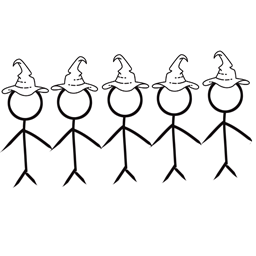
The Crew Enchants
Magic based pack revolving around Ars Nouveau, and base building with decorations or Minecolonies
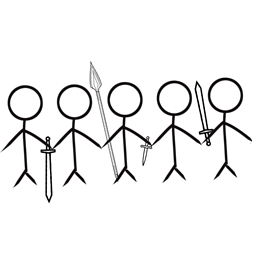
The Crew Fights
Small modpack revolving around Epic Fight Mod, with tons of new weapons, mobs, and dungeons to explore to your hearts content.
评论
登录后评论和评分