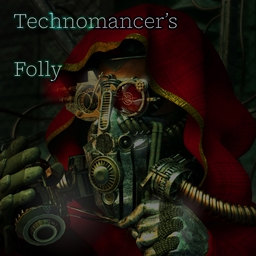
Technomancer’s Folly
Stripped of your powers and sent down into an unfamiliar, hostile world, can you defy your gods who tarnished you for your hubris in the first place and reclaim your glory amongst the stars?
介绍
~~Warhammer 40k Tech Priest art by Ryselle-Chan on DeviantArt~~
Technomancer’s Folly is an under development expert questing modpack with only one chapter: a grueling set of tasks given to you by the Machine God to prove your worth by taking a stone age planet and bringing it to the Age of Stars and beyond.
However, untold factions of mobs which the Imperium affectionately calls “Worse Orkz” rule the world, far stronger than they are on every other planet. Mutants, Atomic Mobs, Apothic Bosses, and more lay waste to the lands at night. Are you cut out for it?
Gregtech is your main path to power, as most mods have (WIP) updated recipes that really encourage the combination of tech and magic.
And if you’re worried your conquest of the stars won’t be pretty? This planet has dozens of aesthetically pleasing building block mods on its surface for you to take advantage of. I tried not to change the recipes of building blocks unless they had some kind of useful mechanic I could take advantage of.
More coming soon when I get better at coding! – June
p.s. I know the file size is ginormous for a modpack that’s just because Sinytra Connector and the fabric mods do not compress AT ALL I promise when you download it that it’s a normal sized modpack lol
常见问题
Technomancer’s Folly 支持哪些 Minecraft 版本?
Technomancer’s Folly 基于 Minecraft Java 版 1.20.1,使用 Forge 加载器。
Technomancer’s Folly 怎么安装?
点本页「前往下载」拿到整合包文件(Modrinth 的是 .mrpack,CurseForge 的是 .zip),在 PCL2 或 HMCL 启动器里选择「导入整合包」,启动器会自动装好 Minecraft、加载器和全部模组。建议在启动器里给游戏分配 4–6 GB 内存。
Technomancer’s Folly 开服需要多大内存?
推荐服务器内存 12 GB。在线人数多、或者建了大量机器和区块加载器时,可以再加 2–4 GB。
怎么和朋友一起玩 Technomancer’s Folly?
点本页的「一键开服」,选好配置后会自动安装 Technomancer’s Folly 的服务端,几分钟就能开好。把服务器地址发给朋友,大家用同一个版本的整合包连进去就行。

评论
登录后评论和评分