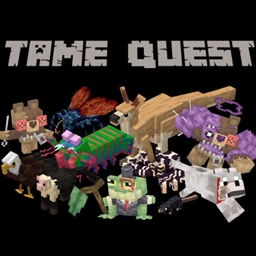
Tame Quest
A global odyssey of exploration and sorcery. Harness powerful magic to track, battle, and tame every creature across the furthest reaches of the world.
介绍
This was a culmination of almost 50 hours of procrastination to create my magnum opus. Based on the very niche need for my girlfriend and me to tame everything, I sat down and created this pack. Based on adventure packs akin to RAD, this modpack will explore Magic, Adventure, technology, and Taming in a neat package that almost any computer can run. You will not go unaided. Accompanying you is a heavily detailed questing chain to guide you through the more troubling and technical mods this pack has to offer.
These Are Some Featured mods with Quests
- Companions
- Rats
- Alex’s Caves
- Mo Creatures
- Alex’s Mobs
- Collectors Caravan
- Ice and Fire
- Better Archaeology
Note: Ratlantis is disabled by default. I have instructed how to enable it via the Datapack OR Config file
-
Locate your Modpack Folder: Open CurseForge, right-click the Tame Quest profile, and select Open Folder.
-
Open the Config Folder: Find and open the folder named
config. -
Find the Rats Config File: Scroll through the folder and look for a file named
rats-common.toml. -
Edit the File: Right-click
rats-common.tomland open it with a basic text editor (Notepad, TextEdit, or Notepad++ will work perfectly). -
Enable Ratlantis: Look near the very top of the text document for the Ratlantis settings. You are looking for a line that says
ratlantisEnabledByDefault = false. Change thefalsetotrue.OR
Changing this config ensures the Ratlantis datapack is enabled by default for all new worlds you generate. If you are trying to add it to a world you have already started, this config change usually forces it to activate retroactively. If it still doesn’t show up in an old save, you might need to use the in-game command
/datapack enable "mod:rats/ratlantis".
常见问题
Tame Quest 支持哪些 Minecraft 版本?
Tame Quest 基于 Minecraft Java 版 1.20.1,使用 Forge 加载器。
Tame Quest 怎么安装?
点本页「前往下载」拿到整合包文件(Modrinth 的是 .mrpack,CurseForge 的是 .zip),在 PCL2 或 HMCL 启动器里选择「导入整合包」,启动器会自动装好 Minecraft、加载器和全部模组。建议在启动器里给游戏分配 4–6 GB 内存。
Tame Quest 开服需要多大内存?
推荐服务器内存 12 GB。在线人数多、或者建了大量机器和区块加载器时,可以再加 2–4 GB。
怎么和朋友一起玩 Tame Quest?
点本页的「一键开服」,选好配置后会自动安装 Tame Quest 的服务端,几分钟就能开好。把服务器地址发给朋友,大家用同一个版本的整合包连进去就行。
评论
登录后评论和评分