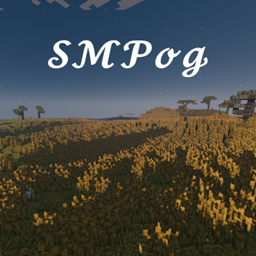
介绍
THE NEW MODPACK FOR ALL SMPOG MEMBERS!
For SMPog V3, we decided to take it in a new direction, so new co-owner, Astromations#4582 has compiled a modpack that we’ll be using on the next SMP!
How to Install Version 1.0.3 without Overwolf:
- Step 1: Run the 1.16.5 Forge Installer (version 36.2.0) and choose where you want the installation
- Step 2: Once forge is installed, open your Minecraft Launcher
- Step 3: Go to Installations
- Step 4: Click on “NEW +” and for your version choose Forge 1.16.5-36.2.0 and choose your directory. (I recommend making a new separate folder called “SMods” and setting that to the directory in the launcher).
- Step 5: Download this file: https://www.curseforge.com/minecraft/modpacks/smods/files/3402036
- Step 6: Finally, put the SMods Modpack in the mods folder of your new installation (the “SMods” folder), run and adjust settings as neccessary.
Peformance tip: Make sure you run with 4GB of ram and get OptiFine here: https://optifine.net/adloadx?f=OptiFine_1.16.5_HD_U_G8.jar
How to Install Version 1.0.2 without Overwolf:
- Step 1: Run the 1.16.3 Forge Installer (version 34.1.42) and choose where you want the installation
- Step 2: Once forge is installed, open your Minecraft Launcher
- Step 3: Go to Installations
- Step 4: Click on “NEW +” and for your version choose Forge 1.16.3-34.1.42 and choose your directory. (I recommend making a new separate folder called “SMods” and setting that to the directory in the launcher).
- Step 5: Download this file: https://www.curseforge.com/minecraft/modpacks/smods/download/3114692
- Step 6: Finally, put the SMods Modpack in the mods folder of your new installation (the “SMods” folder), run and adjust settings as neccessary.
Peformance tip: add this to replace the argument in Jvm Arguments:
-Xmx4G -XX:+UnlockExperimentalVMOptions -XX:+UseG1GC -XX:G1NewSizePercent=20 -XX:G1ReservePercent=20 -XX:MaxGCPauseMillis=50 -XX:G1HeapRegionSize=32M
(Click “RESET” If it doesn’t work for you)
Necessary for Performance:
OptiFine: 1.16.5 / 1.16.3
Recommended Mods:
Sound Filters (included in version 1.0.3)
Chocapic13′ High Performance shaders (Toaster edition)
How to Install Server Version 1.0.2:
- Step 1: Run the 1.16.3 Forge Installer (version 34.1.42), select “Install Server” and choose an empty directory.
- Step 2: Copy the “mods” and “config” folders from the “SMods-1.0.2-server.zip” into the same directory you chose for the installer.
- Step 3: Rename “forge-1.16.3-34.1.42.jar” to “server.jar” and run it.
- Step 4: Either upload to your server hoster (I’d have to recommend hostilic.com) or port forward and enjoy playing with friends!
(Only use servers with 4GB ram or more, otherwise the TPS dips)
Screenshots:


常见问题
SMods 支持哪些 Minecraft 版本?
SMods 基于 Minecraft Java 版 1.16.5、1.16.3,使用 Forge 加载器。
SMods 怎么安装?
点本页「前往下载」拿到整合包文件(Modrinth 的是 .mrpack,CurseForge 的是 .zip),在 PCL2 或 HMCL 启动器里选择「导入整合包」,启动器会自动装好 Minecraft、加载器和全部模组。建议在启动器里给游戏分配 4–6 GB 内存。
SMods 开服需要多大内存?
推荐服务器内存 12 GB。在线人数多、或者建了大量机器和区块加载器时,可以再加 2–4 GB。
怎么和朋友一起玩 SMods?
点本页的「一键开服」,选好配置后会自动安装 SMods 的服务端,几分钟就能开好。把服务器地址发给朋友,大家用同一个版本的整合包连进去就行。
评论
登录后评论和评分