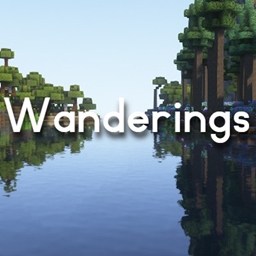
RobotSquid’s Wanderings
This modpack enhances the vanilla experience with custom world generation, improved structures, and new visuals.
介绍
About Wanderings
Wanderings is a modpack I created for use on my server with my friends. It contains around 30+ mods that add to the existing experience of playing Minecraft without adding too many new items or blocks. The terrain, structures, and appearance of the world have been completely overhauled with custom dungeons, animations, and mechanics. I took special care to find mods that specifically improve existing elements of the game, focusing on enhancing the early, middle, and late game without adding a huge amount of content post Dragon fight. This was done in order to preserve the spirit of the original game. When combined with Complementary Shaders, the results are breathtaking.
To see some gameplay snippets and cinematic shots, check out this video: https://www.youtube.com/watch?v=IejzBX_rHGo&t=193s
Installation Instructions
- Download Optifine 1.19.2 and move the .jar file to the mods folder in “C:\Users\username\curseforge\minecraft\Instances\RobotSquid’s Wanderings\mods” Optifine is required to use Fresh Animations and Complementary Shaders and is not included due to licensing issues.
- When creating a world, click “datapacks” and open the datapacks folder. Navigate to “C:\Users\username\curseforge\minecraft\Instances\RobotSquid’s Wanderings\datapacks“. Move the two data packs (anti endermen grief and better end cities) to the original datapacks folder you opened. If you go back to Minecraft, they should now appear in the list. Select the two datapacks and move them to the right column to apply them to the world.
- Mods for server performance are included. If running a server, look into Chunk-Pregenerator for Forge and its associated commands in order to get the best performance from the pack.
常见问题
RobotSquid’s Wanderings 支持哪些 Minecraft 版本?
RobotSquid’s Wanderings 基于 Minecraft Java 版 1.19.2,使用 Forge 加载器。
RobotSquid’s Wanderings 怎么安装?
点本页「前往下载」拿到整合包文件(Modrinth 的是 .mrpack,CurseForge 的是 .zip),在 PCL2 或 HMCL 启动器里选择「导入整合包」,启动器会自动装好 Minecraft、加载器和全部模组。建议在启动器里给游戏分配 4–6 GB 内存。
RobotSquid’s Wanderings 开服需要多大内存?
推荐服务器内存 12 GB。在线人数多、或者建了大量机器和区块加载器时,可以再加 2–4 GB。
怎么和朋友一起玩 RobotSquid’s Wanderings?
点本页的「一键开服」,选好配置后会自动安装 RobotSquid’s Wanderings 的服务端,几分钟就能开好。把服务器地址发给朋友,大家用同一个版本的整合包连进去就行。
评论
登录后评论和评分