介绍
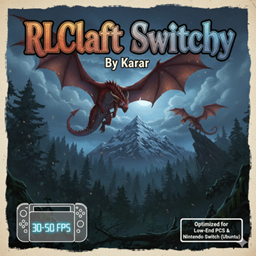
RLCraft Switchy By Karar
The ultimate optimized RLCraft experience for Low-End PCs
Have you ever wanted to play the most difficult modpack in Minecraft history but your PC couldn’t handle it? RLCraft Switchy is a custom-built version of RLCraft 1.12.2, meticulously optimized by Karar to run smoothly on devices with limited resources.
By hand-picking the core mods and adding a powerful suite of performance enhancers, this version achieves a stable 30-50 FPS or more
Key Features 🚀
-
Performance Focused: Over 10+ optimization mods (including FoamFix, BetterFps, Phosphor, and more) to ensure every frame counts.
-
True RLCraft Vibe: Includes all the “Must-Have” mods like Lycanites Mobs, First Aid, Simple Dif, and Ice and Fire.
-
Lightweight: Removed heavy, non-essential mods to free up RAM (perfect for 4GB RAM devices)
How to Install 🛠️
-
Download the RLCraft Switchy ZIP file.
-
Import it into your preferred launcher (Prism, MultiMC, or CurseForge App).
-
Allocate at least 2GB – 3GB of RAM for the best experience.
-
Enjoy the survival challenge!
Credits
-
Original Modpack: RLCraft by Shivaxi.
-
Optimization & Tuning: Modified and compiled by Karar-h (*Unknown_Person*)
- Note : You Can Play This Modpack On A Modded Switch
- If You Wana Best Peformance Add Optifine
-
常见问题
RLCraft Switchy 支持哪些 Minecraft 版本?
RLCraft Switchy 基于 Minecraft Java 版 1.12.2,使用 Forge 加载器。
RLCraft Switchy 怎么安装?
点本页「前往下载」拿到整合包文件(Modrinth 的是 .mrpack,CurseForge 的是 .zip),在 PCL2 或 HMCL 启动器里选择「导入整合包」,启动器会自动装好 Minecraft、加载器和全部模组。建议在启动器里给游戏分配 4–6 GB 内存。
RLCraft Switchy 开服需要多大内存?
推荐服务器内存 12 GB。在线人数多、或者建了大量机器和区块加载器时,可以再加 2–4 GB。
怎么和朋友一起玩 RLCraft Switchy?
点本页的「一键开服」,选好配置后会自动安装 RLCraft Switchy 的服务端,几分钟就能开好。把服务器地址发给朋友,大家用同一个版本的整合包连进去就行。
评论
登录后评论和评分