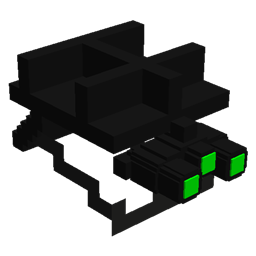
Race To War
Fight to the death with an arsenal of weapons and equipment, play a custom designed game mode with your friends!
介绍

Battle it out in Minecraft! Use many weapons and equipment to fight to the death in a custom Battle Royale minigame. There are over 30 mods each hand-picked and especially configured to create the best battle experience.
HOW TO USE:
To install race to war into a new world the following steps need to be taken.
1. Create a new world with the world type “Lost Cities (BOP)” and click customize and set the lost cities profile to “racetowar”


2. After creating the world find the folder “Race To War Utils” in the Minecraft folder and open it

3. Drag and drop the “racetowar” folder into the saves/NEW WORLD/data/functions folder

4. Drag and drop the “structures” folder into the saves/NEW WORLD folder NOT IN FUNCTIONS

5. Then run /reload in your world and use /tp 0 ~ 0 then /function racetowar:setupworld to setup the game. After everything has been setup, use /scoreboard teams join (use TAB to scroll through the available teams), then use /function racetowar:startbr to start the game! Have fun!
To setup on servers it is the same method, just put the files into the world folder on the server.
常见问题
Race To War 支持哪些 Minecraft 版本?
Race To War 基于 Minecraft Java 版 1.12.2,使用 Forge 加载器。
Race To War 怎么安装?
点本页「前往下载」拿到整合包文件(Modrinth 的是 .mrpack,CurseForge 的是 .zip),在 PCL2 或 HMCL 启动器里选择「导入整合包」,启动器会自动装好 Minecraft、加载器和全部模组。建议在启动器里给游戏分配 4–6 GB 内存。
Race To War 开服需要多大内存?
推荐服务器内存 12 GB。在线人数多、或者建了大量机器和区块加载器时,可以再加 2–4 GB。
怎么和朋友一起玩 Race To War?
点本页的「一键开服」,选好配置后会自动安装 Race To War 的服务端,几分钟就能开好。把服务器地址发给朋友,大家用同一个版本的整合包连进去就行。
LazrProductions 的其他作品
查看全部 →
Lazr’s Lib
为 Lazr 的模组提供实用工具的前置库。

Cuffed
给你的朋友戴上手铐,把他们关起来!
Ultimate Chess
Minecraft里下棋!不会吧!

Ultimate Chess
在 Minecraft 里下国际象棋!真的假的!
评论
登录后评论和评分