介绍
Oven is a lightweight, kitchen-sink style modpack designed with servers in mind.
It focuses on improving quality of life and fixing bugs, and intentionally runs light on features. However, the features that do make it in are hand-chosen with quality in mind.
Oven subtly overhauls the vanilla survival experience with changes to hunger and health systems, mob behavior (especially creepers), and even the day/night cycle. These changes are designed to make gameplay more challenging while simultaneously making it less frustrating.
Oven was created as a way to distribute mods in bulk to members of a server. So, naturally, the mods are chosen with servers in mind, including performance optimizations, multiplayer bug fixes, and server management tools.
This pack will be updated to 1.16 at the nearest opportunity! However, some mods make that impossible for now. More details
This modpack contains Better Foliage, which makes logs round! This makes trees look great, but can make builds look not-so great. If you prefer square logs, you can disable this effect by going to mod options, searching for and selecting Better Foliage, clicking “config,” then under “round logs,” turning “enabled” to false.
Installation instructions:
Install the Twitch app.
Open the Twitch app.
Click on the “mods” tab in the top-left corner of the window.
Click on Minecraft (even if it’s grayed out), then click yes if it asks you to install.
NOTE: If the install doesn’t work correctly, click on your user in the top-right corner, click settings, click the minecraft tab, then scroll down, switch to JAR launcher, and try to install again. If the game installs correctly, you will then need java installed to run the launcher correct. Java is installed separately, but clicking the “download java” button directly beneath the launcher option will take you to the installation page.
If you just installed it, click on Minecraft again to open the mods menu.
Go to “browse modpacks” and search for “oven.”
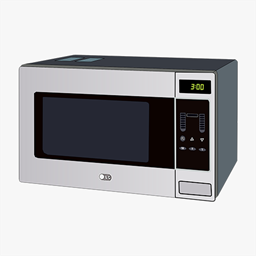
Click install on the modpack with the microwave icon and name “Oven.”
That’s it! Oven is now installed, and can be launched through the twitch app in the “my modpacks” tab.
Update instructions:
From the “my modpacks” tab, click on the Oven modpack.
Click on the “versions” button in the top-right corner.
If you want to keep both versions as separate installations, select the “update to new profile” checkbox. Otherwise, leave it off.
Click continue and wait for it to install (not that there may be some delay before the installation begins.
You’re done! Oven is now running at the latest version.
常见问题
Oven 支持哪些 Minecraft 版本?
Oven 基于 Minecraft Java 版 1.12.2,使用 Forge 加载器。
Oven 怎么安装?
点本页「前往下载」拿到整合包文件(Modrinth 的是 .mrpack,CurseForge 的是 .zip),在 PCL2 或 HMCL 启动器里选择「导入整合包」,启动器会自动装好 Minecraft、加载器和全部模组。建议在启动器里给游戏分配 4–6 GB 内存。
Oven 开服需要多大内存?
推荐服务器内存 12 GB。在线人数多、或者建了大量机器和区块加载器时,可以再加 2–4 GB。
怎么和朋友一起玩 Oven?
点本页的「一键开服」,选好配置后会自动安装 Oven 的服务端,几分钟就能开好。把服务器地址发给朋友,大家用同一个版本的整合包连进去就行。
评论
登录后评论和评分