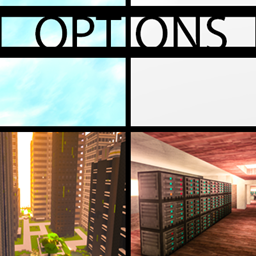
介绍

What the pack is:
TL;DR: Large tech-focused kitchen-sink pack with a huge amount of design/decoration mods, with a choice on skyblock or overworld.. or both, and a focus on balance, AKA no power-creep mods.
Longer answer:
A kitchen-sink tech pack with a lot of design mods. I wanted a pack that fit as many tech and design mods as possible, where each mod adds something unique. Together allowing for limitless building potential.
I also wanted to give players the option of doing a skyblock or overworld playthrough, so you’re given that choice at the start, and can work your way up to going in between dimensions more freely down the line.
Would I say that this pack is good for beginners? If I’m being honest no… there aren’t quests to guide you, some of the recipes are made harder or just different, and some of the more beginner friendly features and mods aren’t included. It’s also not a pack that has a wholesome balance of tech and magic. That being said I wouldn’t call this an expert pack either. It’s something in the middle and also something by itself. The most appealing parts of it will also be its biggest detractors. Not having a definitive end-game is intentional. The pack is made for people who like setting their own goals, but having more options than vanilla affords them.
What makes the pack stand out:
Balance. No Tinkers, no draconic, thaumcraft, chickens, mystical agriculture, project e… no mods that take center-stage. There are a few end-game items, but for the most part, the mod you choose to focus on is more or less equal to any other mod you might choose.
Modlist Breakdown:
- Mekanism Generators (by aidancbrady)
- Quick Leaf Decay (by lumien231)
- RandomPatches (by TheRandomLabs)
- KleeSlabs (by BlayTheNinth)
- MalisisDoors (by Ordinastie)
- Placebo (by Shadows_of_Fire)
- p455w0rd’s Library (by TheRealp455w0rd)
- LagGoggles (by Terminator_NL)
- Ore Excavation (by Funwayguy)
- More Overlays (by feldim2425)
- Quark Oddities (by Vazkii)
- Quark (by Vazkii)
- Just Enough Dimensions (by masa_)
- Mekanism (by aidancbrady)
- Project Red – Base (by Mr_TJP)
- Living Enchantment (by Clownvin)
- Just Enough Petroleum (by BordListian)
- MPUtils (by GenDeathrow)
- RealBench (by Prototik)
- PTRLib (by RazzleberryFox)
- Project Red – Lighting (by Mr_TJP)
- LittleTiles (by CreativeMD)
- JEI Integration (by SnowShock35)
- Just Enough Items (JEI) (by mezz)
- ReAuth (by TechnicianLP)
- Random Things (by lumien231)
- Mekanism Tools (by aidancbrady)
- No Mob Spawning on Trees (by oldjunyi)
- The Lost Cities (by McJty)
- Patchouli (by Vazkii)
- Player Skin Mob (by GenDeathrow)
- Placeable Items (by Ferdz)
- ModTweaker (by jaredlll08)
- MTLib (by jaredlll08)
- MalisisCore (by Ordinastie)
- Redstone Arsenal (by TeamCoFH)
- Mod Name Tooltip (by mezz)
- Mob Grinding Utils (by Vadis365)
- McJtyLib (by McJty)
- Pam’s HarvestCraft (by MatrexsVigil)
- JEI Villagers (by Buuz135)
- Mantle (by mDiyo)
- Just Enough Resources (JER) (by Way2muchnoise)
- No Night Vision Flashing (by TeamCoFH)
- Recipe Stages (by jaredlll08)
- MrTJPCore (by Mr_TJP)
- MPUtils Basic Tools (by GenDeathrow)
- Natura (by mDiyo)
- MalisisSwitches (by Ordinastie)
- PneumaticCraft: Repressurized (by desht)
- stimmedcow : NoMoreRecipeConflict (by Oliv1er)
- Just Enough HarvestCraft (JEHC) (by mrAppleXZ)
- Traverse (by ProfessorProspector)
- Simple Trophies (by quat1024)
- TellMe (by masa_)
- Thermal Foundation (by TeamCoFH)
- SwingThroughGrass (by exidex)
- Storage Drawers (by jaquadro)
- Time Stages (by mrbysco)
- Serene Seasons (by Glitchfiend)
- Scavenge (by Speiger)
- Twerk Sim 2K16 (by Funwayguy)
- Toast Control (by Shadows_of_Fire)
- TOP Addons (by DrManganese)
- Too Many Efficiency Losses (by caffeinatedpinkie)
- ZeroCore (by ZeroNoRyouki)
- Void Island Control (by Bartz24)
- Scavenge-GameStages (by Speiger)
- WrapUp (by TheLMiffy1111)
- Smooth Font (by bre2el)
- Vending block (by kamildanak)
- Thermal Expansion (by TeamCoFH)
- Redstone Flux (by TeamCoFH)
- WAIM – What am I missing? (by jaredlll08)
- VanillaDeathChest (by TheRandomLabs)
- RFTools (by McJty)
- Wopper (by Ellpeck)
- Tesla Core Lib (by Face_of_Cat)
- Simple Sponge (by Jacky1356400)
- Thermal Dynamics (by TeamCoFH)
- WanionLib (by WanionCane)
- Sonar Core (by Ollie_Lansdell)
- Web Slinger (by JasonSpangler)
- Rustic (by mangoose3039)
- Emojiful (by HRZNStudio)
- Animania (by Purplicious_Cow)
- Biomes O’ Plenty (by Glitchfiend)
- Environmental Tech (by ValkyrieofNight)
- Chameleon (by jaquadro)
- Tiny Progressions (by Kashdeya)
- Akashic Tome (by Vazkii)
- ItemPhysic Full (by CreativeMD)
- Fat Cat (by Vadis365)
- Just Enough Throwing In Fluids (JETIF) (by Lykrast)
- CodeChicken Lib 1.8.+ (by covers1624)
- ConnectedTexturesMod (by tterrag1098)
- Foamflower (by kamildanak)
- Item Scroller (by masa_)
- Item Stages (by Darkhax)
- Immersive Petroleum (by theFlaxbeard)
- Extreme Reactors (by ZeroNoRyouki)
- Guide-API (by TehNut)
- Cosmetic Armor Reworked (by ZLainSama)
- Custom Main Menu (by lumien231)
- Cooking for Blockheads (by BlayTheNinth)
- AppleCore (by squeek502)
- Better Builder’s Wands (by Portablejim)
- Mowzie’s Mobs (by BobMowzie)
- The One Probe (by McJty)
- Better Records (by Stumblinbear)
- Cyclops Core (by kroeser)
- Thermal Innovation (by TeamCoFH)
- JustEnoughIDs (by Runemoro)
- Baubles (by azanor)
- JourneyMap (by techbrew)
- Flux Networks (by Ollie_Lansdell)
- iChunUtil (by iChun)
- Earthworks (by Alsnder)
- IKWID (I Know What I’m Doing) (by InsomniaKitten)
- Gendustry (by bdew)
- OpenBlocks Elevator (by VsnGamer)
- Initial Inventory (by jaredlll08)
- ArchitectureCraft – ElytraDev Version (by darkevilmac)
- MCMultiPart (by amadornes)
- Binnie’s Mods (by Binnie567)
- Block Drops (JEI Addon) (by KidsDontPlay)
- B.A.S.E (by lanse505)
- Career Bees (by RWTema)
- MrCrayfish’s Furniture Mod (by Mr_Crayfish)
- FoamFix for Minecraft (by asiekierka)
- LunatriusCore (by Lunatrius)
- CoFH World (by TeamCoFH)
- Extra Utilities (by RWTema)
- Game Stages (by Darkhax)
- ItemZoom (by mezz)
- BiblioCraft (by JDSinclair)
- Cyclic (by Lothrazar)
- Biome Staff (by TheRealp455w0rd)
- Immersive Tech (by ferroo2000)
- Augmented Interactions (by pau101)
- Default World Generator (port) (by EzTerry)
- CraftTweaker (by jaredlll08)
- Actually Additions (by Ellpeck)
- FTB Library (by FTB)
- /dank/null (by TheRealp455w0rd)
- Ender Storage 1.8.+ (by covers1624)
- CreativeCore (by CreativeMD)
- Decocraft2 (by RazzleberryFox)
- IvToolkit (by Ivorforce)
- Dynamic Dynamos (by unascribed)
- Lumberjack (by DoubleDoorDevelopment)
- Recurrent Complex (by Ivorforce)
- Common Capabilities (by kroeser)
- JourneyMap Defaults (by BinaryCrafter)
- Flat Colored Blocks (by AlgorithmX2)
- AutoRegLib (by Vazkii)
- Forge MultiPart CBE (by covers1624)
- Extra Bit Manipulation (by MolecularPhylo)
- Bookshelf (by Darkhax)
- Bookworm (by Soggy_Mustache)
- Controlling (by jaredlll08)
- JAOPCA (by TheLMiffy1111)
- LLibrary (by iLexiconn)
- Blur (by tterrag1098)
- Chisel (by tterrag1098)
- Enchantment Descriptions (by Darkhax)
- In Control! (by McJty)
- AppleSkin (by squeek502)
- JourneyMapStages (by Darkhax)
- Default Options (by BlayTheNinth)
- EnderCore (by tterrag1098)
- Cloche Call (by marwat208)
- World Tooltips (by koganinja89)
- Item Filters (by LatvianModder)
- Hunger Persistence (by squeek502)
- Chisels & Bits (by AlgorithmX2)
- HitWithAxe (by Shadows_of_Fire)
- Better Animals Plus (by Cybercat5555)
- Forestry (by SirSengir)
- Inventory Tweaks (by Kobata)
- BetterFps (by Guichaguri)
- Farming for Blockheads (by BlayTheNinth)
- Stackable (by KidsDontPlay)
- Storage Drawers Extras (by jaquadro)
- ContentTweaker (by jaredlll08)
- Brandon’s Core (by brandon3055)
- Immersive Engineering (by BluSunrize)
- Gendustry JEI Addon (by ninjabrain1)
- No Worldgen 5 You (by Darkhax)
- Just Enough Calculation (by Towdium)
- Pam’s Weee! Flowers (by MatrexsVigil)
- Universal Remote (by orbwoi)
- Villager Trade Tables (by csb987)
- FastWorkbench (by Shadows_of_Fire)
- Worley’s Caves (by super_fluke50036)
- Loyalty Medals (by mrbysco)
- RandomTweaks (by TheRandomLabs)
- Spice of Life: Carrot Edition (by LordCazsius)
- InGame Info XML (by Lunatrius)
- Xtones (by TehNut)
- Unlimited Chisel Works (by asiekierka)
- Engineer’s Decor (by wilechaote)
- Wumple Util Library (by JasonSpangler)
- Exotic Birds (by Pavoreality)
- CoFH Core (by TeamCoFH)
- Engineer’s Doors (by Nihiltres)
- Shadowfacts’ Forgelin (by shadowfactsmc)
- Morph (by iChun)
- InGame Info XML – Serene Seasons (by xalcon)
- Fancy Block Particles (by TominoCZ)
- Ding (by iChun)
- Resource Loader (by lumien231)
- ValkyrieLib (by ValkyrieofNight)
- Ceramics (by KnightMiner)
- Mob Dismemberment (by iChun)
- Sound Reloader (by TheWhoAreYouPerson)
- CraftStudio API (by ZeAmateis)
- Chest Transporter (by CubeX2)
- Avaritia 1.1x (by brandon3055)
- Compact Machines (by Davenonymous)
- UniDict (by WanionCane)
- Bonsai Trees (by Davenonymous)
- Scannable (by SangarWasTaken)
- Industrial Foregoing (by Buuz135)
- BdLib (by bdew)
- Translocators 1.8.+ (by covers1624)
- Redstone Gauges and Switches (by wilechaote)
- Loot Capacitor Tooltips (by tfarecnim)
- Pipe Master 2000 (by Davenonymous)
- Better Advancements (by Way2muchnoise)
- MeeCreeps (by McJty)
- FTB Utilities: Backups (by LatvianModder)
- FTB Utilities (by FTB)
- Integrated Dynamics (by kroeser)
- Ender IO Endergy (by tterrag1098)
- Ender IO (by CrazyPants_MC)
- Avaritia IO (by tfarecnim)
- Building Gadgets (by direwolf20)
- Apotheosis (by Shadows_of_Fire)
- Ex Compressum (by BlayTheNinth)
- Ender Tweaker (by Shadows_of_Fire)
- Integration Foregoing (by Jacky1356400)
- Immersive Cables (by SanAndreasP)
- Simply Jetpacks 2 (by Tomson124)
- Gas Conduits (by pupnewfster)
- Refined Storage (by raoulvdberge)
- More Avaritia (by TheUnderTaker11)
- Refined Avaritia (by ExpensiveKoala)
- Ex Nihilo: Creatio (by BloodWorkXGaming)
- Practical Space Fireworks (by gegy)
- Phosphor (by jellysquid3)
- Minecolonies (by H3lay)
- XenCraft (by LatvianModder)
- InWorldCrafting (by IterationFunk)
Special Thanks:
- masa
- jaredlll08
- kindlich
- Shadows_Of_Fire
- wolforce
- SkySom
- Teeto_Kaziim
- pupnewfster
- TheRandomLabs
- acanthea
- ladymorepork
- Sir_Lyle
- IterationFunk
- Vyraal1
- davqvist
This pack would literally not exist without the help of those beautiful people. Really appreciate all the help you guys have given me over the past months.
Feel free to join us on Discord!
常见问题
Options 支持哪些 Minecraft 版本?
Options 基于 Minecraft Java 版 1.12.2,使用 Forge 加载器。
Options 怎么安装?
点本页「前往下载」拿到整合包文件(Modrinth 的是 .mrpack,CurseForge 的是 .zip),在 PCL2 或 HMCL 启动器里选择「导入整合包」,启动器会自动装好 Minecraft、加载器和全部模组。建议在启动器里给游戏分配 4–6 GB 内存。
Options 开服需要多大内存?
推荐服务器内存 12 GB。在线人数多、或者建了大量机器和区块加载器时,可以再加 2–4 GB。
怎么和朋友一起玩 Options?
点本页的「一键开服」,选好配置后会自动安装 Options 的服务端,几分钟就能开好。把服务器地址发给朋友,大家用同一个版本的整合包连进去就行。
critflaw 的其他作品
查看全部 →
Capital is Key
A modpack about three things: Money, Tech, and Design

New Blocks
Unlocking Minecraft's full potential

The Bear Necessities
A minimalist tech pack

Breaking Things
No holds bars modded minecraft. Not a lot of magic, but all the design mods, all of them.
评论
登录后评论和评分