截图
介绍
This is a My personal Server files.
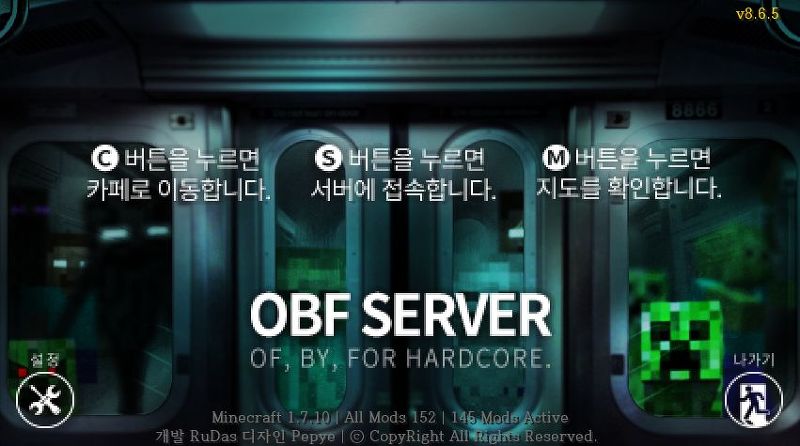
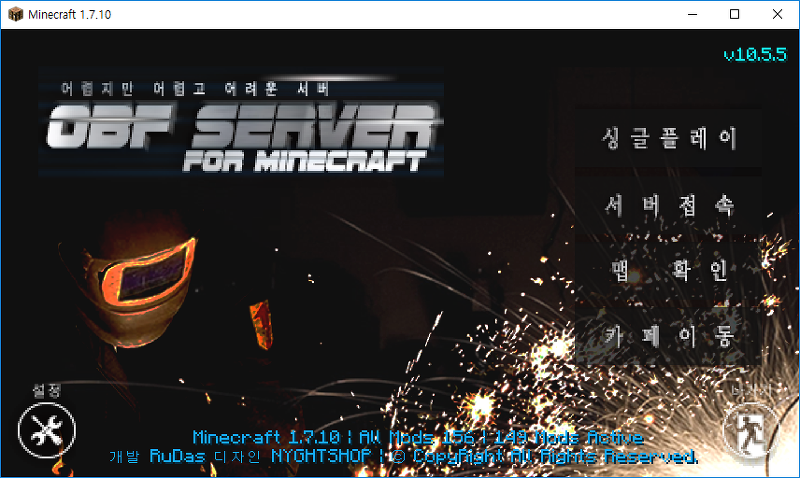
The setup of this server is “OBF” Server.
so, Unable to play single play.
(If you want to run, you need to adjust to CMM mods config or removed CMM mods.)
Hello, I’m Korean Minecraft Modpacks User.
This pack is It consists of only those things I like.
If you like a little bit of difficulty and a machine, this is a fun pack.
Basically, it’s a wild setting, and it doesn’t fit the skyblock map.
and Play to BQM mods, a little bit of difficult.
but, I think it’s a Fun.
This pack is a Technical Basic.
Not used to Magic.
(Exceptionally, Thaumcraft4.)
It is designed to use multiple mods of operation.
so, It is not a normal recipe.
It is difficult to distribute to my server Users.
So I registered.
but, It’s low Hardcore.
and unstable, Less developed.
caution!
On first run the Crash!
but, Ignore and run again.
ModList
- Dynamic Lights (by AtomicStryker)
- BiblioCraft: BiblioWoods Forestry Edition (by JDSinclair)
- MalisisCore (by Ordinastie)
- Project Red – Compat (by Mr_TJP)
- FastCraft (by Player)
- Magic Bees (by MysteriousAges)
- Thermal Foundation (by TeamCoFH)
- TiC Tooltips (by squeek502)
- Mob Properties (by docrobb)
- Extra Utilities (by RWTema)
- Railcraft (by CovertJaguar)
- MrTJPCore (by Mr_TJP)
- CoroUtil (by Corosus)
- Big Reactors (by ErogenousBeef)
- Thaumcraft Inventory Scanning (by BlayTheNinth)
- Thaumic Horizons (by TheKentington)
- Special Mobs (by docrobb)
- Waila (by ProfMobius)
- AppleCore (by squeek502)
- Iguanas Tinker Tweaks (by bonusboni)
- Thaumcraft (by azanor)
- Forestry (by SirSengir)
- NEI Addons (by bdew)
- CoFH Core (by TeamCoFH)
- ItemPhysic Full (by CreativeMD)
- Buildcraft Compat (by buildcraftchildsplay)
- MalisisDoors (by Ordinastie)
- WAILA Plugins (by tterrag1098)
- CreativeCore (by CreativeMD)
- Immersive Engineering (by BluSunrize)
- Hardcore Questing Mode (by lorddusk)
- Special AI (by docrobb)
- ExtraTiC (by JeanGlassmaker)
- Nuclear Control 2 (by Xbony2)
- Model Citizens (by FyberOptic)
- CodeChickenCore (by chicken_bones)
- JourneyMap (by techbrew)
- Thaumic Infusion (by Th3DrunkenMafia)
- MrCrayfish’s Furniture Mod (by Mr_Crayfish)
- Dense Ores (by RWTema)
- Brandon’s Core (by brandon3055)
- Mekanism Generators (by aidancbrady)
- Immersive Integration (by UnwrittenFun)
- iChunUtil (by iChun)
- Custom Main Menu (by lumien231)
- Cooking for Blockheads (by BlayTheNinth)
- Carpenter’s Blocks (by Syntaxial)
- CraftTweaker (by jaredlll08)
- Traincraft (by Mrbrutal)
- Mekanism (by aidancbrady)
- NetherOres (by skyboy026)
- Thaumic Tinkerer (by nekosune)
- Advanced Thaumaturgy 2 (by MonzterAssassin)
- Project Red – Lighting (by Mr_TJP)
- NotEnoughItems (by chicken_bones)
- Hardcore Darkness (by lumien231)
- Minefactory Reloaded (by skyboy026)
- Wawla – What Are We Looking At (by darkh4x)
- Mantle (by mDiyo)
- Magneticraft (by cout970)
- TooMuchTime (by dmillerw)
- Thermal Expansion (by TeamCoFH)
- Zombie Awareness (by Corosus)
- BetterFps (by Guichaguri)
- p455w0rd’s Library (by TheRealp455w0rd)
- Mob Rebirth (by The_Fireplace)
- Custom NPCs (by Noppes)
- Project Red – Integration (by Mr_TJP)
- Iguana Tweaks (by Parker8283)
- Tinkers’ Mechworks (by mDiyo)
- Buildcraft (by CovertJaguar)
- Binnie’s Mods (by Binnie567)
- Hunger Overhaul (by progwml6)
- Tinkers Construct (by mDiyo)
- Wireless Crafting Terminal (by TheRealp455w0rd)
- MetallurgyChisel (by JeanGlassmaker)
- DecoCraft2 (by RazzleberryFox)
- Draconic Evolution (by brandon3055)
- Applied Energistics 2 (by AlgorithmX2)
- ArchitectureCraft (by gcewing)
- Project Red – Base (by Mr_TJP)
- BiblioCraft (by JDSinclair)
- Metallurgy Core (by JeanGlassmaker)
- Resource Loader (by lumien231)
- OpenModularTurrets (by Poenjabiesous)
- NEI Integration (by tonius111)
- Inventory Tweaks (by Kobata)
- IncreaseMobs (by _kegare)
- JAFFA Foods (A HarvestCraft Addon) (by Murdy007)
- AgriCraft (by InfinityRaider)
- Et Futurum (by ganymedes01)
- ModTweaker (by jaredlll08)
- Mob Dismemberment (by iChun)
- Mo’ Zombies! (by Coocoo617)
- Railcraft Cosmetic Additions (by Cream_Tea)
- Pam’s HarvestCraft (by MatrexsVigil)
- Chisel (by tterrag1098)
- NotEnoughResources (by Way2muchnoise)
- EnderCore (by tterrag1098)
- The Spice of Life (by squeek502)
- Metallurgy (by JeanGlassmaker)
- Industrial Craft (by Player)
- PneumaticCraft (by MineMaarten)
- Waila Harvestability (by squeek502)
- MoneyMod (by EuhDawson)
- NetherPortalFix (by BlayTheNinth)
常见问题
OBF Hardcore 支持哪些 Minecraft 版本?
OBF Hardcore 基于 Minecraft Java 版 1.18.2、1.7.10,使用 Forge 加载器。
OBF Hardcore 怎么安装?
点本页「前往下载」拿到整合包文件(Modrinth 的是 .mrpack,CurseForge 的是 .zip),在 PCL2 或 HMCL 启动器里选择「导入整合包」,启动器会自动装好 Minecraft、加载器和全部模组。建议在启动器里给游戏分配 4–6 GB 内存。
OBF Hardcore 开服需要多大内存?
推荐服务器内存 12 GB。在线人数多、或者建了大量机器和区块加载器时,可以再加 2–4 GB。
怎么和朋友一起玩 OBF Hardcore?
点本页的「一键开服」,选好配置后会自动安装 OBF Hardcore 的服务端,几分钟就能开好。把服务器地址发给朋友,大家用同一个版本的整合包连进去就行。

评论
登录后评论和评分