Not Really Folksy
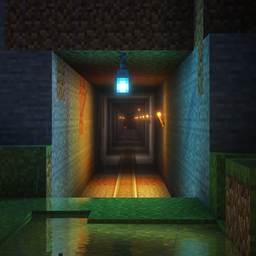
Built with Virtual Reality in mind. nclusive for NONVR. Meant to have slight but noticeable change in gameplay to immerse users.
介绍
What to expect:
This mod was created to immerse the users into the world of Minecraft by adding mods that allow users to see more of the Minecraft world with high render distances without having one’s PC experience extreme lag. This allows VR players to experience Minecraft with a more real view to the landscape… To see as far as the eyes can see. This modpack utilizes LODs. Having VR paired with higher render distances, ambient sounds, sound effects for walking on different surfaces, physics for blocks and items as well as weather, and an overhaul to sensory processing will immerse users into the world of Minecraft in a unique way.
How different is this from the base game:
This mod does not change mob behavior, at most mobs will ragdoll after being eliminated. This mod does not change terrain/chunk generation either for both the overworld and other dimensions. The physics mod can be turned off if users don’t prefer it. A toggle button key bind for the physics mod can be found in the key bind options. Turning “Collapse” off in the physics mod options (“F7”) is advised but optional. If users want to turn it off in servers, the server host mush access the config file in the server folder in order to turn it off specific options like “collapse.” This mod only contains visual, performance, and sound changes. To tweak physics options for servers, access the config file located in “(SERVER NAME)\config\physicsmod” and use a text editor to change the options for the mod behavior in servers.
How to use proximity chat in servers:
To use Simple Voice mod in servers, go to “config” in the server folder and open “voicechat” folder. Open “voicechat-server.properties” with any text editor (notepad works) and change the port to the server’s port.
常见问题
Not Really Folksy 支持哪些 Minecraft 版本?
Not Really Folksy 基于 Minecraft Java 版 1.19.2,使用 Fabric 加载器。
Not Really Folksy 怎么安装?
点本页「前往下载」拿到整合包文件(Modrinth 的是 .mrpack,CurseForge 的是 .zip),在 PCL2 或 HMCL 启动器里选择「导入整合包」,启动器会自动装好 Minecraft、加载器和全部模组。建议在启动器里给游戏分配 4–6 GB 内存。
Not Really Folksy 开服需要多大内存?
推荐服务器内存 12 GB。在线人数多、或者建了大量机器和区块加载器时,可以再加 2–4 GB。
怎么和朋友一起玩 Not Really Folksy?
点本页的「一键开服」,选好配置后会自动安装 Not Really Folksy 的服务端,几分钟就能开好。把服务器地址发给朋友,大家用同一个版本的整合包连进去就行。
评论
登录后评论和评分