
Nate’s Cobbleverse
A lightweight Cobblemon modpack focused on exploration, progression, and catching your favorite Pokémon in a refreshed Minecraft world.
介绍
Nate’s Cobbleverse – A Minecraft x Pokemon Adventure
Youtube –
Welcome to [Nate’s Cobbleverse], a carefully crafted Cobblemon modpack that blends the charm of Pokémon with the freedom of Minecraft survival. Explore a vast, living world where Cobblemon roam naturally, trainers grow stronger, and every journey feels unique.
🌍 Explore & Discover
Travel through diverse biomes filled with wild Cobblemon, hidden structures, and points of interest. Exploration is rewarded, whether you’re searching for rare spawns, loot, or the perfect place to build your base.
⚔️ Battle & Progress
Build your team from the ground up and take on increasingly challenging encounters. Progress naturally through survival gameplay while training, evolving, and battling Cobblemon along the way.
🏗️ Build Your World
From cozy bases to full-scale gyms and towns, the modpack supports creative building without overwhelming complexity. Quality-of-life mods ensure smooth, enjoyable gameplay.
🎮 Designed for Solo & Multiplayer
Balanced for both singleplayer and servers, [Modpack Name] encourages cooperative play, friendly battles, and shared adventures.
✨ Features
-
Cobblemon with immersive world spawns
-
Survival-focused progression
-
Exploration-driven gameplay
-
Performance-friendly & beginner accessible
-
Multiplayer-ready
Whether you’re a longtime Pokémon fan or new to Cobblemon, [Modpack Name] delivers a clean, engaging experience that stays true to both Minecraft and Pokémon.
常见问题
Nate’s Cobbleverse 支持哪些 Minecraft 版本?
Nate’s Cobbleverse 基于 Minecraft Java 版 1.21.1,使用 Fabric 加载器。
Nate’s Cobbleverse 怎么安装?
点本页「前往下载」拿到整合包文件(Modrinth 的是 .mrpack,CurseForge 的是 .zip),在 PCL2 或 HMCL 启动器里选择「导入整合包」,启动器会自动装好 Minecraft、加载器和全部模组。建议在启动器里给游戏分配 4–6 GB 内存。
Nate’s Cobbleverse 开服需要多大内存?
推荐服务器内存 12 GB。在线人数多、或者建了大量机器和区块加载器时,可以再加 2–4 GB。
怎么和朋友一起玩 Nate’s Cobbleverse?
点本页的「一键开服」,选好配置后会自动安装 Nate’s Cobbleverse 的服务端,几分钟就能开好。把服务器地址发给朋友,大家用同一个版本的整合包连进去就行。
nateplaysbruh 的其他作品
查看全部 →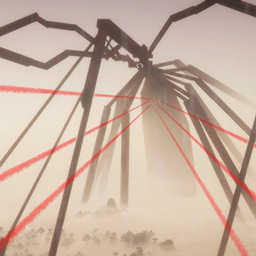
Arachnophobia (nateplaysbruh)
Small Modpack for YouTube videos, you'll have every mod you'll need to make it entertaining.
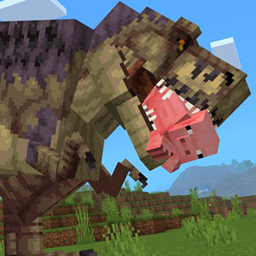
Nate’s Dinosaur Apocalypse
This Minecraft world has been overrun by man eating Dinosaurs, your objective is to build a base and gather enough recourses to craft some guns to better aid your survival. You can't outrun run them but you can out smart them.

Nate’s Chained Together Horror
This modpack transforms Minecraft into a tense, horror-driven experience where you and your friends are bound by an unbreakable chain.
评论
登录后评论和评分