
介绍
This modpack allows you to play minecraft with your friends on the same pc just like on consoles with splitscreen.
| Features |
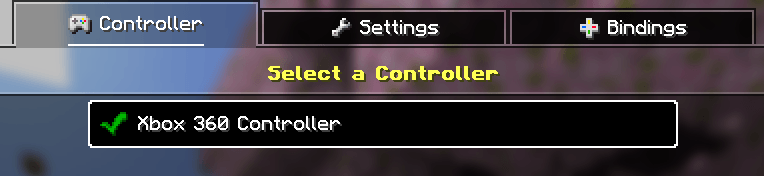
– Console support : you can chose between all the connected controllers which one will control which window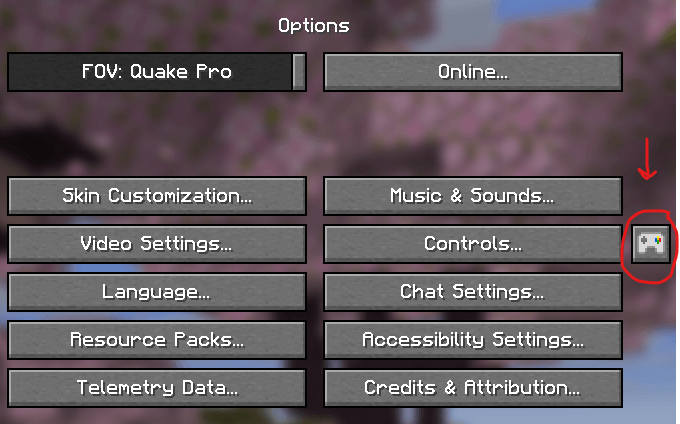
– Ingame account switcher : You just only need ONE microsoft account to play with your friends, since you can create offline accounts to join LAN worlds.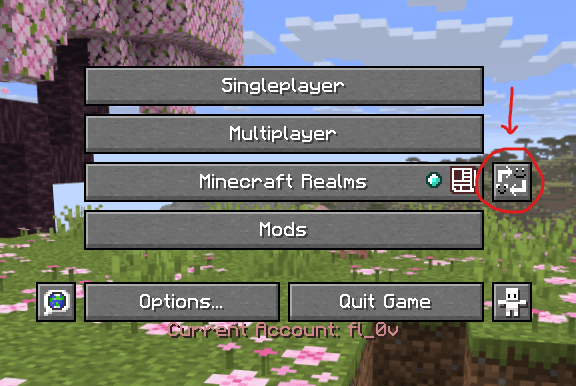
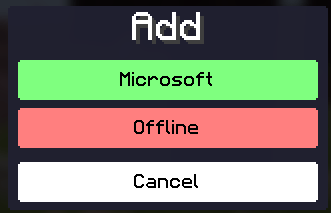

NOTE : You can’t play with a custom skin on with offline accounts.
Splitscreen control : by pressing F11 on your keyboard, you can select screen disposition, allowing you to have 4 minecraft windows per monitor !
IMPORTANT NOTE : IT IS STRONGLY RECOMMENDED TO ALLOCATE AT LEAST 4GB OF RAM TO THE WORLD HOST AND MAXIMUM 4BG OF RAM TO THE OTHER PLAYERS (While i recommend allocate 2gb of ram to the other players). DO NOT ALLOCATE OVER 80% OF YOUR RAM, SINCE IT CAN CRASH YOUR COMPUTER.
How to use the modpack ?
You can watch the video to fully set up 2 minecraft to play at 2.
常见问题
Local Multiplayer 支持哪些 Minecraft 版本?
Local Multiplayer 基于 Minecraft Java 版 1.21.11,使用 Fabric 加载器。
Local Multiplayer 怎么安装?
点本页「前往下载」拿到整合包文件(Modrinth 的是 .mrpack,CurseForge 的是 .zip),在 PCL2 或 HMCL 启动器里选择「导入整合包」,启动器会自动装好 Minecraft、加载器和全部模组。建议在启动器里给游戏分配 4–6 GB 内存。
Local Multiplayer 开服需要多大内存?
推荐服务器内存 12 GB。在线人数多、或者建了大量机器和区块加载器时,可以再加 2–4 GB。
怎么和朋友一起玩 Local Multiplayer?
点本页的「一键开服」,选好配置后会自动安装 Local Multiplayer 的服务端,几分钟就能开好。把服务器地址发给朋友,大家用同一个版本的整合包连进去就行。
评论
登录后评论和评分