
Knronk’s Pixel Proxy
Simple client-side mods, optimising your 1.18 server experience
介绍
With the release of the Caves and Cliffs Update – Part II now upon us, it’s the perfect opportunity to jump onto a server, grab your pickaxe, and start swinging at that deepslate. And as with any server, it takes a well curated selection of content to maximise your experience. Regardless of whether you’re playing on a vanilla or modded server, there are a few client-side addons which are always a welcome treat! Kronk’s Pixel Proxy collects and installs a few of those for you in one easy pack.
Content:
- Durability Tooltip – Allows you to see the durability of items in the tooltip window with the need for F3+H
- Jade – Displays information about the currently selected block/item, as well as recipes. Basically HWYLA!
- Simple Voice Chat – This mod allows you to use proxy-chat on any sever with this addon installed. Even includes it’s own easy-to-use GUI
- Plus other dependencies!
常见问题
Knronk’s Pixel Proxy 支持哪些 Minecraft 版本?
Knronk’s Pixel Proxy 基于 Minecraft Java 版 1.18,使用 Forge 加载器。
Knronk’s Pixel Proxy 怎么安装?
点本页「前往下载」拿到整合包文件(Modrinth 的是 .mrpack,CurseForge 的是 .zip),在 PCL2 或 HMCL 启动器里选择「导入整合包」,启动器会自动装好 Minecraft、加载器和全部模组。建议在启动器里给游戏分配 4–6 GB 内存。
Knronk’s Pixel Proxy 开服需要多大内存?
推荐服务器内存 12 GB。在线人数多、或者建了大量机器和区块加载器时,可以再加 2–4 GB。
怎么和朋友一起玩 Knronk’s Pixel Proxy?
点本页的「一键开服」,选好配置后会自动安装 Knronk’s Pixel Proxy 的服务端,几分钟就能开好。把服务器地址发给朋友,大家用同一个版本的整合包连进去就行。
Diamond_Hunter_Zero 的其他作品
查看全部 →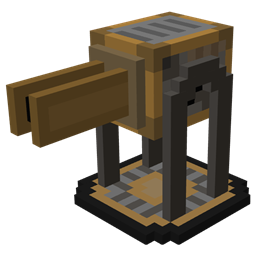
Villager INC – Ordnance
A technology-orientated mods which adds several tiers to automated turrets to attack and defend against hostile mobs.

Villager INC – Genesis
A technology and resource-production mod aimed at increasing ore, plastic and slime yields using 'vanilla-aesthetic' machines .

Villager INC Recolonisation
HQM Modpack - 50+ Quests, New Dimenisons, Tweaked ore spawn, Exclusive Content

Villager INC – Leaking Dimensions
A small Tech-Dimension mod, based off the Villager INC puzzle maps and modpack.
评论
登录后评论和评分