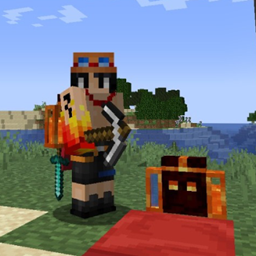
Gypsys World
A joyful pack with the tools for coop adventures and adventurers | MC: 1.19.3
介绍
Have you Wanted to Play a Simple, but Joyful Adventure on your Worlds
Heres the Mod-pack for those Adventures… or also to play on the Gypsys World Server
Actively on Development…
Minecraft Version: 1.19.3
ModPack Version: 1.0.2
Features:
- BiomesOPlenty [To add beautiful places to your world]
- TerraBlender [Requirement for Biomes O Plenty]
- TravelersBackpack [This is a Favorite and a must-have for andventurers, one of the best backpacks mods, with many transportable features]
- Journeymap [Everyone in an inmense world full of biomes should have a map as good as this mod can offer]
- JEI [Tool for crafting and uses of vanilla and mods items]
- Glowingores [To enhance your time mining and exploring caves]
- Dynamiclights [To enhance the explring of dark places, as caves or exploring during nights]
–This ModPack is a brew made from inspiration of popular streamings experiences to give a good exploration experience.
-The Team of the map will do votations by the feedback and considerations of the experience of the modpack, from the server and players about keeping the same features or making changes to it regularly. Fell free to share your feedback.
[Soon we’ll add discord space about the server here]
The Mods and Resources used on the Pack are of property and made by the mods owners.
At the time no mod is made by the makers of the modpack.
Enjoy 🙂
常见问题
Gypsys World 支持哪些 Minecraft 版本?
Gypsys World 基于 Minecraft Java 版 1.19.3,使用 Forge 加载器。
Gypsys World 怎么安装?
点本页「前往下载」拿到整合包文件(Modrinth 的是 .mrpack,CurseForge 的是 .zip),在 PCL2 或 HMCL 启动器里选择「导入整合包」,启动器会自动装好 Minecraft、加载器和全部模组。建议在启动器里给游戏分配 4–6 GB 内存。
Gypsys World 开服需要多大内存?
推荐服务器内存 12 GB。在线人数多、或者建了大量机器和区块加载器时,可以再加 2–4 GB。
怎么和朋友一起玩 Gypsys World?
点本页的「一键开服」,选好配置后会自动安装 Gypsys World 的服务端,几分钟就能开好。把服务器地址发给朋友,大家用同一个版本的整合包连进去就行。
therealurhog 的其他作品
查看全部 →
My PixlMon Custom ADV
Custom ModPack made to Enhance Adventure experience within pixelmon world | MC:1.16.5
My CobbleCust ADV
Custom ModPack made to Enhance Adventure experience within Cobblemon world | MC:1.21.1

Lo-RPG Maygk Adventure
Custom RPG Adventure blending Exploring, Skill Progression, Dimensions, Challenges and Possibility to Storytell and customize for individual or groups experiences...

LetsGo Mod My World
A Custom Modpack into An Immersive Exploring Adventure for You and Friends to Go Take all the Chunks
评论
登录后评论和评分