介绍
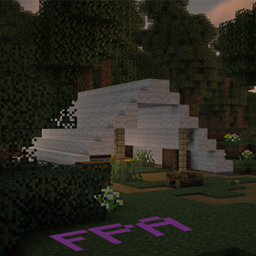
The client build transforms moment-to-moment gameplay into a modern, fluid, and visually striking experience. By pairing modern rendering pipelines with streamlined interface enhancements, players get high visual fidelity and intuitive controls without sacrificing frame rates.
On the visual and audio front, the client integrates shaders and optimization engines like Sodium, Iris, and Distant Horizons to deliver high frame rates, vibrant real-time lighting, and expansive render distances that stretch across the horizon. Everyday environments feel much more alive thanks to handheld light sources, custom entity models, expressive mob textures, 3D skin layering, connected glass, and smooth respawn transitions. For communication, integrated positional voice chat lets players talk and hear one another naturally based on physical proximity in the world.
These features fundamentally change how a player navigates and interacts with the game. Distant vistas eliminate blinding fog, turning long treks into scenic journeys where landmarks are identifiable from miles away. Meanwhile, an array of quality-of-life interface tools—including real-time mini and world maps, an in-game recipe browser, block inspection tooltips, hunger saturation overlays, and intuitive keybindings—removes the frustration of constant wiki lookups. Players spend less time fiddling with menus and guessing mechanics, and more time fully immersed in their adventure.
常见问题
FPA – NeoForge – Client 支持哪些 Minecraft 版本?
FPA – NeoForge – Client 基于 Minecraft Java 版 26.3,使用 NeoForge 加载器。
FPA – NeoForge – Client 怎么安装?
点本页「前往下载」拿到整合包文件(Modrinth 的是 .mrpack,CurseForge 的是 .zip),在 PCL2 或 HMCL 启动器里选择「导入整合包」,启动器会自动装好 Minecraft、加载器和全部模组。建议在启动器里给游戏分配 4–6 GB 内存。
FPA – NeoForge – Client 开服需要多大内存?
推荐服务器内存 12 GB。在线人数多、或者建了大量机器和区块加载器时,可以再加 2–4 GB。
怎么和朋友一起玩 FPA – NeoForge – Client?
点本页的「一键开服」,选好配置后会自动安装 FPA – NeoForge – Client 的服务端,几分钟就能开好。把服务器地址发给朋友,大家用同一个版本的整合包连进去就行。
评论
登录后评论和评分