
Creativerse
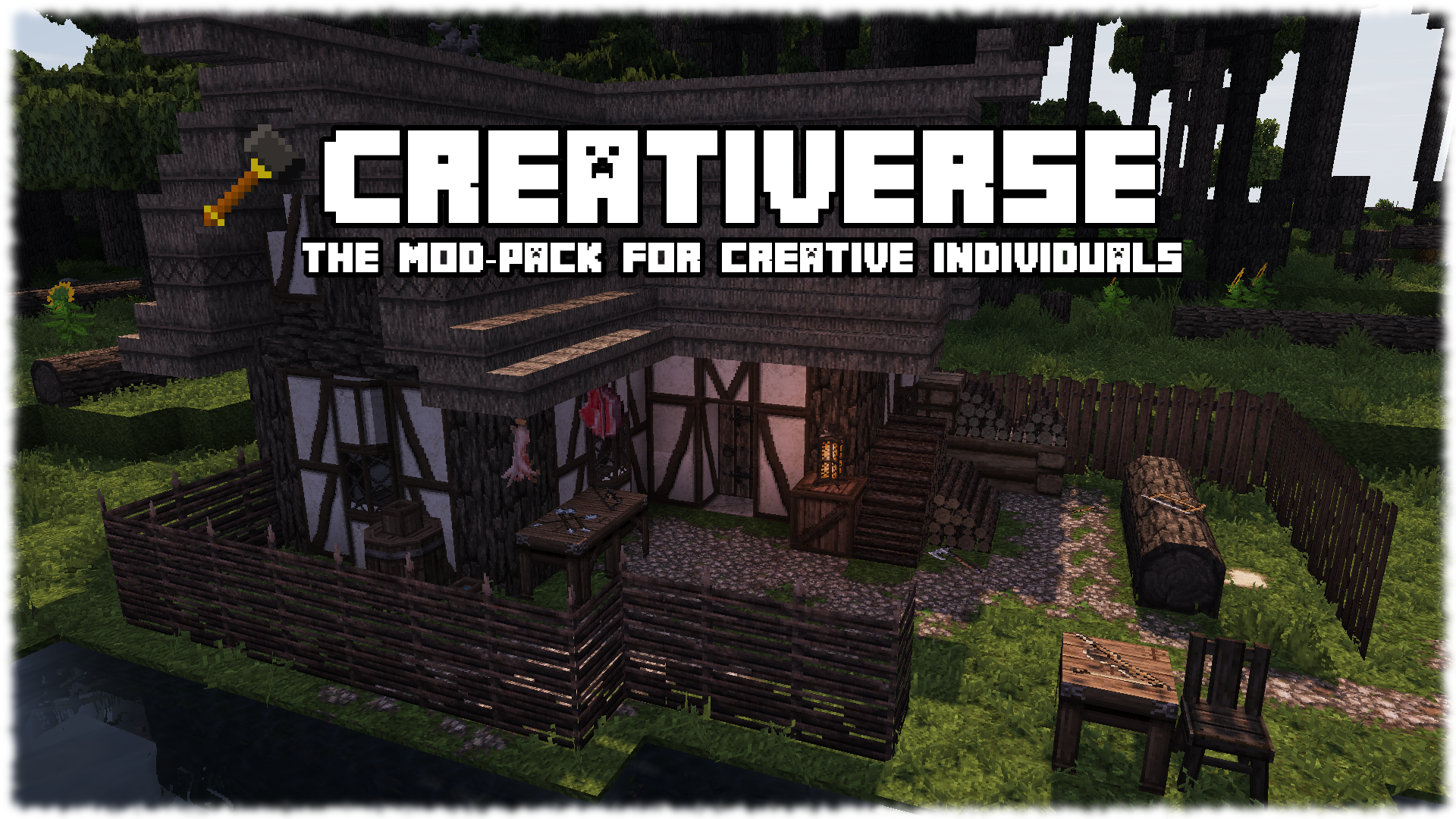
A Mod Pack that is designed to be a toolkit for creative individuals. Perfect for recording Let's Plays or building stuff that looks great.
截图


介绍
Share your masterpiece with
Welcome to the official Creativerse mod-pack page. Creativerse is a simple mod-pack designed as a toolkit to aid the creative individual in building, sculpting and creating cinematic works in Minecraft.
The pack is ideal for;
- Let’s builds
- Building schematics
- Recording
- Producing landscapes
- Expressing your creativity
Creativerse now comes in two editions;
Lite Edition is intended to enhance, but adhere to a Vanilla building experience
Standard Edition adds over 900 new Models and Metas thanks to Conquest. (Optifine Dependent)
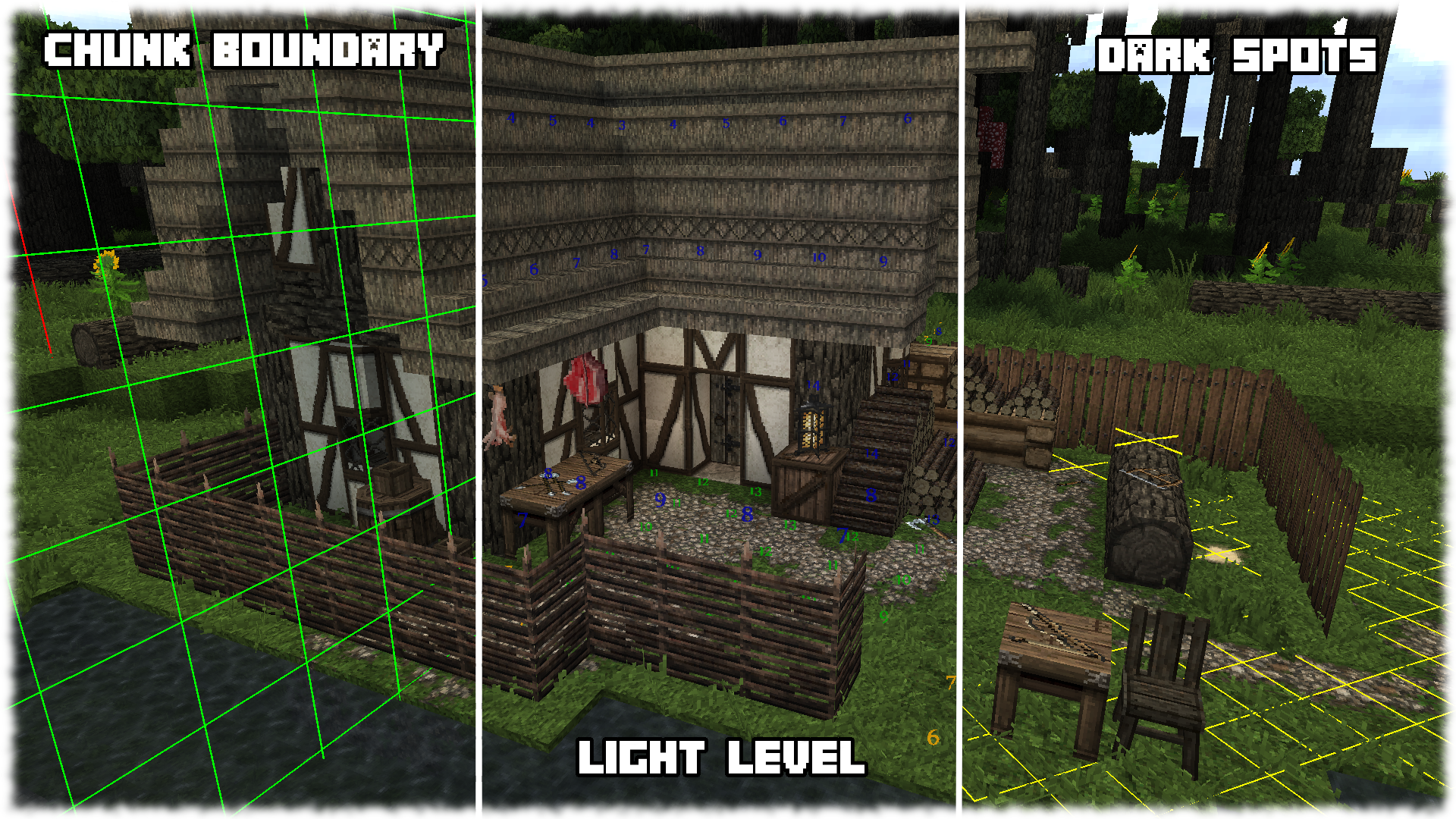
Creativerse has a number of Overlays built in which serve a number of useful functions. They include;
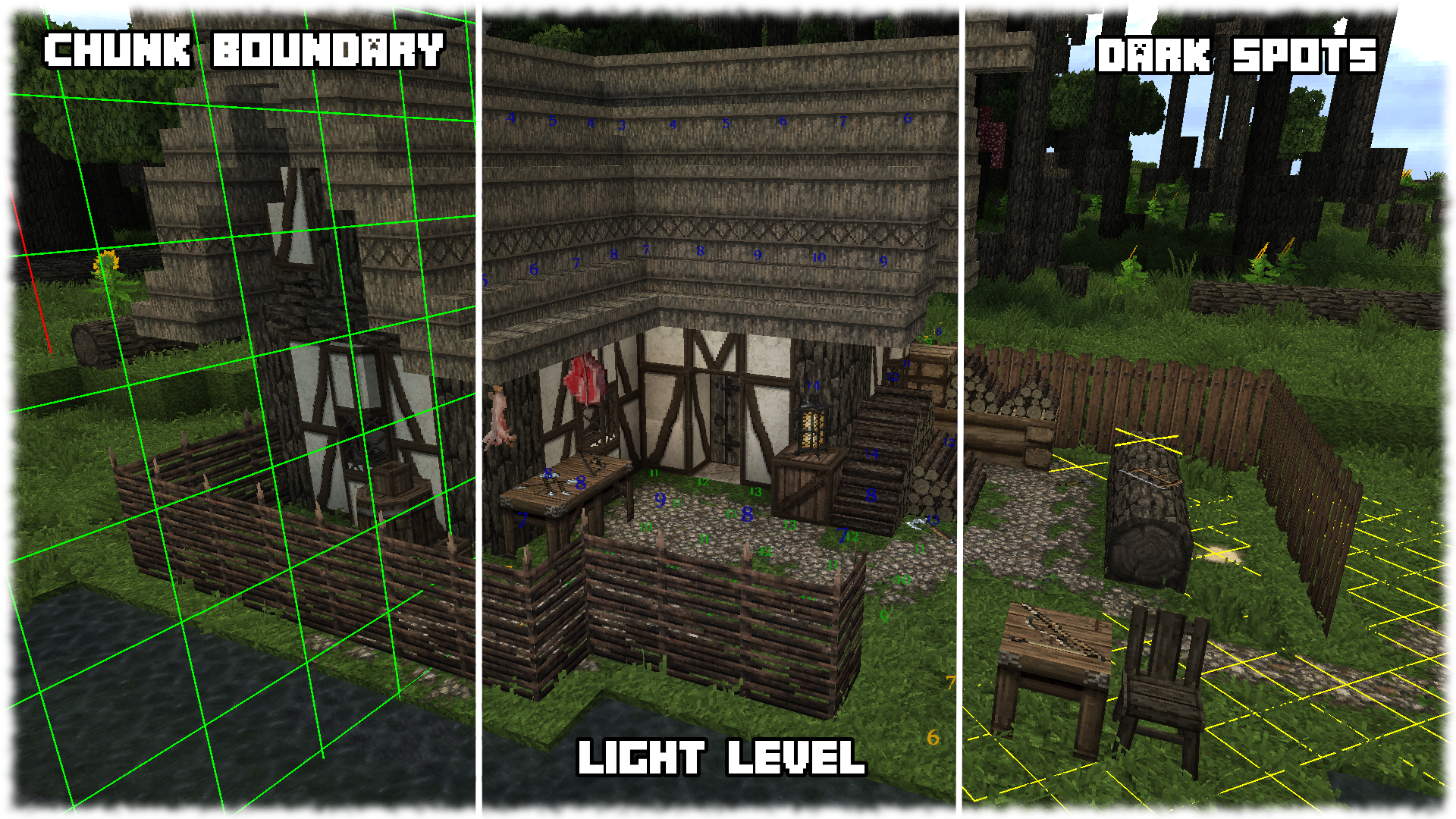
- Chunk Boundary Overlay
- Light Level Overlay
- Dark Spots Overlay
The Chunk Boundary Overlay displays a grid around the chunks border and displays a yellow vertical line directly in the center of the chunk you’re stood in. The Light Level Overlay displays a number ranging from 0 to 15 on each block within your proximity. This number of course representing Minecraft light level. It is also worth noting the color of the number also holds information. Green numbers represent blocks that a mob cannot naturally spawn on, whereas the orange number represent tiles mobs may spawn on. The blue numbers mean the block is not a spawnable block, such as Stairs, Glass or a Half Slab. The Dark Spots Overlay does a similar job in that it displays a yellow grid on the ground within your proximity. The yellow grid represents floor space that hostiles cannot spawn on, whilst red ‘spots’ represent areas dark enough to spawn hostiles.
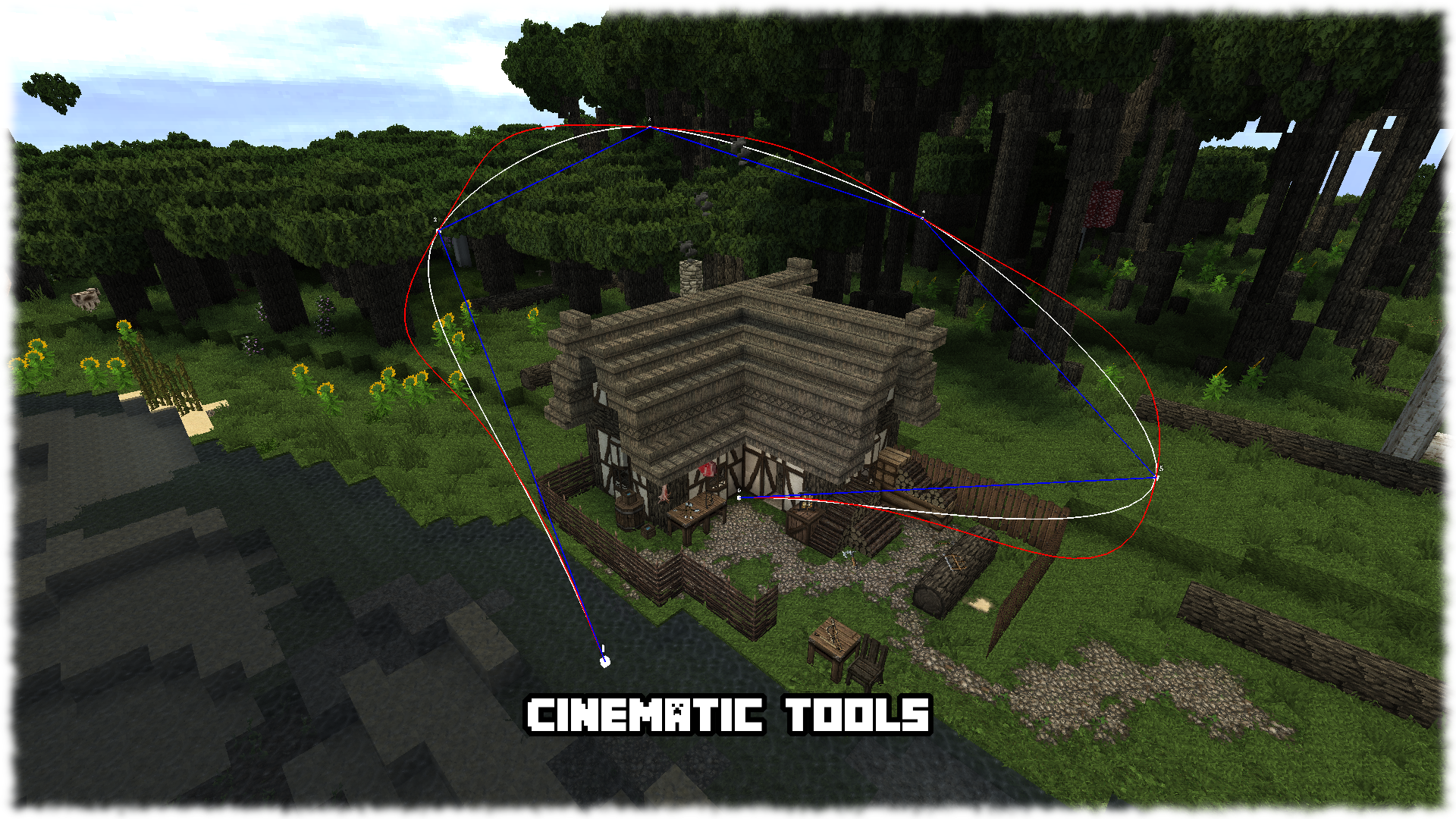
Built in Cinematic Tools help visualize and preview camera paths ready for cinematic recording. The camera can be tilted from side to side and supports zoom functionality. The Cinematic tools are great for;
- Project showcasing
- Creating cinematics
Creativerse is pre-configured to produce beautiful terrain in which to build upon and a few visual enhancements to really spice up the builds. Creativerse uses the following terrain generators;
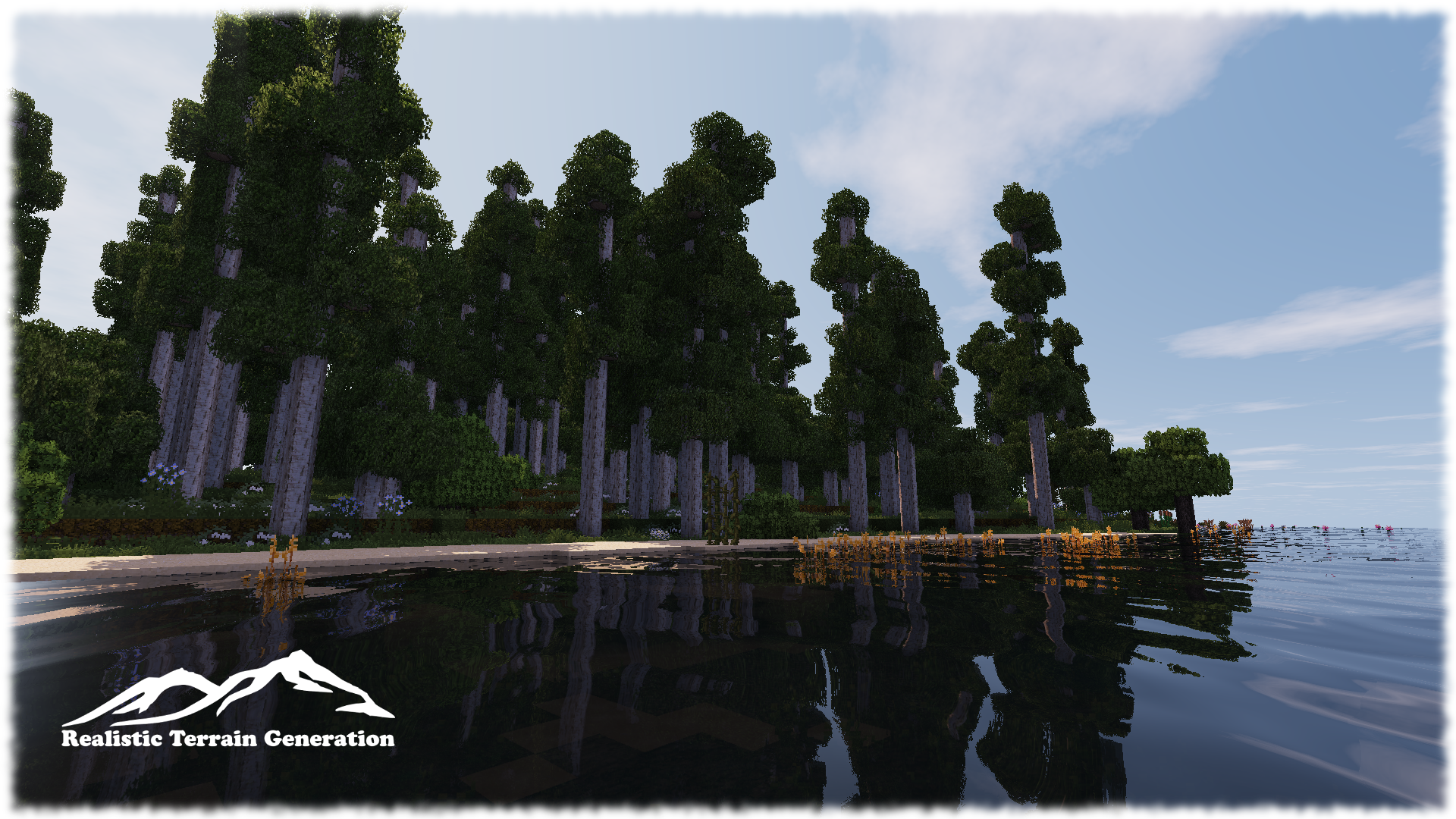
- Realistic Terrain Generation
- Alternate Terrain Generation
- Biomes o’ Plenty
- Streams*
- Underground Oceans*
Realistic Terrain Generation is selected by default and is the recommended generator to use due to its relatively flat, smooth rolling terrain. RTG will automatically use decorative blocks from Biomes o’ Plenty including Stalactites and Vegetation. Alternate Terrain Generation generates a more hilly terrain often complete with high cliff edges and mountain islands. It’s a great terrain for building on Mountainsides, Hillsides and on Cliff edges. Biomes o’ Plenty was mostly added and intended to be used as a decorator for the other two generators, however, it remains available as a world type. Streams* is a decorator and is used by the other World Types to generate free flowing streams and rivers. These flowing water bodies will often carve through cliffs and hills creating ideal locations for bandit camps/hideouts. Underground Oceans* is a decorator and is used by the other World Types to generate large water bodies deep underground. These create ideal locations for Dwarf builds.
Creativerse also includes and pre-configures the following visual enhancers;
- Shaders (via Optifine)
- Better Foliage
- Dynamic Surroundings
- Conquest
Creativerse adds several hundred new decorative models and meta’s thanks to Conquest Reforged. With so much new content an improved creative menu and extended hotbar has been included.
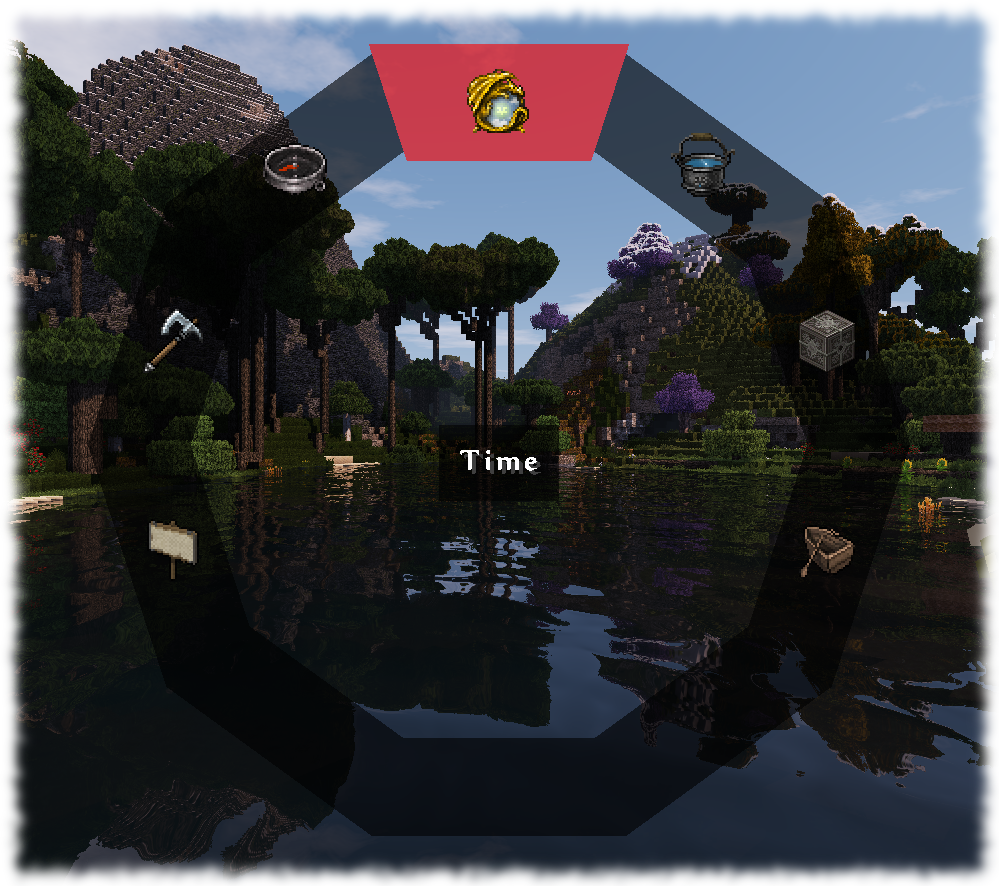
Creativerse includes a radial menu (thanks to MineMenu) which has been pre-configured to include a lot of convenience functionality including Time Management, Weather Management, Camera Shortcuts, World Edit Shortcuts, Game Rules, Spawn Points just to mention a few.
To access the menu simply press the “R” key.
Creativerse comes with a list of tweaks that change vanilla mechanics for convenience. They include;
- Infinite Lava Sources
- Faster Leaf Decay
Reviews
Video review by 99Blocks
Note: Creativerse will need some form of ‘MCPatcher’ for many of the connected textures and various other features to work. Optifine has been tested and is recommended for this. Just drop it into your mods folder.
This is not required for the Lite Edition

常见问题
Creativerse 支持哪些 Minecraft 版本?
Creativerse 基于 Minecraft Java 版 1.10.2,使用 Forge 加载器。
Creativerse 怎么安装?
点本页「前往下载」拿到整合包文件(Modrinth 的是 .mrpack,CurseForge 的是 .zip),在 PCL2 或 HMCL 启动器里选择「导入整合包」,启动器会自动装好 Minecraft、加载器和全部模组。建议在启动器里给游戏分配 4–6 GB 内存。
Creativerse 开服需要多大内存?
推荐服务器内存 12 GB。在线人数多、或者建了大量机器和区块加载器时,可以再加 2–4 GB。
怎么和朋友一起玩 Creativerse?
点本页的「一键开服」,选好配置后会自动安装 Creativerse 的服务端,几分钟就能开好。把服务器地址发给朋友,大家用同一个版本的整合包连进去就行。
LordDan_YT 的其他作品
查看全部 →
The Whetstone Mod
The Whetstone allows you to sharpen or 'Hone' your Iron Sword or Axe to increase its Damage Output by 1, matching that of the Diamond Equivalent.
Mortar and Pestle Mod
The Mortar and Pestle allows you to grind up a few substances to obtain a little more by product than normal.
评论
登录后评论和评分