Create – Steam & Sorcery
A cozy Vanilla+ experience blending Create automation, magic, and exploration.
介绍
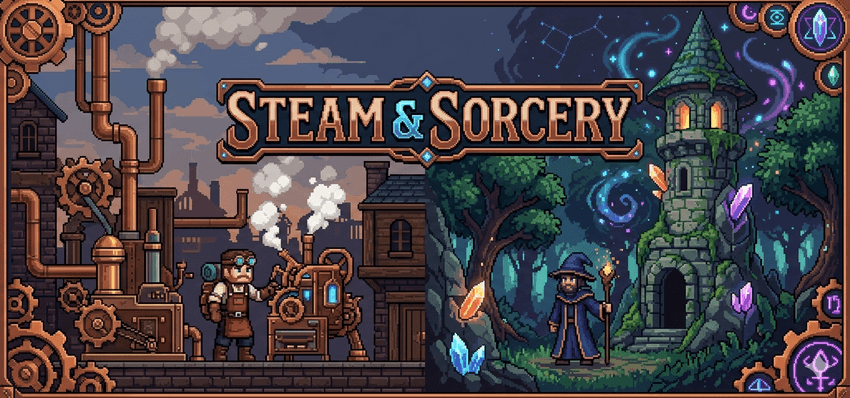
Steam & Sorcery is a lightweight technology and magic focused modpack for Minecraft 1.21.1 inspired by the Create: Perfect World – Post Production created by MrBeardstone and used in his Create: Perfect World – Post Production YouTube series.
The pack is designed to create a cozy Vanilla+ style experience centered around the Create mod and building a living, evolving world through automation, exploration, and creativity.
In addition to the core Create ecosystem, Steam & Sorcery expands the experience with technology, magic, and world generation mods including Applied Energistics 2, Ars Nouveau, and Terralith. These additions provide deeper automation, spellcraft, and more varied terrain while maintaining the familiar feel of vanilla gameplay.
Also included are quality of life, multiplayer, and exploration focused mods to improve inventory management, storage, world generation, animals, and general gameplay while keeping the experience lightweight and immersive.
Primary mods used include:
- Create
- Create: Stuff and Additions
- Create: Enchantment Industries
- Create: Copycats+
- Applied Energistics 2
- Ars Nouveau
- Terralith
- Farmers Delight
- Macaw’s Bridges, Trapdoors and Doors
- Sophisticated Backpacks
- JEI
- Storage Drawers
- A selection of performance and quality of life mods
常见问题
Create – Steam & Sorcery 支持哪些 Minecraft 版本?
Create – Steam & Sorcery 基于 Minecraft Java 版 1.21.1,使用 NeoForge 加载器。
Create – Steam & Sorcery 怎么安装?
点本页「前往下载」拿到整合包文件(Modrinth 的是 .mrpack,CurseForge 的是 .zip),在 PCL2 或 HMCL 启动器里选择「导入整合包」,启动器会自动装好 Minecraft、加载器和全部模组。建议在启动器里给游戏分配 4–6 GB 内存。
Create – Steam & Sorcery 开服需要多大内存?
推荐服务器内存 12 GB。在线人数多、或者建了大量机器和区块加载器时,可以再加 2–4 GB。
怎么和朋友一起玩 Create – Steam & Sorcery?
点本页的「一键开服」,选好配置后会自动安装 Create – Steam & Sorcery 的服务端,几分钟就能开好。把服务器地址发给朋友,大家用同一个版本的整合包连进去就行。
firav 的其他作品
查看全部 →
Auro: Create and Conquer
The official modpack for Auro: Create and Conquer. Build Nations, Wage Wars, and Create History while immersing yourself in a Create focused modpack.
Auro: Create and Conquer
The official modpack for Auro: Create and Conquer. Build Nations, Wage Wars, and Create History while immersing yourself in a Create focused modpack.
评论
登录后评论和评分