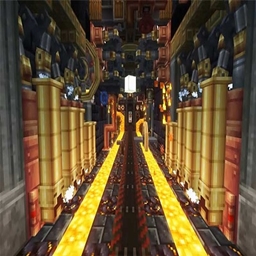
Create: Above Eureka
Create: Above Eureka including AirShips! Programming the Guidance computer of your Spaceship, build and design your own ship.
介绍
Create: Above Eureka adds a variety of mods and compiles them into an epic technological journey toward space travel.
About fifty inventions lie between you and the moon. Thousands of components will flow into and through the ever-growing sequence of your machines, providing the means to explore the next level of technology.
Your entire factory will be put to a test as final products flow into the Data Centre, programming the Guidance computer of your Spaceship. Every step of the way is different, some may even differ depending on the generation seed of your World.
Tired of the grind? Fund the operation with coin provided either from various errands, or your chosen professions. Automatically ship produce from your farms or gather other players to aid you in your mission. Then you can purchase all manner of resources, artifacts and building blocks from the market.
With added mod Eureka! Airships! You can build and design your own ship out of ordinary (or modded!) Minecraft blocks, place a Ship Helm, shift + right-click, assemble, and watch your creation suddenly infuse with physics. No longer are your Minecraft builds bound to remain forever static, sitting in the same place for all eternity.
常见问题
Create: Above Eureka 支持哪些 Minecraft 版本?
Create: Above Eureka 基于 Minecraft Java 版 1.16.5,使用 Forge 加载器。
Create: Above Eureka 怎么安装?
点本页「前往下载」拿到整合包文件(Modrinth 的是 .mrpack,CurseForge 的是 .zip),在 PCL2 或 HMCL 启动器里选择「导入整合包」,启动器会自动装好 Minecraft、加载器和全部模组。建议在启动器里给游戏分配 4–6 GB 内存。
Create: Above Eureka 开服需要多大内存?
推荐服务器内存 12 GB。在线人数多、或者建了大量机器和区块加载器时,可以再加 2–4 GB。
怎么和朋友一起玩 Create: Above Eureka?
点本页的「一键开服」,选好配置后会自动安装 Create: Above Eureka 的服务端,几分钟就能开好。把服务器地址发给朋友,大家用同一个版本的整合包连进去就行。
评论
登录后评论和评分