
Client Multitool
A pack of fabric client-sided mods focused on utility playable on vanilla minecraft servers
截图
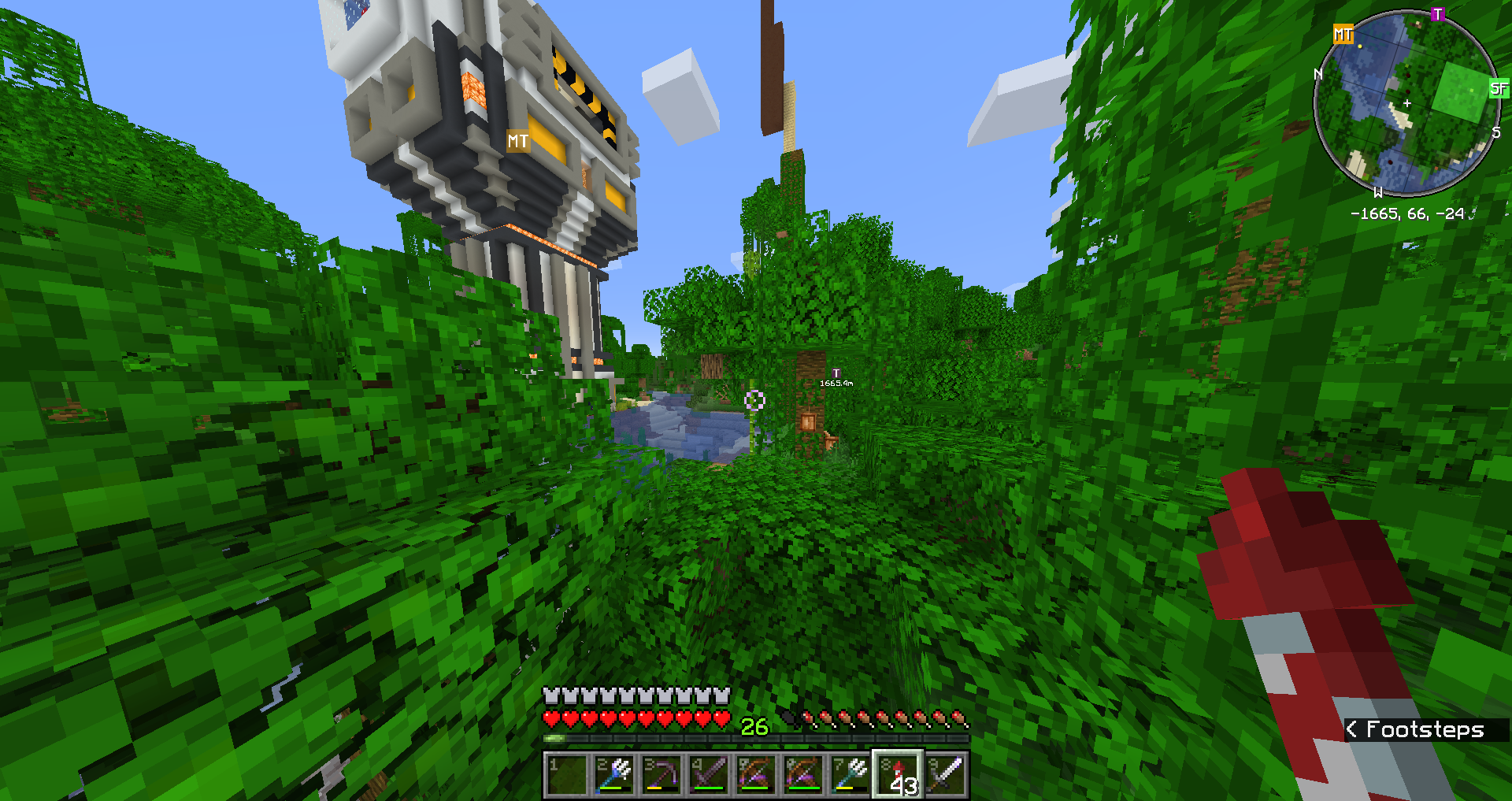
介绍
This modpack aims to simply give players access to a collection of client-sided mods on the fabric mod loader. This is because while searching for these mods I found it was quite annoying to try and find good mods and I would have to download them all separately.
Features:
* REI brings an interface that gives crafting recipes
* The contents of shulker boxes can be viewed without opening them
* Many small inventory and item improvements such as sorting inventories, and automatic item refills
* Tools for AFKing such as auto-reconnect and slowing down Minecraft if it is running in the background
* Litematica brings tools for builders to create schematics and holographic building plans, among many other features
* Extra ambiance sounds to liven your Minecraft experience
* World recording brought by Replay Mod
* Minimap and world map
* Information about food values and saturation
* CraftPresence provides Discord with extra information while playing
* With Optifine* installed, this modpack adds smooth gameplay and shader support
* With the Sodium version, the modpack adds much smoother gameplay and better lighting
Versions:
* Optifine: contains Optifabric*
* Sodium: contains Lithium, Phosphor, and Sodium instead of Optifabric
* Fair-play: Replaces Xaero’s minimap with the fair-play edition
Modifications contained within the pack:
Roughly Enough Items Fabric… – Mods – Minecraft – CurseForge
ShulkerBoxTooltip – Mods – Minecraft – CurseForge
Cloth Config API (Fabric) – Mods – Minecraft – CurseForge
OptiFabric – Mods – Minecraft – CurseForge*
Mouse Wheelie (Fabric) – Mods – Minecraft – CurseForge
AFKPeace – Mods – Minecraft – CurseForge
Amecs (Fabric) – Mods – Minecraft – CurseForge
Auto Config Updated API – Mods – Minecraft – CurseForge
Dynamic FPS – Mods – Minecraft – CurseForge
Fabric API – Mods – Minecraft – CurseForge
Fermion – Mods – Minecraft – CurseForge
Jankson – Mods – Minecraft – CurseForge
Litematica – Mods – Minecraft – CurseForge
MaLiLib – Mods – Minecraft – CurseForge
MAmbience – Mods – Minecraft – CurseForge
Mod Menu – Mods – Minecraft – CurseForge
Minecraft Replay Mod – Craft your Moment
Xaero’s World Map – Mods – Minecraft – CurseForge
Xaero’s Minimap – Mods – Minecraft – CurseForge
Xaero’s Minimap (Fair-play … – Mods – Minecraft – CurseForge
Jumploader – Mods – Minecraft – CurseForge
AppleSkin – Mods – Minecraft – CurseForge
CraftPresence – Mods – Minecraft – CurseForge
Phosphor (Fabric) – Mods – Minecraft – CurseForge
I am new to using software licensing, so if I have made an error in what mods I am allowed to use, please tell me.
REMEMBER: Do not simply use the download button on the top right, or you may get an unwanted version.
*If the Optifine version is being used, Optifine is required to be in the mods folder to make this pack function properly. Please download it here:
常见问题
Client Multitool 支持哪些 Minecraft 版本?
Client Multitool 基于 Minecraft Java 版 1.16.5、1.16.4。
Client Multitool 怎么安装?
点本页「前往下载」拿到整合包文件(Modrinth 的是 .mrpack,CurseForge 的是 .zip),在 PCL2 或 HMCL 启动器里选择「导入整合包」,启动器会自动装好 Minecraft、加载器和全部模组。建议在启动器里给游戏分配 4–6 GB 内存。
Client Multitool 开服需要多大内存?
推荐服务器内存 12 GB。在线人数多、或者建了大量机器和区块加载器时,可以再加 2–4 GB。
怎么和朋友一起玩 Client Multitool?
点本页的「一键开服」,选好配置后会自动安装 Client Multitool 的服务端,几分钟就能开好。把服务器地址发给朋友,大家用同一个版本的整合包连进去就行。

评论
登录后评论和评分