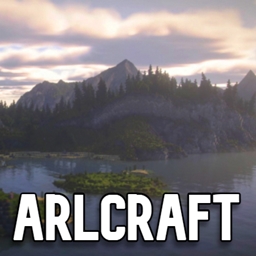
截图

介绍
WELCOME to ARLCraft
Welcome to ARLCraft (Actual Real Life Minecraft). This new 1.16.5 ARLCraft has many realistic features, mobs, nether, end, and more. The goal of the game is to either explore the world or beat it. You will come into the world finding yourself surrounded by realistic mods. I am open for comments and suggestions to make this Modpack better. This was also heavily inspired by RLCraft.
Tips to start
- Find flint to create flint shards.
- Get sticks to make a flint knife.
- Make fiber string from plant fiber to make your flint axe.
- Cut down a tree and make planks with the axe in your crafting table.
- Make a flint or wooden pickaxe to mine cobble.
- Explore different and new biomes with many mobs, ruins and dungeons.
- Find a cave and explore the new generations and mineshafts.
- Start exploring the nether and end to beat the game.
- Have fun.
Still updating mods for more realistic gameplay. Also, I’m going to upload a tutorial guide video on this new mod pack.
常见问题
ARLCraft 支持哪些 Minecraft 版本?
ARLCraft 基于 Minecraft Java 版 1.16.5,使用 Forge 加载器。
ARLCraft 怎么安装?
点本页「前往下载」拿到整合包文件(Modrinth 的是 .mrpack,CurseForge 的是 .zip),在 PCL2 或 HMCL 启动器里选择「导入整合包」,启动器会自动装好 Minecraft、加载器和全部模组。建议在启动器里给游戏分配 4–6 GB 内存。
ARLCraft 开服需要多大内存?
推荐服务器内存 12 GB。在线人数多、或者建了大量机器和区块加载器时,可以再加 2–4 GB。
怎么和朋友一起玩 ARLCraft?
点本页的「一键开服」,选好配置后会自动安装 ARLCraft 的服务端,几分钟就能开好。把服务器地址发给朋友,大家用同一个版本的整合包连进去就行。
评论
登录后评论和评分