截图
介绍
This pack makes Minecraft more heart racing and scary!
The only one goal you’ll have in mind is to Survive in this land filled with horrific monsters and entities.
Modpack Trailer :
Some Included mods are :
From The Fog
Herobrine will haunt your world continuously with him appearing behind your back or in the corner of your screen.
Man From The Fog
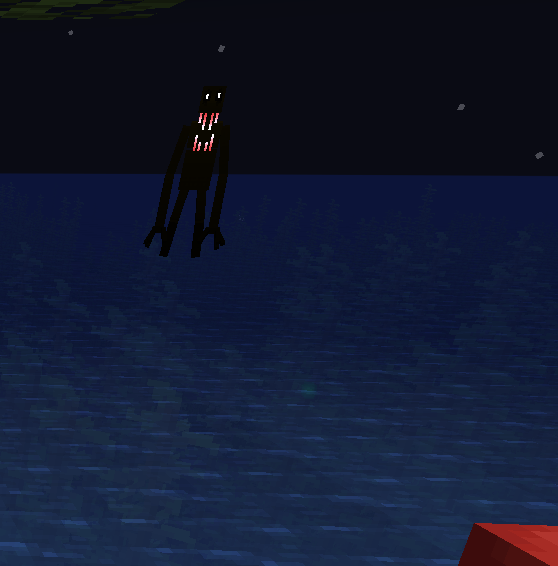
An entity who will spawn at night with the only objective is to kill you. With no Mercy
MutationCraft
A mod that adds mutated hostile version of normal mobs, with scary and bloody appearance.
Dangers in the Darkness
There are several entities that will try to kill you under certain circumstances, so be alerted at all time!
Eyes in the Darkness
Ah, those translucent eyes that will Jumpscare you when you’re distracted, how classic!
The Corpse Stalker
Cave Dweller, they’re aren’t that scary right? Now that’s where you’re wrong with this mod.
The John Reborn
The cries of lost souls, they’re trying to be free but they can not because of the curses they’re given…
Doctor Who – Weeping Angels
The pesky statues that will move when you lost sight of them
Midnight Lurker
An entity that is inspired by the Cave Dweller and The Man From The Fog, chasing you down like them.
Also there are mods like Sound Physics Remastered, AmbientSounds 5, Drip Sounds (Forge) and EnhancedVisuals to make the Modpack more immersive.
Logo made possible by Ewan Howell’s Minecraft Title Generator for BlockBench
How to Install :
CurseForge now supports Client installing!
To Install simply go to the Download page and click the “Install” button and open The CurseForge App!
Manual Download Instructions :
- Click on the Files tab on the Modpack page.
- Click “Download” the Latest File
- Once the .zip file has finished downloading, select “Create Custom Profile” on the client. (found next to “My Modpacks” and “Browse Modpacks”)
- Click “import” and select the .zip
- Wait for the client to install the mod like normal
常见问题
Arctic’s Horror Night 支持哪些 Minecraft 版本?
Arctic’s Horror Night 基于 Minecraft Java 版 1.19.2,使用 Forge 加载器。
Arctic’s Horror Night 怎么安装?
点本页「前往下载」拿到整合包文件(Modrinth 的是 .mrpack,CurseForge 的是 .zip),在 PCL2 或 HMCL 启动器里选择「导入整合包」,启动器会自动装好 Minecraft、加载器和全部模组。建议在启动器里给游戏分配 4–6 GB 内存。
Arctic’s Horror Night 开服需要多大内存?
推荐服务器内存 12 GB。在线人数多、或者建了大量机器和区块加载器时,可以再加 2–4 GB。
怎么和朋友一起玩 Arctic’s Horror Night?
点本页的「一键开服」,选好配置后会自动安装 Arctic’s Horror Night 的服务端,几分钟就能开好。把服务器地址发给朋友,大家用同一个版本的整合包连进去就行。
评论
登录后评论和评分