
截图
介绍
PROGRESSION
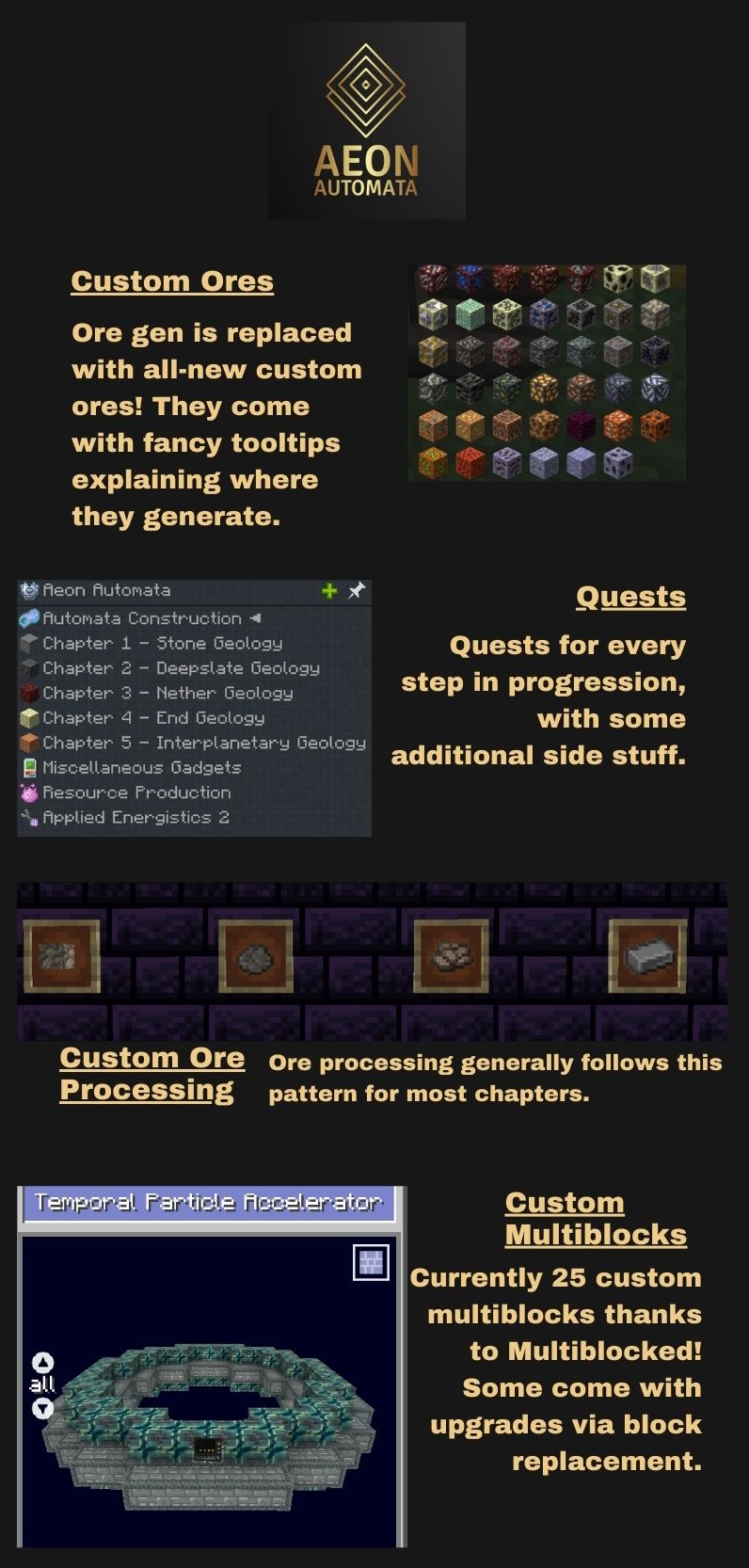
Tech follows a narrow, highly-customized progression, with each chapter containing several different mods interwoven together.


THE AUTOMATA
At the end of every chapter, you are tasked with constructing some specialized ‘Automata’ parts. These are essentially gigantic hoarding quests that ask for a large quantity of a custom item, that will make use of a broad spectrum of technology from the current chapter. Think of the space elevator in Satisfactory, or science in Factorio.
ORES
All normal ores and ore generation are disabled, in lieu of a totally custom batch of ores. Ore processing is completely customized, and each chapter you unlock a way to do last chapters’ ores better, while unlocking modern ways to process ores closer to your progression stage. Each chapter is concerned with its own ore strata, hence the naming convention.
– Stone Geology
create crushing wheels, sifter, arc furnace
– Deepslate Geology
pulverizer, centrifuge
– Nether Geology
mekanism crusher, multiblocked ore sorter
– End Geology
lazierae2 grinder, multiblocked digital ore sorter, multiblocked mercury injector
– Interplanetary Geology
alchemistry dissolver, multiblocked atomic collapser, multiblocked atomic recombinator
MULTIBLOCKED
The mod Multiblocked is used to great extent, with several custom & dynamic machines, big and small, throughout the pack. These aid in progression, allow gating, unlock processing chains, etc.

常见问题
Aeon Automata 支持哪些 Minecraft 版本?
Aeon Automata 基于 Minecraft Java 版 1.18.2,使用 Forge 加载器。
Aeon Automata 怎么安装?
点本页「前往下载」拿到整合包文件(Modrinth 的是 .mrpack,CurseForge 的是 .zip),在 PCL2 或 HMCL 启动器里选择「导入整合包」,启动器会自动装好 Minecraft、加载器和全部模组。建议在启动器里给游戏分配 4–6 GB 内存。
Aeon Automata 开服需要多大内存?
推荐服务器内存 12 GB。在线人数多、或者建了大量机器和区块加载器时,可以再加 2–4 GB。
怎么和朋友一起玩 Aeon Automata?
点本页的「一键开服」,选好配置后会自动安装 Aeon Automata 的服务端,几分钟就能开好。把服务器地址发给朋友,大家用同一个版本的整合包连进去就行。
gebcrafter 的其他作品
查看全部 →
Ferromancy
Progression-based Mining Modpack
Aeon Automata 2
Fully custom tech modpack with automation checkpoints

A Healthy Balance
A Huge Kitchen Sink Pack with a balance of Tech, Magic, and Exploration for 1.12.2!

Ruby Engineers
Moderately-sized tech modpack
评论
登录后评论和评分