
A Lot Of FPS
A lightweight pack that maximizes Minecraft’s performance on any PC. Get higher FPS and a smoother experience while keeping the game looking exactly as it should.
截图
介绍
🚀 A Lot Of FPS
The purest way to play Minecraft at 500+ FPS.
No bloat. No useless features. This pack uses a modern rendering stack and advanced logic optimizations to provide a stutter-free experience. 100% compatible with any server.
🛠️ Performance Stack
To achieve these results, this project focuses on cutting-edge technologies:
- Vulkan Rendering: Powered by VulkanMod to replace the outdated OpenGL, offering superior performance on modern GPUs.
- Multithreading: Utilizes C2ME (Concurrent Chunk Management Engine) to distribute world loading across all your CPU cores.
- Aggressive Culling: Includes Entity Culling and More Culling to stop rendering what you can’t see, saving massive GPU resources.
- Memory Optimization: Uses FerriteCore to reduce RAM usage by up to 50%.
- Optimized UI & Logic: BadOptimizations and ImmediatelyFast remove rendering bottlenecks in the UI and entity code.
✨ Quality of Life
- Instant Loading: With Remove Reloading Screen, you’ll never have to stare at the red Mojang loading bar when changing resource packs or settings again.
💻 Benchmark
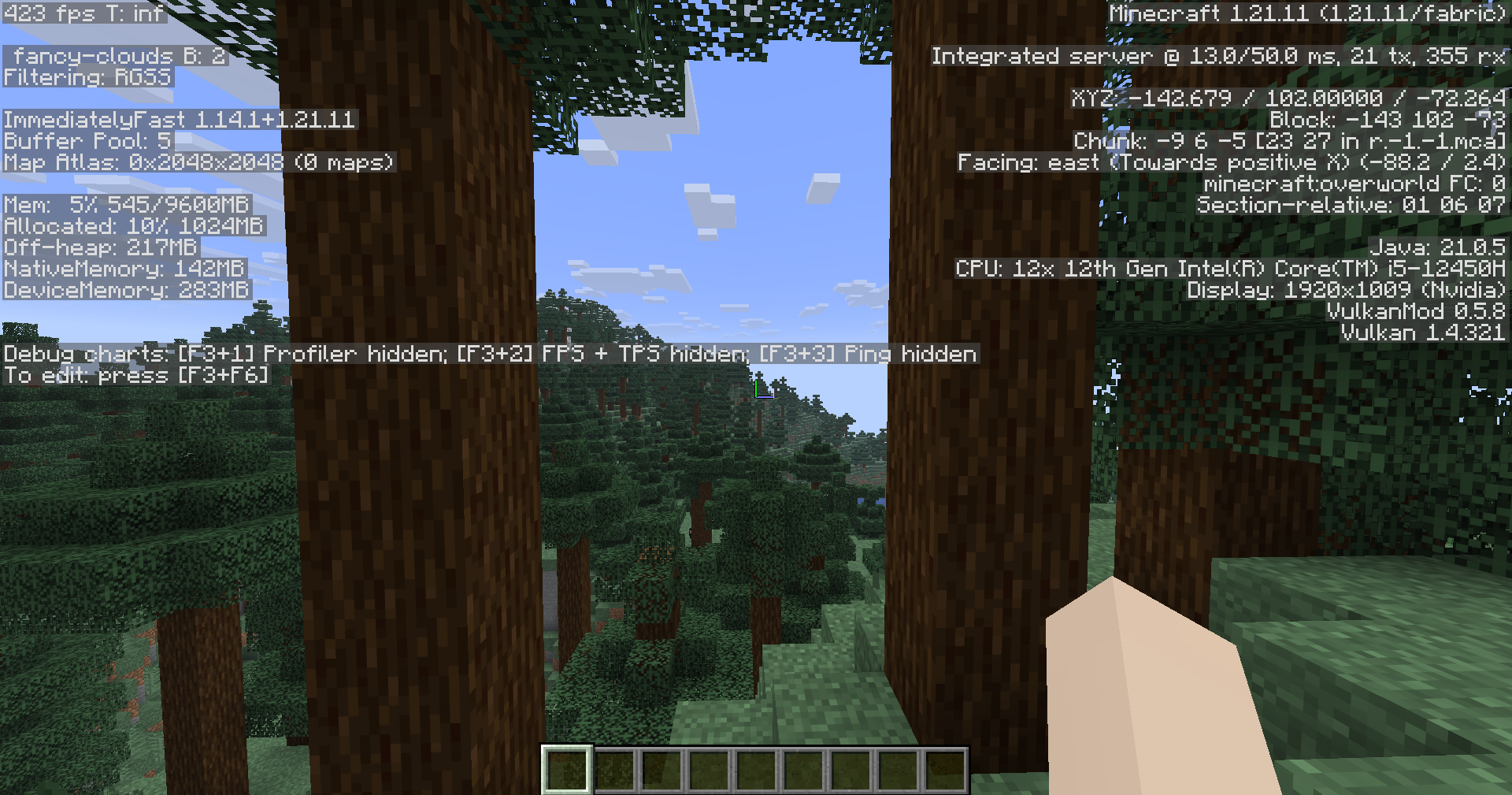
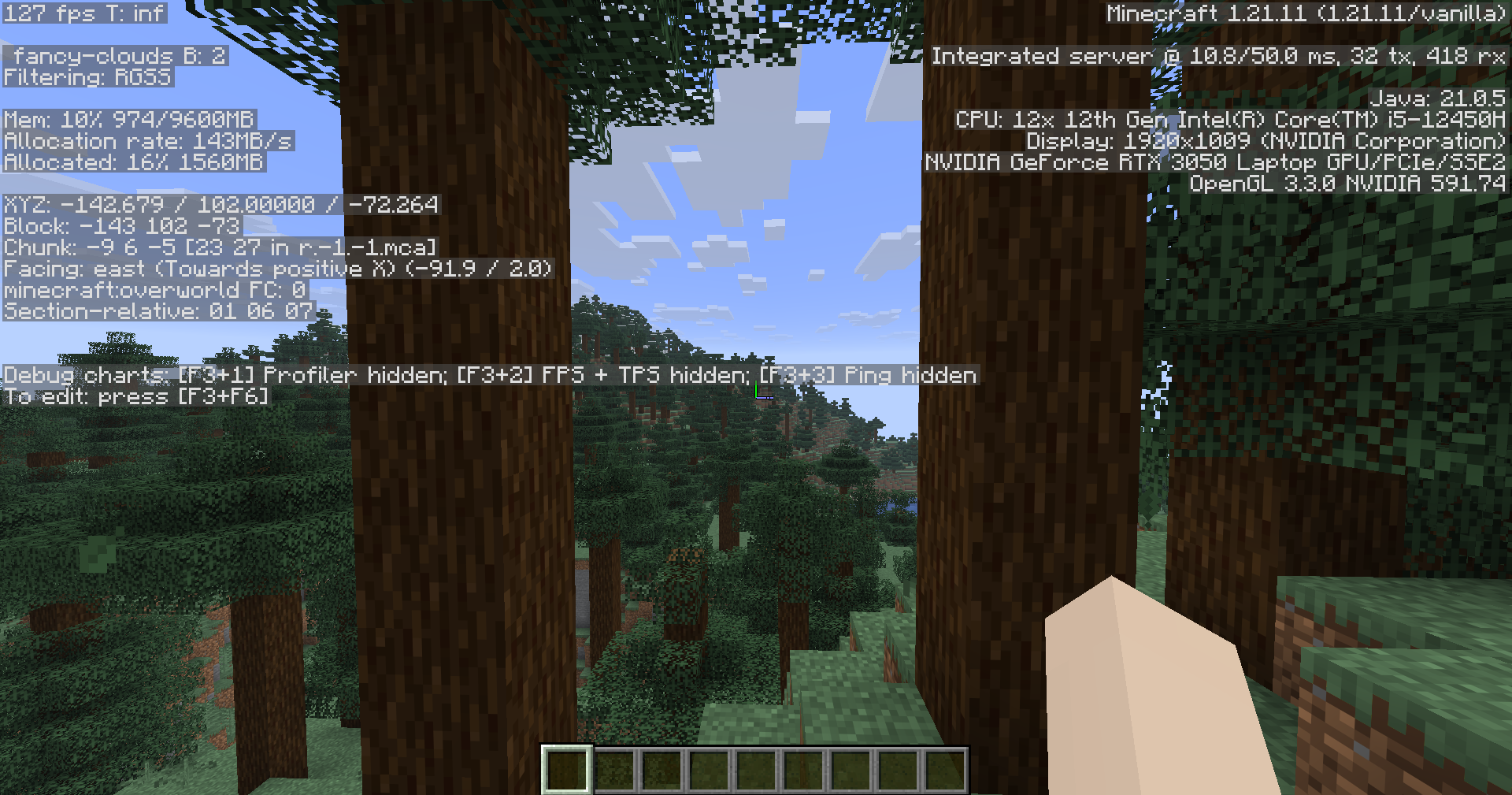
Tested on Minecraft 1.21.11 | Render Distance: 16 Chunks | Simulation: 16 Chunks
| Test | Graphics Settings | Average FPS |
|—————–|:—————–:|:———–:|
| Vanilla | Fancy | ~120 FPS |
| A Lot Of FPS | Fancy | ~420 FPS |
My Test System
Here’s the system I used for this benchmark.
| Test | Specification |
|——–|:———————–:|
| OS | Windows 11 |
| CPU | Intel Core i5-12450H |
| GPU | NVIDIA GeForce RTX 3050 |
| RAM | 24 GB |
⚠️ Known Issues & Debug
- Vulkan Support: Ensure your GPU drivers are up to date to support the Vulkan API.
- Black Textures: If the game displays no textures (completely black screen), simply restart the game client.
⚡ QuickStart
- Download the Modrinth App.
- Install the A Lot Of FPS via “Browse” in the app.
- Play and enjoy a lot of FPS.
包含的模组 11 个
 Cloth Config API
 Concurrent Chunk Management Engine (Fabric)
 实体剔除
 Fabric API
 Fast Better Grass
 FerriteCore
 Forge Config API Port
 ImmediatelyFast
 More Culling
 移除重载屏幕
左侧绿标的模组本站有收录,点进去看中文介绍;其余跳转到 Modrinth。
常见问题
A Lot Of FPS 支持哪些 Minecraft 版本?
A Lot Of FPS 支持 Minecraft Java 版 1.21.9–26.3,共 8 个版本,可用的加载器:Fabric。下载时注意选择和你游戏版本一致的文件。
A Lot Of FPS 怎么安装?
点本页「前往下载」拿到整合包文件(Modrinth 的是 .mrpack,CurseForge 的是 .zip),在 PCL2 或 HMCL 启动器里选择「导入整合包」,启动器会自动装好 Minecraft、加载器和全部模组。这个整合包有 11 个模组,建议在启动器里给游戏分配 4–6 GB 内存。
A Lot Of FPS 开服需要多大内存?
推荐服务器内存 12 GB。在线人数多、或者建了大量机器和区块加载器时,可以再加 2–4 GB。
怎么和朋友一起玩 A Lot Of FPS?
点本页的「一键开服」,选好配置后会自动安装 A Lot Of FPS 的服务端,几分钟就能开好。把服务器地址发给朋友,大家用同一个版本的整合包连进去就行。

评论
登录后评论和评分