
ZoomW (WAIZA)
The Enhanced ZoomWMod allows players to fine-tune their zoom settings in Minecraft, providing a more immersive and customizable experience. Easily adjust zoom speed, default zoom levels, and enjoy a smooth, responsive zoom functionality with this mod.
截图
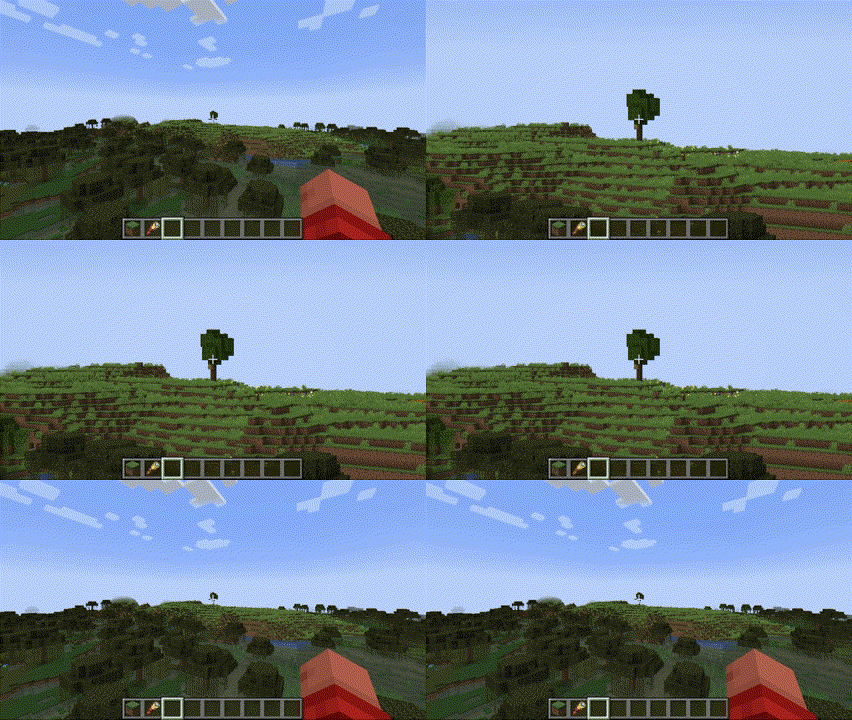
介绍




Overview
The Enhanced WAIZA Mod (What Am I Zooming At?) provides Minecraft players with a fully customizable zooming experience, allowing for more precise control over how you view the world. Whether you need to zoom in for a closer look at distant landscapes, or quickly zoom out for a broader view, this mod offers a range of settings that can be fine-tuned to match your preferences. Perfect for adventurers, builders, and anyone who enjoys a more tailored visual experience in Minecraft.

Dependencies
From now on you will need 2 new dependencies to run this mod.
- Mod Menu: This handles the config button.
- YACL: This handles the configuration screen and is a very reliable and thrustworthy mod.
You can find YACL here and Mod Menu here.
Mod Menu Integration
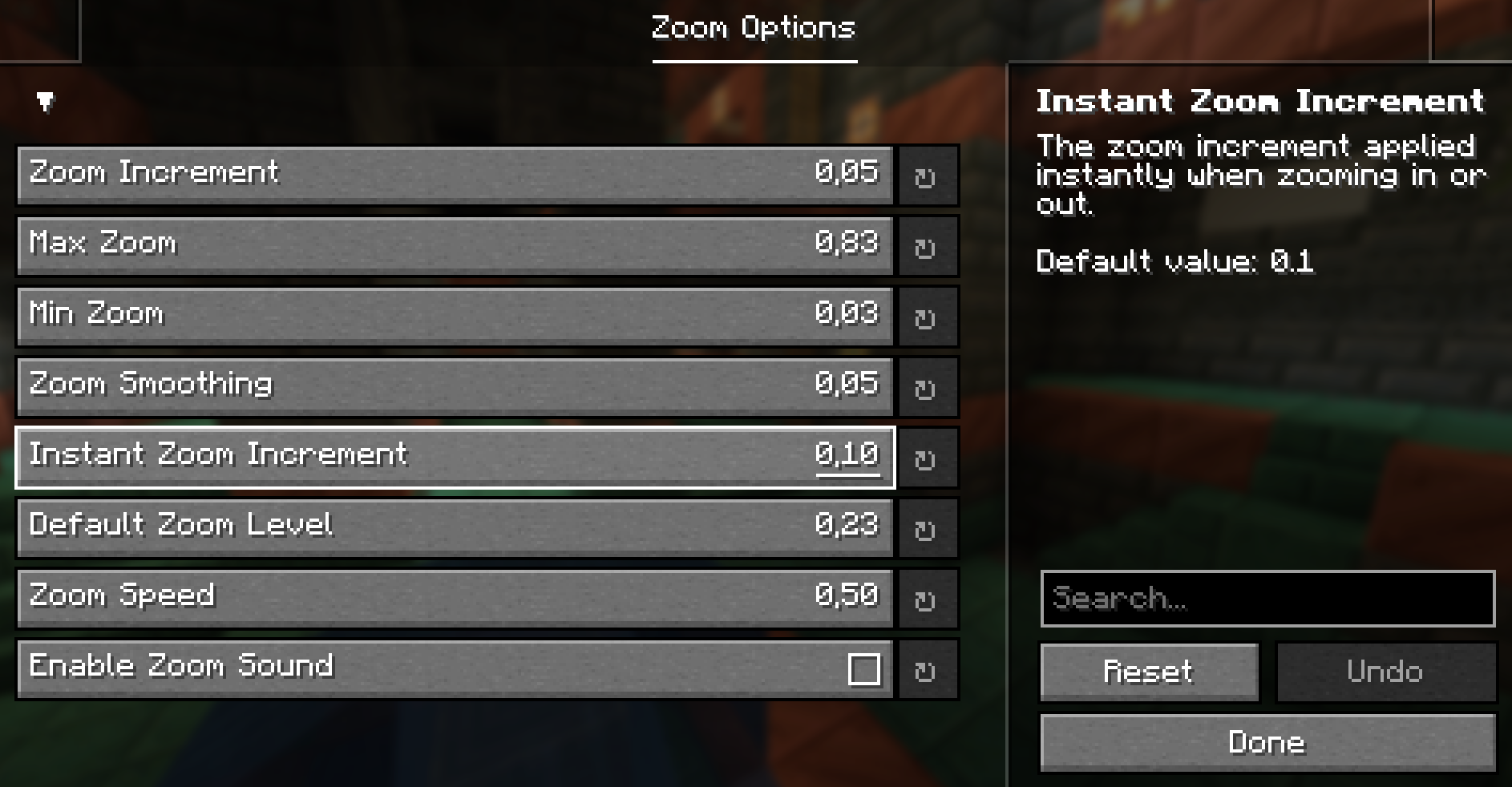
Upon first launch, the mod will generate a configuration file inside Mod Menu. You can access it through the Menu of Mod Menu. Here’s what each setting controls:
- zoom_increment: Determines how much the zoom level changes with each scroll or key press. (Default: 0.05)
Description: A lower value allows for finer adjustments, while a higher value makes zooming faster but less precise.
- max_zoom: Sets the maximum zoom level you can achieve. (Default: 0.83)
Description: This limits how far in you can zoom. Useful to prevent excessive zooming that might distort the view.
- min_zoom: Sets the minimum zoom level you can achieve. (Default: 0.03)
Description: This controls how far out you can zoom, allowing for a wide-angle view of your surroundings.
- zoom_smoothing: Controls the smoothness of the zoom transition. (Default: 0.05)
Description: A lower value results in a quicker, more immediate zoom, while a higher value makes zooming feel more gradual.
- instant_zoom_increment: Defines the increment for instant zoom adjustments. (Default: 0.1)
Description: Use this setting for faster zoom changes when you need to quickly get closer or further away.
- default_zoom_level: Sets the default zoom level that the mod reverts to when you release the zoom key. (Default: 0.23)
Description: This is your “starting point” for zooming, ensuring a consistent and comfortable level of zoom when not actively zooming in or out.

Installation
- Install Minecraft Fabric Loader:
_Ensure you have the Fabric Loader installed for your version of Minecraft._
- Download and Place the Mod:
- Download the Enhanced waiza .jar file and place it in your .minecraft/mods folder.
- Run Minecraft
**The mod will automatically create the configuration file on first run.
Tweak the settings to your liking through the in-game Mod Menu.**
Languages supported
WAIZA supports the following languages:
- English
- Spanish
- Italian
- French
- German
- More to come…
常见问题
ZoomW (WAIZA) 支持哪些 Minecraft 版本?
ZoomW (WAIZA) 支持 Minecraft Java 版 1.21.1,可用的加载器:Fabric。下载时注意选择和你游戏版本一致的文件。
ZoomW (WAIZA) 怎么安装?
先用 PCL2 或 HMCL 启动器安装对应版本的 Fabric,再把下载的 .jar 文件放进游戏目录的 mods 文件夹,重新启动游戏即可。开启了版本隔离的,mods 文件夹在 versions/版本名 下面。运行环境:仅客户端。
justElias 的其他作品
查看全部 →
Nether Portal Coords
This lightweight mod adds a command to your game that allows you to quickly calculate Nether and Overworld coordinates based on your current position or custom coordinates.

Chat Calcus
The Calculator Mod enhances your Minecraft experience by adding a convenient calculator functionality directly into the in-game chat.

Slabbed
A Minecraft mod that changes the way you see and feel caves

Longer Chat History
A very small and compact mod that has 1 command which changes the length of the history of the chat.
评论
登录后评论和评分