
Zoomly
The lightweight OptiFine zoom alternative for modern Minecraft. Smooth adjustable zoom, customizable controls, multi-loader support, and zero unnecessary bloat.
截图
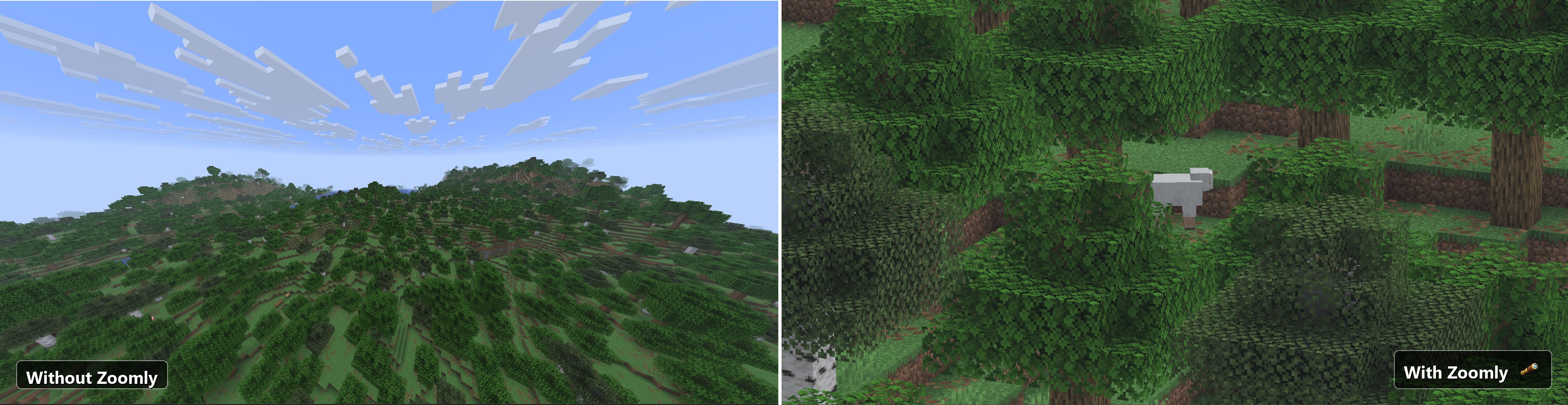

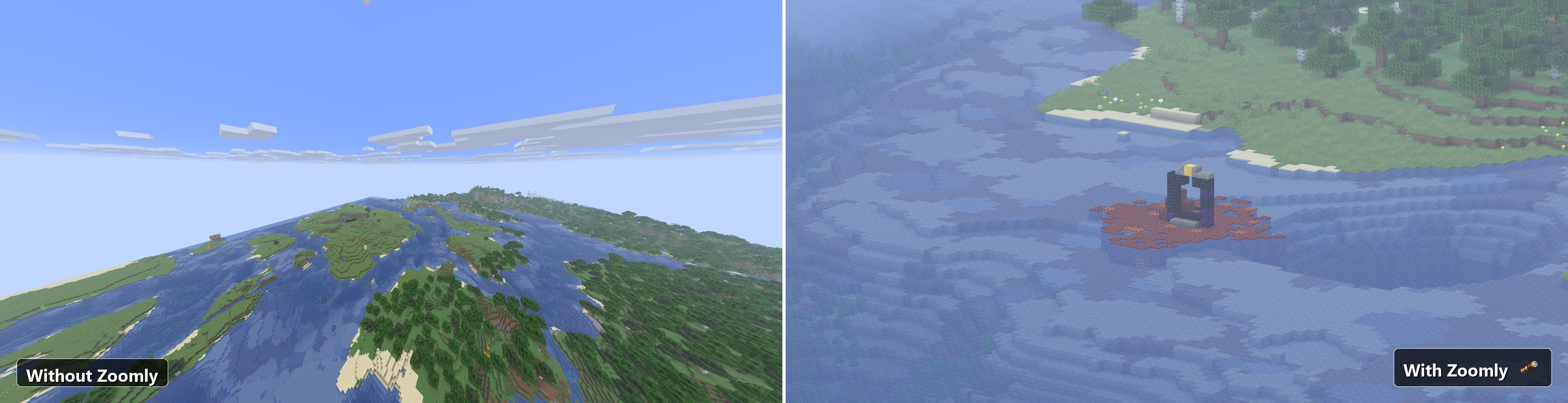
介绍
Zoomly
Zoomly is a lightweight, client-side zoom mod for Minecraft that provides a smooth, responsive, and highly customizable zoom experience. Built for Fabric, Forge, and NeoForge, Zoomly supports multiple Minecraft versions while staying fast, simple, and easy to use.
Whether you’re building, exploring, fighting mobs, playing PvP, or taking screenshots, Zoomly lets you zoom in instantly without changing the way Minecraft feels. No unnecessary features, no complicated setup, and no performance overhead.
Features
Instant Zoom
Press and hold your zoom key to instantly zoom in. Release the key at any time to immediately return to your normal field of view.
Adjustable Zoom Level
While zooming, use your mouse scroll wheel to smoothly increase or decrease the zoom level until you find the perfect view.
Custom Keybind
The zoom key can be changed at any time from Minecraft’s Controls menu, allowing you to use whatever key feels most comfortable.
Lightweight Design
Zoomly focuses on one thing and does it well. No unnecessary features, background processing, or complicated configuration. Just install the mod and start using it.
Multi-Version Support
Supports multiple Minecraft versions through dedicated releases, making it easy to keep using Zoomly as Minecraft continues to update.
Multi-Loader Support
Available for Fabric, Forge, and NeoForge with identical behavior across every supported loader.
Client-Side
Zoomly is completely client-side. Servers do not need to install the mod, making it compatible with both singleplayer and multiplayer servers.
Installation
- Install the appropriate mod loader for your Minecraft version.
- Download the correct Zoomly version for your loader.
- Place the downloaded JAR into your mods folder.
- Launch Minecraft and start zooming.
Dependencies
- Fabric: Fabric API
- Forge: None
- NeoForge: None
Frequently Asked Questions
Does Zoomly work on multiplayer servers?
Yes. Zoomly is a completely client-side mod. Servers do not need to install it.
Will this affect performance?
No. Zoomly is designed to be lightweight and has virtually no noticeable performance impact.
Can I change the zoom key?
Yes. The keybind can be changed at any time through Minecraft’s Controls menu.
Can I change how much the game zooms in?
Yes. While holding the zoom key, simply scroll your mouse wheel to increase or decrease the zoom level.
Does Zoomly replace OptiFine’s zoom?
Yes. If you’re looking for a lightweight alternative to OptiFine’s zoom feature, Zoomly provides a similar experience without requiring OptiFine.
Does Zoomly require a server-side installation?
No. The mod only needs to be installed on the client.
Which mod loaders are supported?
Zoomly is available for Fabric, Forge, and NeoForge.
Which Minecraft versions are supported?
Zoomly supports multiple Minecraft versions. Check the Files or Versions page for the latest supported releases.
Credits
- Author: Xeonz
- License: MIT License
常见问题
Zoomly 支持哪些 Minecraft 版本?
Zoomly 支持 Minecraft Java 版 1.21.10–26.3,共 7 个版本,可用的加载器:Fabric / Forge / NeoForge。下载时注意选择和你游戏版本一致的文件。
Zoomly 怎么安装?
先用 PCL2 或 HMCL 启动器安装对应版本的 Fabric / Forge / NeoForge,再把下载的 .jar 文件放进游戏目录的 mods 文件夹,重新启动游戏即可。开启了版本隔离的,mods 文件夹在 versions/版本名 下面。运行环境:仅客户端。
Xeonz 的其他作品
查看全部 →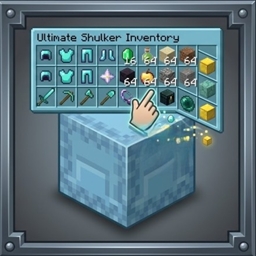
Shulker Peek
Hover over any shulker box to instantly preview its full 9x3 contents in the tooltip. Color matched background tint, optional title and item counts, Shift-to-preview mode, keybind toggle, and in-game config support.

ShulkerPeek
Shulker box tooltip preview mod see the full shulker box contents on hover in a clean 9x3 grid. Color-matched background, item counts, Shift-to-show mode, keybind toggle, and in-game config. Fabric, Forge, and NeoForge.
Zoomly
The lightweight OptiFine zoom alternative for modern Minecraft. Smooth adjustable zoom, customizable controls, multi-loader support, and zero unnecessary bloat.
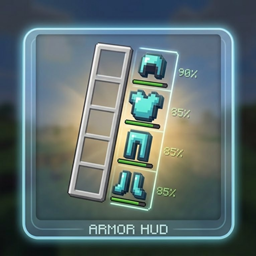
Armor Glance
A compact, customizable armor display mod that shows your equipped gear with durability percentages and progress bars next to the hotbar — fully configurable via Mod Menu.
评论
登录后评论和评分