
截图
介绍
Zipline: Rezipped!


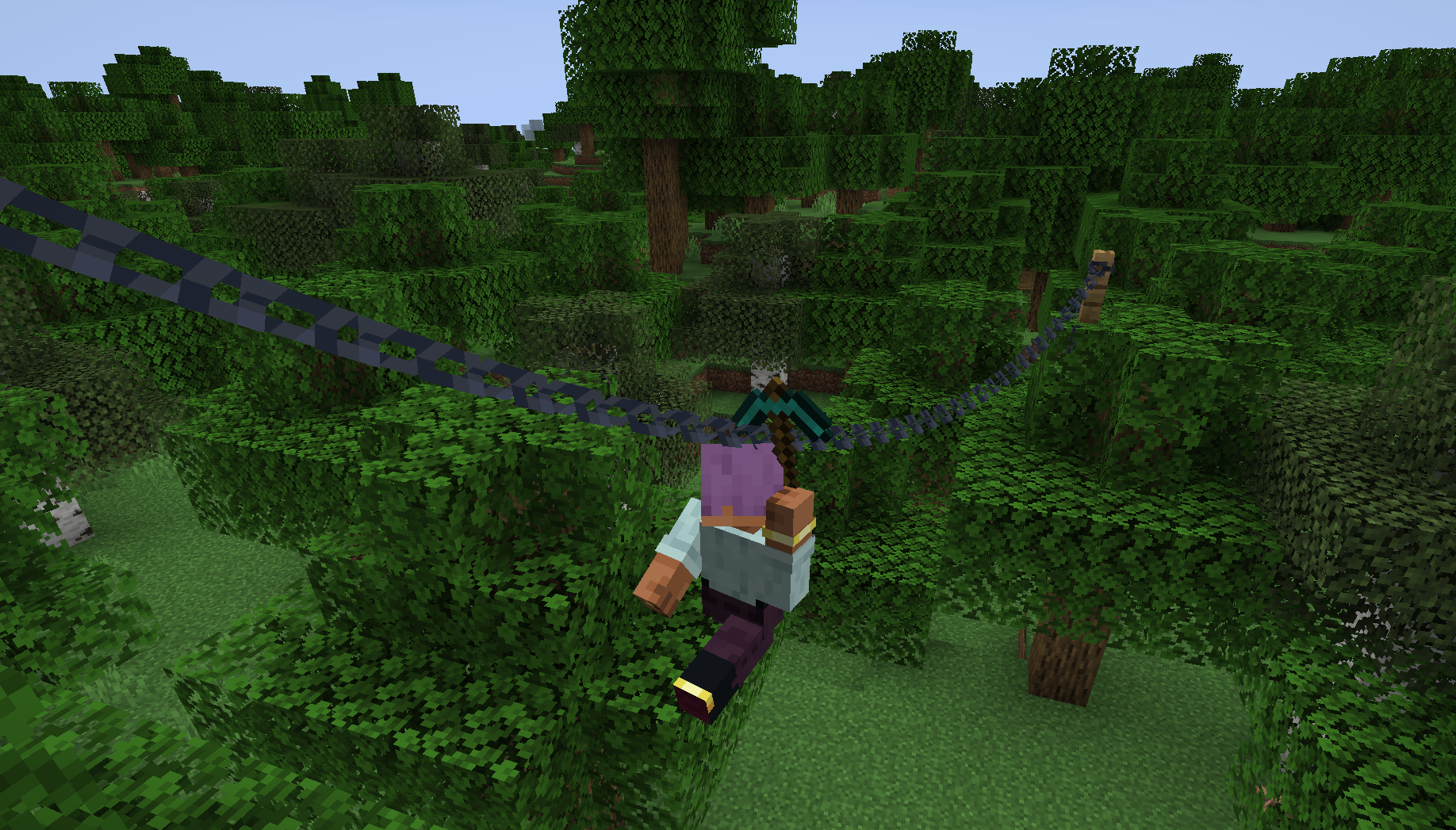
This is a multiloader fork of Tomate0613’s Zipline: Ziplines inspired by the hit zipline game Satisfactory!
What’s New?
- Momentum-Based Physics! Gain speed going down, lose speed going up. Includes a toggle to disable realistic physics for those who prefer a more arcade-y feel (default).
- Works With Any Tools! Add your modded tools to the item tag
#zipline:attachmentto zip around with them. - Durability! Usage wears down your zipline tool (configurable).
Usage
How to Zip
- Equip a Zipline tool (see _compatibility_ or _customization_ below).
- Aim at a compatible cable, wire, or chain.
- Hold Right-Click to attach and start zipping.
- Look in the direction you want to travel to influence your momentum.
- Jump to detach and launch yourself off the line, or release right-click.
Configuration
This mod uses Cloth Config (optional but recommended) to allow customization of the mechanics. You can access the config screen via Mod Menu or by editing config/zipline.json.
Compatibility
This mod does not add any cables on its own. Instead, it turns existing cables from other mods into ziplines.
Supported mods include:
- Reconnectible Chains
Create Crafts & Additions(temporarily disabled)- Station Decoration (Minecraft Transit Railway addon)
Customization
Adding Zipline Tools
This mod defines the specific tag zipline:attachment. Any item added to this tag will function as a zipline tool. By default, this includes Pickaxes and items tagged as Wrenches.
You can add items to this tag via a Data Pack: data/zipline/tags/item/attachment.json
{
  "replace": false,
  "values": [
    "minecraft:stick",
    "create:red_rose_quartz_pickaxe"
  ]
}
API
Developers can add support for their own cables by implementing the Cable interface and registering a CableProvider via Cables.registerProvider.
License

常见问题
Ziplines: Rezipped! 支持哪些 Minecraft 版本?
Ziplines: Rezipped! 支持 Minecraft Java 版 1.20.1–26.3,共 8 个版本,可用的加载器:Fabric / Forge / NeoForge。下载时注意选择和你游戏版本一致的文件。
Ziplines: Rezipped! 怎么安装?
先用 PCL2 或 HMCL 启动器安装对应版本的 Fabric / Forge / NeoForge,再把下载的 .jar 文件放进游戏目录的 mods 文件夹,重新启动游戏即可。开启了版本隔离的,mods 文件夹在 versions/版本名 下面。运行环境:客户端和服务端都要装。
evanbones 的其他作品
查看全部 →
Shield Expansion
为盾牌加入弹反、附魔、等级和自定义功能,让盾牌玩法更有趣!

Cultural Delights
一个为农夫乐事添加世界各地美食系统的附属模组。

Sun and Moon Celestial Configuration
改变太阳和月亮的大小!

Wolf Armor Compat (Fabric)
Adds compatibility between Wolves With Armor and other popular mods
评论
登录后评论和评分