
Music Player
作者:Zioxs
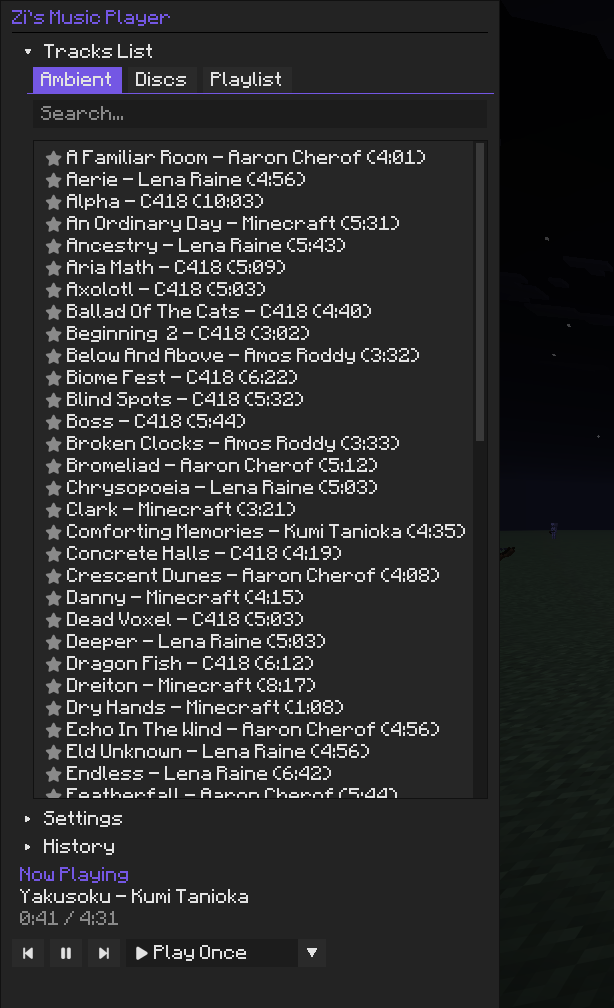
An elegant music player that lets you browse and manage Minecraft tracks seamlessly.
截图


介绍
中文介绍正在准备中,下面暂时显示原文。
🎵 Zi’s Music Player
Zi’s Music Player is a modern, fully-featured in-game music player for Minecraft built with ImGui.
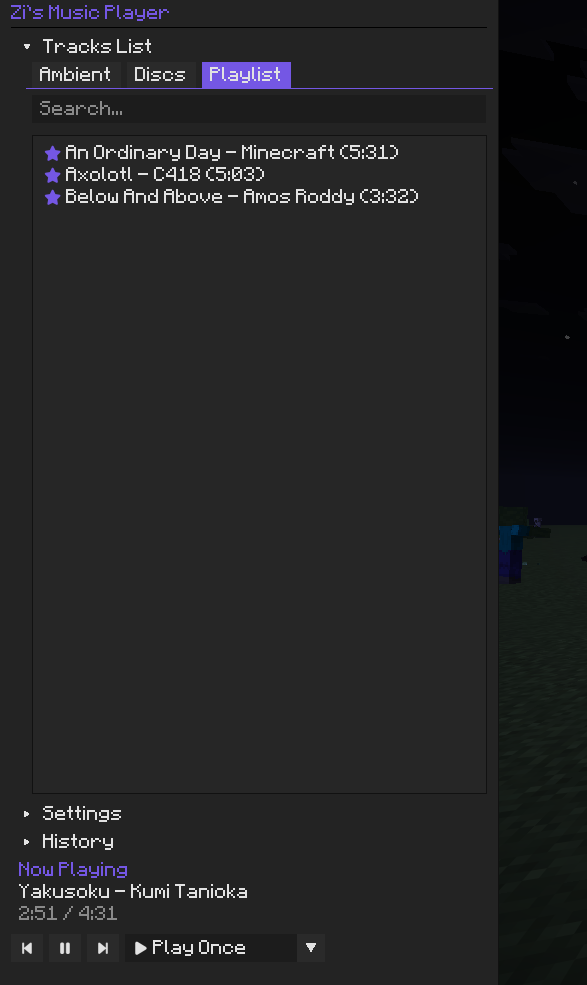
Whether you want to curate a playlist of your favorite Music Discs, skip an ambient track you don’t like, or just want to see the name of the song currently playing.
✨ Key Features
- 🎛️ Modern UI: An intuitive ImGui-powered overlay to manage all your music. Just press the keybind (default:
M) to open it instantly! - 📚 Library Management: Browse through Vanilla Ambient tracks and Music Discs.
- ⭐ Custom Playlists: Click the star icon next to any song to add it to your personal playlist.
- ⏯️ Playback Controls: Full control over your music! Play, pause, skip forward/backward, shuffle, and set tracks to repeat.
- 📺 HUD Overlay: A beautiful “Now Playing” HUD overlay in the bottom right corner showing the track name, artist, and live playback progress.
- 🍞 Toast Notifications: Modern slide-in toast alerts pop up dynamically whenever a new track starts.
- ⚙️ Seamless Integration: Adjust the music volume right from the player—it syncs directly with Minecraft’s native volume settings!
🎮 Controls & Settings
- Open Player: Press
M(configurable in the standard Controls menu). - Settings Menu: Inside the player, you can toggle the HUD overlay and disable/enable vanilla music delays.
🛠️ Dependencies
This mod requires the following to be installed:
🐛 Issues & Source
Found a bug or have a suggestion? Feel free to check out the GitHub Repository and open an issue!
常见问题
Music Player 支持哪些 Minecraft 版本?
Music Player 支持 Minecraft Java 版 1.21.11,可用的加载器:Fabric。下载时注意选择和你游戏版本一致的文件。
Music Player 怎么安装?
先用 PCL2 或 HMCL 启动器安装对应版本的 Fabric,再把下载的 .jar 文件放进游戏目录的 mods 文件夹,重新启动游戏即可。开启了版本隔离的,mods 文件夹在 versions/版本名 下面。运行环境:仅客户端。


评论
登录后评论和评分