
ZFD Utilities
A client-side Minecraft control and diagnostics toolkit with a customizable HUD, zoom, pov freelook, chat heads, entity hiding, ping deep-dives, fly speed, play-screen folders for organization, and video-production visual cleanup.
截图


介绍
ZFD’s Utilities
ZFD’s Utilities is a customizable client-side toolkit for players who want more control, cleaner visuals, and better diagnostics without stacking a bunch of separate small utility mods.
Use it for everyday gameplay, content creation, creative building, server testing, and troubleshooting ping, frame spikes, or mouse stutter. Most tools can be adjusted in the config screen, controlled with commands, or assigned to your own keybinds.
Highlights
Custom HUD Tools
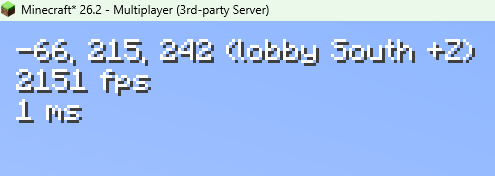
- Compact Simple HUD overlay
- Coordinates, dimension, facing direction, FPS, ping, and health
- Equipment display for armor, held items, offhand, durability, and stack counts
- Custom text color, background, scale, alignment, and screen position
- Quick toggle support
Player Heads in Chat
- Player skin heads beside chat messages, including hat layers
- Subtle vanilla-style shadows for a natural Minecraft look
- Supports ranked chat and nicknames when the sender can be identified
- Passive, client-side detection using information Minecraft already receives—no server queries or additional gameplay packets
- Enabled by default; toggle in settings or with
/zfdutils chatheads on|off|toggle
Ping and Network Visibility
- Colored ping display in the HUD and player list
- Ping shown beside names, near the vanilla ping icon, or both
- Optional ping on in-world player nametags
- Ping category summaries for quickly seeing how a server is performing
/pingcountsfor a quick ping breakdown
Camera and Visual Control
- Smooth zoom with configurable strength and timing
- Optional scroll zoom while holding the zoom key
- Perspective freelook for third-person camera control without rotating your player
- Optional own-nametag display in perspective views
- Client-side visual time override
- Client-side clear weather override for hiding rain and thunder
- First-person shield height adjustment
Entity Hider
- Hide other players client-side for cleaner visuals
- Useful for recording, screenshots, crowded lobbies, and focused gameplay
- Allowlist players by target, name, or UUID
- Optional radius mode so nearby players can be hidden only within a chosen range
Performance and Diagnostics
- Frametime graph overlay
- Frametime spike logging
- Mouse stutter diagnostics
- PC specs logging helper
- Configurable frame spike threshold
- Logs are written to the normal Minecraft
logsfolder
Gameplay and Organization
- Keep crouch active through inventories and menus
- Creative-only fly speed multiplier
- Optional singleplayer and multiplayer play-screen folders
- Folder support is opt-in so every player can build their own layout
Built to Be Customized
ZFD’s Utilities is not meant to force one setup on everyone. Fresh installs use clean defaults, advanced config sections start collapsed, and extra toggle-style keybinds are available but left unbound so you can assign the controls you actually want.
Default bound keys include:
H– Toggle Entity HiderGrave / Backtick– Toggle Simple HUDZ– ZoomLeft Alt– Hold Perspective Freelook
Other tools can be bound manually in Minecraft’s Controls menu.
Useful For
- Video production and cleaner recordings
- Screenshots and cinematic shots
- Creative building and testing
- Server testing and ping checks
- Diagnosing frame pacing or mouse stutter
- Everyday quality-of-life gameplay
- Organizing worlds and servers without a large mod setup
Creator Note
ZFD’s Utilities is also used in ZFDfilmsMC videos: https://youtube.com/@zfdfilmsmc
Notes
- This is a client-side Fabric mod.
- Server install is not required for the main utilities.
- Visual time, clear weather, and entity hiding only affect your local client.
- Creative fly speed only applies in creative mode/worlds.
- Fabric API is required.
- Mod Menu and Cloth Config are recommended for the best config experience.
License and Modpacks
ZFD’s Utilities uses a custom permission license. You may use it for personal gameplay, content creation, recording, video production, screenshots, testing, and diagnostics.
Modpacks may include the official, unmodified mod file if they credit ZFDfilms and link back to this Modrinth project page. Standalone reuploads, selling the mod, publishing modified versions, or claiming ownership are not allowed without explicit permission.
常见问题
ZFD Utilities 支持哪些 Minecraft 版本?
ZFD Utilities 支持 Minecraft Java 版 26.2–26.3,共 2 个版本,可用的加载器:Fabric。下载时注意选择和你游戏版本一致的文件。
ZFD Utilities 怎么安装?
先用 PCL2 或 HMCL 启动器安装对应版本的 Fabric,再把下载的 .jar 文件放进游戏目录的 mods 文件夹,重新启动游戏即可。开启了版本隔离的,mods 文件夹在 versions/版本名 下面。运行环境:仅客户端。
评论
登录后评论和评分