
Zero Whitelist
Offline server whitelist system that uses player names instead of UUIDs.Suitable for the Neoforge loader.
截图

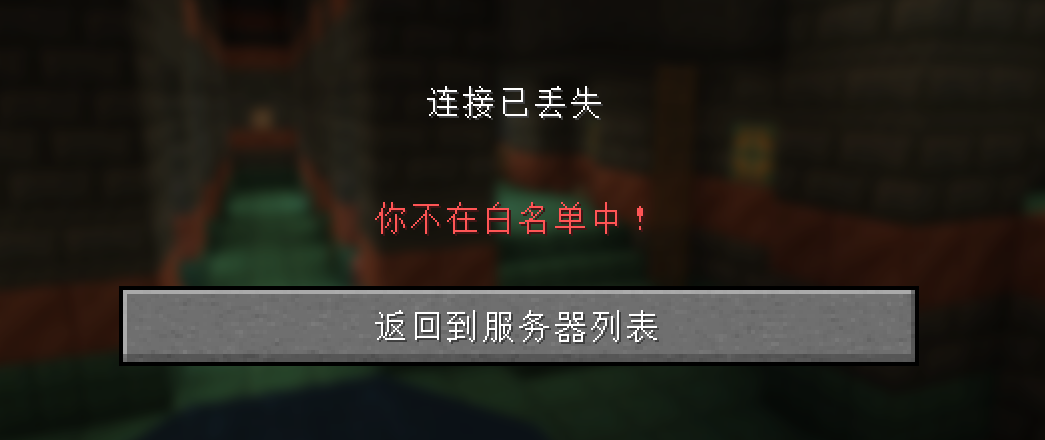
介绍
📝Introduction
This is a simple white-list management tool designed for NeoForge servers. It aims to help you easily control server access through easy-to-use commands.
🌟Features
• 🔐Name-based management:Unlike traditional UUID-based white-list systems,Zero Whitelist uses player names as the unique identifier for the white-.list This allows you to easily remember and manage player access without worrying about complex UUID encoding issues.
• /zerowhitelistcan be abbreviated as/zwl.
• /zwl add <player name>:Adds a player to the white-list.
• /zwl remove <player name>:Removes a player from the white-list.
• /zwl list:Lists all players currently on the white-list.
• /zwl reload:Reloads the white-list configuration.
• /zwl on:Enables the white-list.
• /zwl off:Disables the white-list.
• 🚀Offline server support:Zero Whitelist works even when the server is offline.
•📋 Easy installation and configuration:Just place the mod file in the server’s mods directory,and it will run quickly.The white-list file,will be created in the server’s root directory.
zero_whitelist.json📢 Note
Player names are case-sensitive.When adding or removing a player from the white-list,ensure the name entered exactly matches the name used in-game.
常见问题
Zero Whitelist 支持哪些 Minecraft 版本?
Zero Whitelist 支持 Minecraft Java 版 1.21.1,可用的加载器:NeoForge。下载时注意选择和你游戏版本一致的文件。
Zero Whitelist 怎么安装?
先用 PCL2 或 HMCL 启动器安装对应版本的 NeoForge,再把下载的 .jar 文件放进游戏目录的 mods 文件夹,重新启动游戏即可。开启了版本隔离的,mods 文件夹在 versions/版本名 下面。运行环境:仅服务端。
评论
登录后评论和评分