
ZC Entity Information
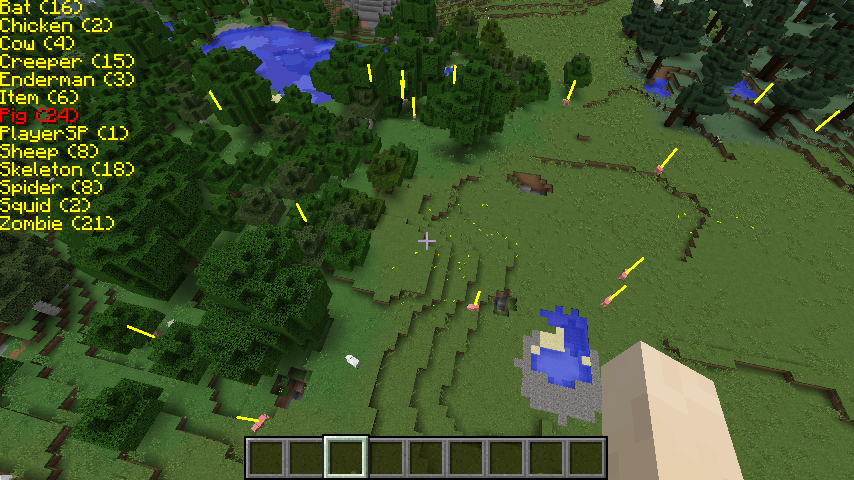
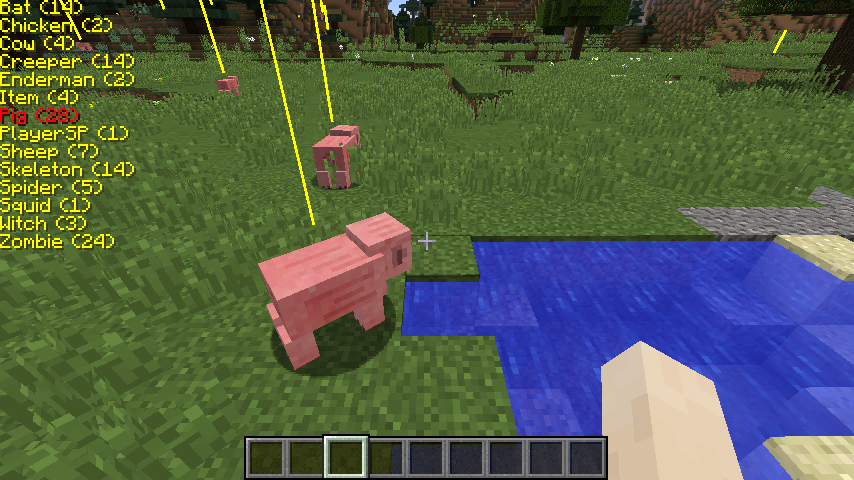
显示附近实体的列表。高亮附近实体以便找到它们。定位洞穴中的生物。定位掉落物。也会显示矿车。在世界中移动时找到你想要的实体。
截图
介绍
中文介绍正在准备中,下面暂时显示原文。
Check out my other mod if you like: ZC Village Information
Hello everyone,
I wrote this mod because I could. Hope you like it…
Features
- Displays a list of entities in the players area. (120 Blocks)
- Displays the number of entities spawned for each entity type. (Only entities the client is aware of.)
- Shows the position of each entity with a line.
- Server OP’s can disable the use of entity lines on the player client with a server command. See Commands:
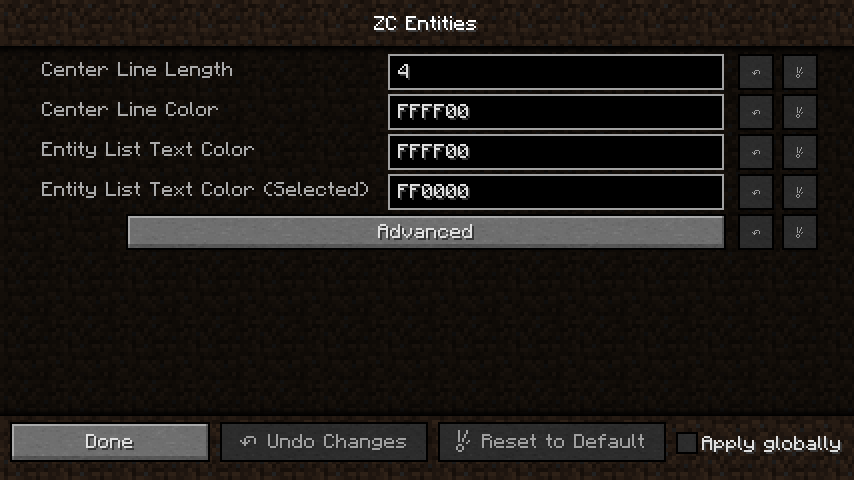
- In the mod options you can change the text position on the screen. Press the Advanced button. (Values are in pixels)
Key Bindings
- [ – Toggles Entity list on/off.
- ] – Cycle through list.
- LCTR + ] – Cycle through list (reverse)
Commands
- “/entitynolines true” or “/entitynolines false” – If you are a level 4 OP you can issue the server command “/entitynolines” to allow or disallow clients to see entity lines. Some may consider this mod a potential cheat on their server. If you would like to control clients that log into your server, load this mod on your server and issue the command “/entitynolines true“. The mod does not have to be loaded on the client. You will not receive a mod missing error.
Installation
This is BETA. Use at your own risk.
- Copy the .jar file to the mods directory on the client, server, or both.
- The mod can run on a client without being on the server.
- The mod can run on a server without being on the client.
Requirements
- 1.10.2 Compiled with Forge version: 1.10.2-12.18.1.2027
- 1.9.4 Compiled with Forge version: 1.9.4-12.17.0.1987
- 1.8.9 Compiled with Forge version: 1.8.9-11.15.1.1902-1.8.9
Images
常见问题
ZC Entity Information 支持哪些 Minecraft 版本?
ZC Entity Information 支持 Minecraft Java 版 1.8.9–1.10.2,共 4 个版本,可用的加载器:Forge。下载时注意选择和你游戏版本一致的文件。
ZC Entity Information 怎么安装?
先用 PCL2 或 HMCL 启动器安装对应版本的 Forge,再把下载的 .jar 文件放进游戏目录的 mods 文件夹,重新启动游戏即可。开启了版本隔离的,mods 文件夹在 versions/版本名 下面。
评论
登录后评论和评分