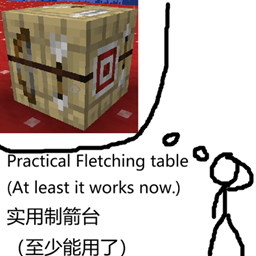
Z80Z Practical Fletching Table
Turns the vanilla fletching table into a real arrow-crafting workstation: 6 metal upgrade tiers, 11 arrowheads, arrow enchanting, bow modding and per-arrow material accounting.
介绍
A Minecraft Forge 1.20.1 mod (Java 17, client & server) that turns the decorative vanilla fletching table into a real arrow-crafting workstation — place-and-use, metal-block upgrades, three pages (arrows / enchanting / bow modding), 11 arrowheads, 8 fletching enchantments and a fractional material system that counts per arrow.
- Fully replaces the vanilla table: the vanilla recipe (2 flint + 4 planks) now crafts the practical table; vanilla tables in villages and old saves are converted automatically on chunk load or placement; axes and explosion drops behave like vanilla
- Place and use: starts at base tier; insert metal blocks to upgrade — copper → iron → gold → diamond → netherite, 6 tiers total
- Arrow crafting: 1 feather + 1 stick + arrowhead = arrows, crafting as many as your materials allow; 5 effect slots unlock by tier; live preview of the output
- 11 arrowheads: different supply counts, damage, drop and bonuses (gold +50% item effects, amethyst/diamond +50% enchantment effects, netherite with random perks and ±25% drop spread)
- Bow enchanting: vanilla-table style choose-one-of-three (mystery runes + level cost), 8 enchantments, bookshelf boosting, lapis cost
- 18 effect items: trail / interaction / terrain / impact categories; same-category effects stack with diminishing returns (100% / 70% / 45% / 30% / 20%)
- Bow modding bench: unlocks at netherite tier; fireworks / blaze powder / glowstone add propulsion / flame / accuracy to bows
- No material waste: planks, potions and effect materials are counted per arrow (1 plank = 8 arrows’ worth); hover to see remaining capacity
- Villager compat: unemployed villagers can take up the fletcher profession at the table
- Install Minecraft Forge 1.20.1-47.4.0
- Download the latest
z80z-practical-fletching-table-<version>.jarfrom Releases - Put it in the
modsfolder on both client and server
No third-party dependencies.
- Craft with the vanilla recipe (2 flint + 4 planks), or just place a vanilla fletching table to convert it
- Right-click to open; arrows on the sides page through crafting / enchanting / bow modding
- Upgrade by inserting metal blocks in the bottom-right slot (or sneak-right-click with the ingot)
- Full guide: see the Chinese gameplay doc 玩法说明.md
| Tier | Name | Upgrade material | Unlocks |
|---|---|---|---|
| 0 | Base | — | Basic crafting, no effect slots |
| 1 | Copper | Block of Copper | Effect slot ① |
| 2 | Iron | Block of Iron | Effect slot ② |
| 3 | Gold | Block of Gold | Effect slot ③ + enchanting page |
| 4 | Diamond | Block of Diamond | Effect slot ④ |
| 5 | Netherite | Block of Netherite | Effect slot ⑤ + bow modding page |
MIT, see LICENSE.
- 完全取代原版制箭台:原版图案(2 燧石 + 4 木板)现在合成实用制箭台;村庄与旧存档中的原版台在区块加载时自动替换;放置原版台也会立即转换;斧头挖掘、爆炸掉落均与原版一致
- 放置即用:放置即为基础级,放入金属块升级:铜块 → 铁块 → 金块 → 钻石块 → 下界合金块,共 6 级
- 弓箭制作:1 羽毛 + 1 木棍 + 箭头 = 1 支箭,材料有多少做多少;5 格效果槽随等级解锁;成品槽实时预览
- 11 种箭头:不同供应支数、伤害、下坠与增幅(金系 +50% 物品效果、紫水晶/钻石 +50% 附魔效果、下界合金自带随机特效与 ±25% 随机下坠)
- 弓箭附魔:原版附魔台同款三选一机制(神秘符文 + 等级消耗),8 种附魔、书柜加成、青金石消耗
- 18 种效果道具:轨迹 / 交互 / 地形 / 冲击四类,同类效果按 100% / 70% / 45% / 30% / 20% 递减叠加
- 弓改装台:下界合金级解锁,烟花 / 烈焰粉 / 萤石粉为弓附加推进 / 火焰 / 精准
- 零头不浪费:木板、药水、效果材料按支数累计消耗(1 块木板 = 8 支用量,做 1 支只记 1/8),剩余用量悬停可查
- 村民兼容:失业村民可在实用制箭台转职为制箭师
- 安装 Minecraft Forge 1.20.1-47.4.0
- 从 Releases 下载最新的
z80z-practical-fletching-table-<版本>.jar - 放入客户端和服务端的
.minecraft/mods/文件夹
模组没有第三方前置。
- 用原版图案(2 燧石 + 4 木板)合成,或直接放置原版制箭台,即可获得实用制箭台。
- 右键打开界面,两侧箭头翻页:弓箭制作 / 弓箭附魔 / 弓改装台。
- 把金属块放入右下角升级槽(或潜行右击对应金属锭)逐级升级。
- 完整流程、材料比例、附魔与道具效果见 玩法说明.md。
| 等级 | 名称 | 升级材料 | 解锁内容 |
|---|---|---|---|
| 0 | 基础级 | — | 基础制箭,无效果槽 |
| 1 | 铜级 | 铜块 | 效果槽① |
| 2 | 铁级 | 铁块 | 效果槽② |
| 3 | 金级 | 金块 | 效果槽③ + 弓箭附魔页 |
| 4 | 钻石级 | 钻石块 | 效果槽④ |
| 5 | 下界合金级 | 下界合金块 | 效果槽⑤ + 弓改装台页 |
需要 JDK 17,项目自带 Gradle Wrapper:
./gradlew build
# 产物:build/libs/z80z-practical-fletching-table-<版本>.jar
Windows 使用 gradlew.bat build。开发调试:./gradlew runClient。
MIT,详见 LICENSE。
常见问题
Z80Z Practical Fletching Table 支持哪些 Minecraft 版本?
Z80Z Practical Fletching Table 支持 Minecraft Java 版 1.20.1,可用的加载器:Forge。下载时注意选择和你游戏版本一致的文件。
Z80Z Practical Fletching Table 怎么安装?
先用 PCL2 或 HMCL 启动器安装对应版本的 Forge,再把下载的 .jar 文件放进游戏目录的 mods 文件夹,重新启动游戏即可。开启了版本隔离的,mods 文件夹在 versions/版本名 下面。
Z80Z99 的其他作品
查看全部 →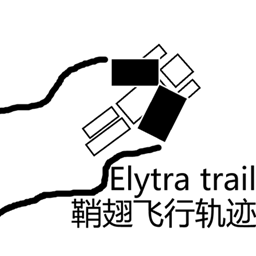
Z80Z Elytra Trail
Draws glowing glide trails, wingtip streams, stardust and afterimages behind elytra flight — 8 styles, dye recoloring, speed-synced wind audio and an in-game config screen.
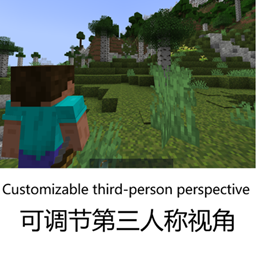
Z80Z Shoulder Cam & Aim
Replaces third person with a swappable over-the-shoulder camera — shoulder swap, aim zoom, ballistic crosshair projection, wall fade and soft TACZ gun compatibility.

Z80Z healthbar
A fully customisable health & status HUD for Minecraft

Z80Z Global server config
All Forge 1.20.1 worlds share one server config: per-world serverconfig redirected to a global folder, with auto migration and per-mod exclusions.
评论
登录后评论和评分