
Your Options Shall Be Saved (YOSBS)
Preserve player configs when updating modpacks by creating the default config on first launch only and never touching it again afterward
介绍
Your Options Shall Be Saved (YOSBS)
Your Options Shall Be Saved (YOSBS) is a lightweight utility mod that lets modpack creators define default configuration files without overwriting player preferences
Updating a modpack often resets custom settings like keybinds or mod configs, because most launchers replace the entire config/ folder
YOSBS solves this by copying any file placed in config/yosbs/ to its proper location only once on first launch — and never again
This gives full control to the pack author:
- Files inside
config/yosbs/are treated as user-owned: copied once, then left untouched - Files inside
config/behave as usual: they will be replaced on each update
That way, you decide which configs should persist, and which should reset
Links
- Modrinth: https://modrinth.com/project/1Gw7bnTq
- Curseforge: https://www.curseforge.com/minecraft/mc-mods/yosbs
Features
- Zero-config: just drop the defaults under
/config/yosbs/…(or legacy/config/yosbr) - Works for any file –
options.txt, mod configs,optionsshaders.txt, etc - Runs in the pre-launch phase, before Fabric/Forge starts loading the rest of the mods
Compatibility & Installation
- Fabric Loader ≥ 0.4.0 (No Fabric API required)
- Minecraft 1.14 – 1.21.x
- Requires Java 8 or newer
- Put the YOSBS jar in
mods/and launch once – the folder/config/yosbsis created automatically (or create it manually)
Usage examples
| Want to ship… | Do this before first launch |
|---|---|
A default options.txt |
Place your file at /config/yosbs/options.txt |
| A REI config | /config/yosbs/config/roughlyenoughitems/config.json5 |
Credits
Inspired by the original Your Options Shall Be Respected – YOSBR by shedaniel
My Others Projects

常见问题
Your Options Shall Be Saved (YOSBS) 支持哪些 Minecraft 版本?
Your Options Shall Be Saved (YOSBS) 支持 Minecraft Java 版 1.14–1.21.11,共 43 个版本,可用的加载器:Fabric。下载时注意选择和你游戏版本一致的文件。
Your Options Shall Be Saved (YOSBS) 怎么安装?
先用 PCL2 或 HMCL 启动器安装对应版本的 Fabric,再把下载的 .jar 文件放进游戏目录的 mods 文件夹,重新启动游戏即可。开启了版本隔离的,mods 文件夹在 versions/版本名 下面。
Yomna 的其他作品
查看全部 →
Fancy Door Animations – Hold My Doors
Adds smooth, fresh door opening and closing animations in Minecraft for better movement, visual immersion, and vanilla-style enhancement
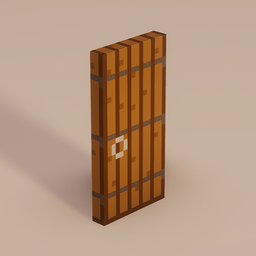
Fancy Door Animations: Hold My Doors
Adds smooth, fresh door opening and closing animations in Minecraft for better movement, visual immersion, and vanilla-style enhancement

Hold My Tasty Items
A version of the "Tasty Items" resource pack that works properly with the "Hold My Items" mod, adding eating animations to food and other consumables

Totem Bar
Displays a totem counter above the hunger bar using small icons. Easily keep track of how many Totems of Undying you have at a glance.
评论
登录后评论和评分