截图


介绍
Years C – Remastered Mod
(Forge)
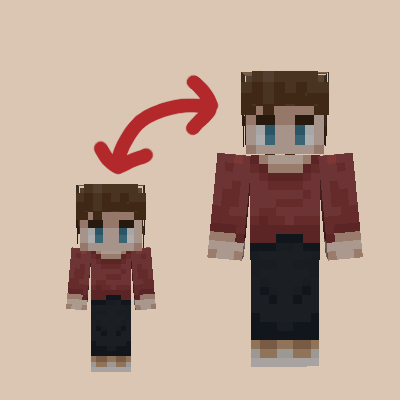
A standalone mod that lets you choose your Age, and grow old.
Be sure to use the latest Forge version for each release!
Usage:
Press the V key to set your Age
Afterwards pressing the V key will open up your data sheet, showing your Age, and other information from the mod
Command:
/jycage
Sets the Age of a Player depending on how many Minecraft Days you have set.
Some Features:
Starting Age selector
You age as the game goes on
If you have Hair C installed as well, then your Hair will turn white as you become Old
Being too old will kill the player
Compatible Mod:
JinGames Hair C
Common Question(s):
Q: Will the mod be updated/downgraded to a newer/older Forge version?
A: Maybe, but there are no fixed plans on this yet.
Q: Is it possible to play with this mod in older forge versions?
A: You can find an older version for 1.7.10 on it’s official page here: main.jingames.net/jinryuus-years-c/ OR Here On CurseForge
Credits:
Creator: Tamás “JinRyuu” Nagy (Passed away)
Current developer: Benjámin “JinGames_Ben” Nagy
Contributor: YourDailyModder
Donate:
OUR PATREON: patreon.com/JinRyuu
SERVER DONATION: JinGames DBC Zero S Minecraft Server
JinGames is Sponsored by BisectHosting!
Need a Minecraft Server? BisectHosting is a super easy to use Server Hosting provider!
Use our Link and promo code JinGames to get 25% OFF your first month.


常见问题
Years C 支持哪些 Minecraft 版本?
Years C 支持 Minecraft Java 版 1.16.5–1.20.2,共 9 个版本,可用的加载器:Forge。下载时注意选择和你游戏版本一致的文件。
Years C 怎么安装?
先用 PCL2 或 HMCL 启动器安装对应版本的 Forge,再把下载的 .jar 文件放进游戏目录的 mods 文件夹,重新启动游戏即可。开启了版本隔离的,mods 文件夹在 versions/版本名 下面。运行环境:客户端和服务端都要装。
YourDailyModder 的其他作品
查看全部 →
YDM’s Weapon Master
安装此模组后,快捷栏中的物品会显示在角色身上,盾牌和旗帜还有专属的显示位置。

YDM’s MobHealthBar
生物头顶血条

Variant Tools and Weaponry – More Weapons
这个模组新增了10种可制作并用于战斗的武器。

YDM’s Fennec Fox
这个模组为游戏添加了耳廓狐。
评论
登录后评论和评分