
XP Bar Customizer
Customize your Minecraft XP bar with custom colors, smooth Rainbow and Wave RGB effects, live preview, and easy in-game configuration.
截图
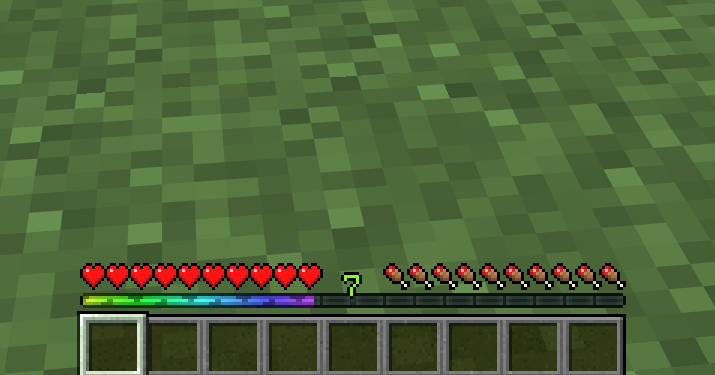
介绍
XP Bar Customizer is a lightweight client-side mod that lets you completely personalize the visual style of Minecraft’s experience bar without changing how XP works.
Choose a custom color or give your XP bar smooth animated RGB effects directly from an easy-to-use in-game configuration panel.
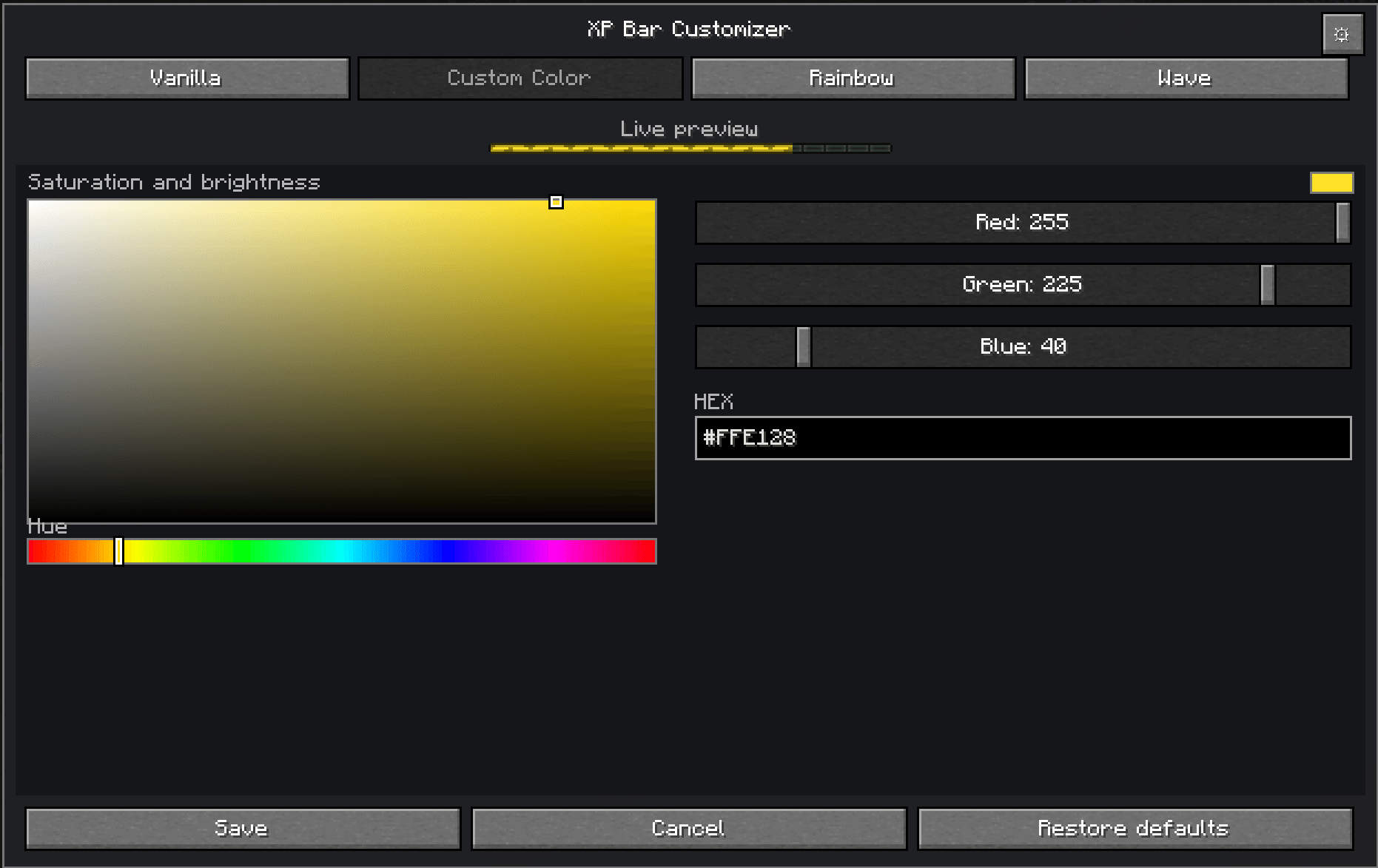
🎨 Custom Color
Choose exactly how you want your XP bar to look using:
- Visual color picker
- RGB controls
- HEX color input
- Real-time preview
🌈 Rainbow
Give your XP bar a smooth animated rainbow effect with long, fluid color transitions.
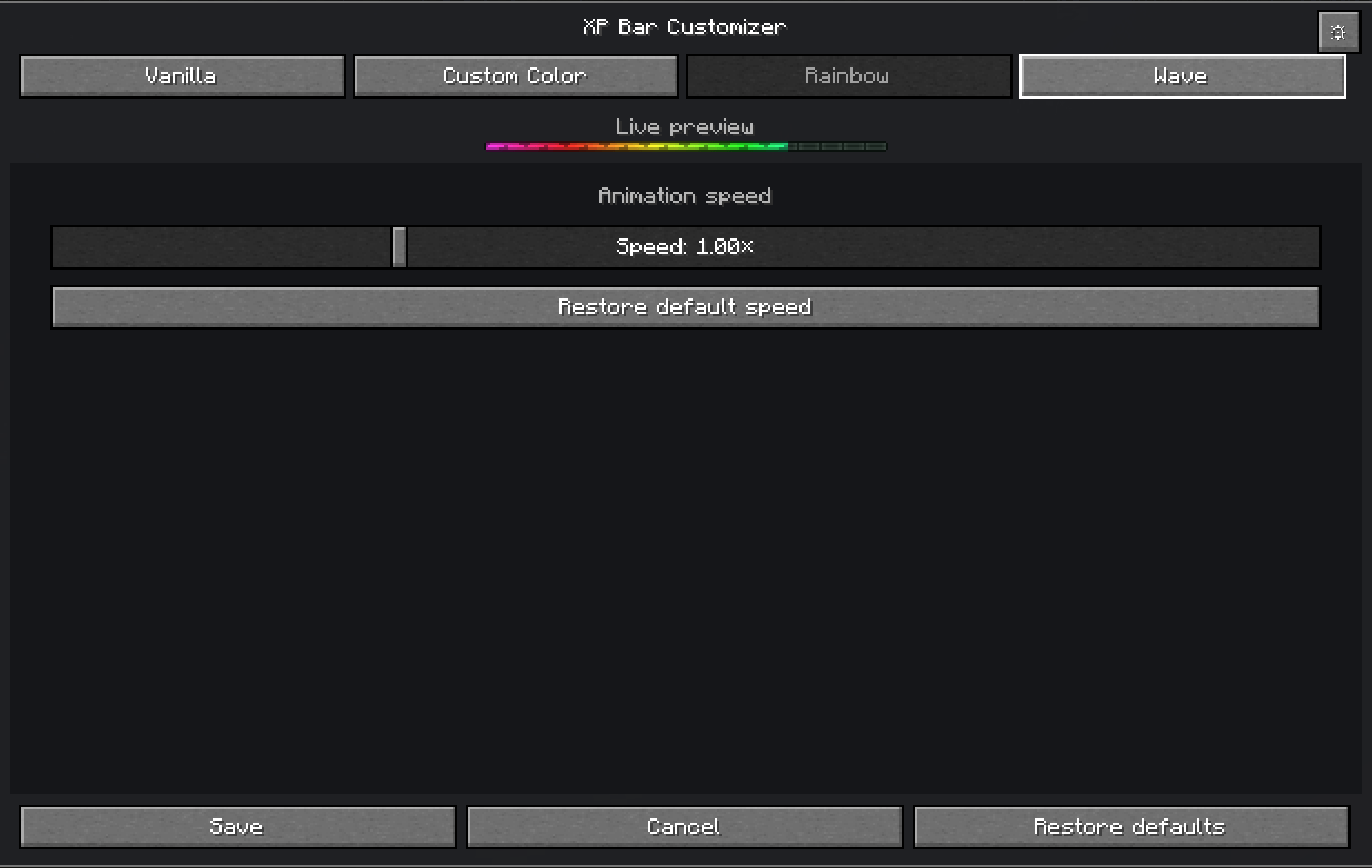
The animation speed can be adjusted directly from the configuration panel.
🌊 Wave
Use an animated RGB wave that flows horizontally across the XP bar.
Wave uses smooth and extended color transitions for a polished animated appearance while remaining visually different from the Rainbow effect.
⚙️ In-Game Configuration
Open the XP Bar Customizer panel directly while playing. “K”
The configuration interface includes:
- Vanilla mode
- Custom Color
- Rainbow
- Wave
- Animation speed control
- Live XP bar preview
- Settings menu
- Configurable panel shortcut
The shortcut used to open the mod panel can also be changed from the settings menu.
🎮 Vanilla Mode
Prefer the original Minecraft look?
Simply select Vanilla and the XP bar will use its normal appearance.
⚡ Lightweight
XP Bar Customizer only changes the visual rendering of the experience bar.
It does not modify:
- XP amounts
- XP levels
- XP progression
- Enchanting costs
- Gameplay mechanics
🌍 Languages
Currently included:
- English (US)
- Português do Brasil (PT-BR)
📦 Mod Loaders
Available for:
- NeoForge
- Fabric
Each loader has its own optimized build.
常见问题
XP Bar Customizer 支持哪些 Minecraft 版本?
XP Bar Customizer 支持 Minecraft Java 版 26.2,可用的加载器:Fabric / NeoForge。下载时注意选择和你游戏版本一致的文件。
XP Bar Customizer 怎么安装?
先用 PCL2 或 HMCL 启动器安装对应版本的 Fabric / NeoForge,再把下载的 .jar 文件放进游戏目录的 mods 文件夹,重新启动游戏即可。开启了版本隔离的,mods 文件夹在 versions/版本名 下面。
评论
登录后评论和评分