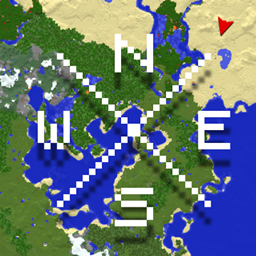
Xaero’s World Map Marker Slots: Target Designator & Artillery Indicator
This addon let you easily mark Project: explosive's target designation location, with the use of Xaero's Worldmap
介绍
Version 1.0.0 — NeoForge 1.21.1
by using Target Designator. there is a slot on world map that adds a Target Designator, Left click to add a Target Designator and Left click to remove it, and you must have a Target Designator on your Inventory to add it into the Worldmap. now the best part, Right click anywhere in the worldmap, you’ll see a “Set target” and it will create a red dot on the map giving you a paper to where the location is(The red dot will disappear in 30s), so you can put it onto your ICBM
Version 2.0.0 — NeoForge 1.21.1
Adds five Marker Slots to Xaero’s World Map. Left-click an empty slot to choose a supported marker from your inventory; it will be stored in that map slot. Left-click a filled slot to return the marker to your inventory.
Right-click a location on the map to see actions for each loaded marker. Choose Mark Location to set the selected location. With a Project Explosive Target Designator, this creates target paper for your ICBM and displays a red dot on the map for 30 seconds. With a connected Superb Warfare Artillery Indicator, you can set the artillery target; Fire Artillery Here is available when the connected artillery can fire.
Requirements
- Minecraft 1.21.1
- NeoForge 21.1.235 or newer in the 21.1 series
- Xaero’s World Map 1.47.0 or newer
Optional(you don’t have to use both of them. you can use one) supported mods
- Project Explosive 0.7.2-beta or newer — enables Target Designator support
- Superb Warfare 0.8.9.1 or newer — enables Artillery Indicator support
Version 1.0.0 — Forge 1.20.1
Adds five Marker Slots to Xaero’s World Map. Left-click an empty slot to choose a Superb Warfare Artillery Indicator from your inventory; it will be stored in that map slot. Left-click a filled slot to return it to your inventory.
Right-click a location on the map to see actions for each loaded marker. Choose Mark Location to set the location as the target for artillery linked to that Artillery Indicator. When the linked artillery can fire, Fire Artillery Here is also available.
Requirements
- Minecraft 1.20.1
- Forge 47.2 or newer in the 47.x series
- Xaero’s World Map 1.47.0 or newer
Optional supported mod
- Superb Warfare 0.8.9.1 or newer — required for the Artillery Indicator item and artillery targeting features
常见问题
Xaero’s World Map Marker Slots: Target Designator & Artillery Indicator 支持哪些 Minecraft 版本?
Xaero’s World Map Marker Slots: Target Designator & Artillery Indicator 支持 Minecraft Java 版 1.20.1–1.21.1,共 2 个版本,可用的加载器:Forge / NeoForge。下载时注意选择和你游戏版本一致的文件。
Xaero’s World Map Marker Slots: Target Designator & Artillery Indicator 怎么安装?
先用 PCL2 或 HMCL 启动器安装对应版本的 Forge / NeoForge,再把下载的 .jar 文件放进游戏目录的 mods 文件夹,重新启动游戏即可。开启了版本隔离的,mods 文件夹在 versions/版本名 下面。
hdtricks123 的其他作品
查看全部 →
SOLAR+++ (no need sunlight)
Upgrade Mekanism Solar Generators and Solar Neutron Activators to work without sunlight. Remove Solar+ by sneak-right-clicking, recover it when breaking the machine, and check its status with Jade.
WaxedRedstonelinks
With this mod you can now waxed the redstone links with a honeycomb.

Chloride Blacklist Distance Control
Choose which block entities are subject to Chloride's max distance culling, with live detection and instant in-game updates.
评论
登录后评论和评分