X-RAY Java Edition
An X-Ray pack for Minecraft Java Edition that highlights ores like diamond, gold, and redstone while making most blocks transparent, allowing players to easily locate valuable resources underground.
截图




介绍

X-Ray Mod (.jar) for Minecraft Java Edition
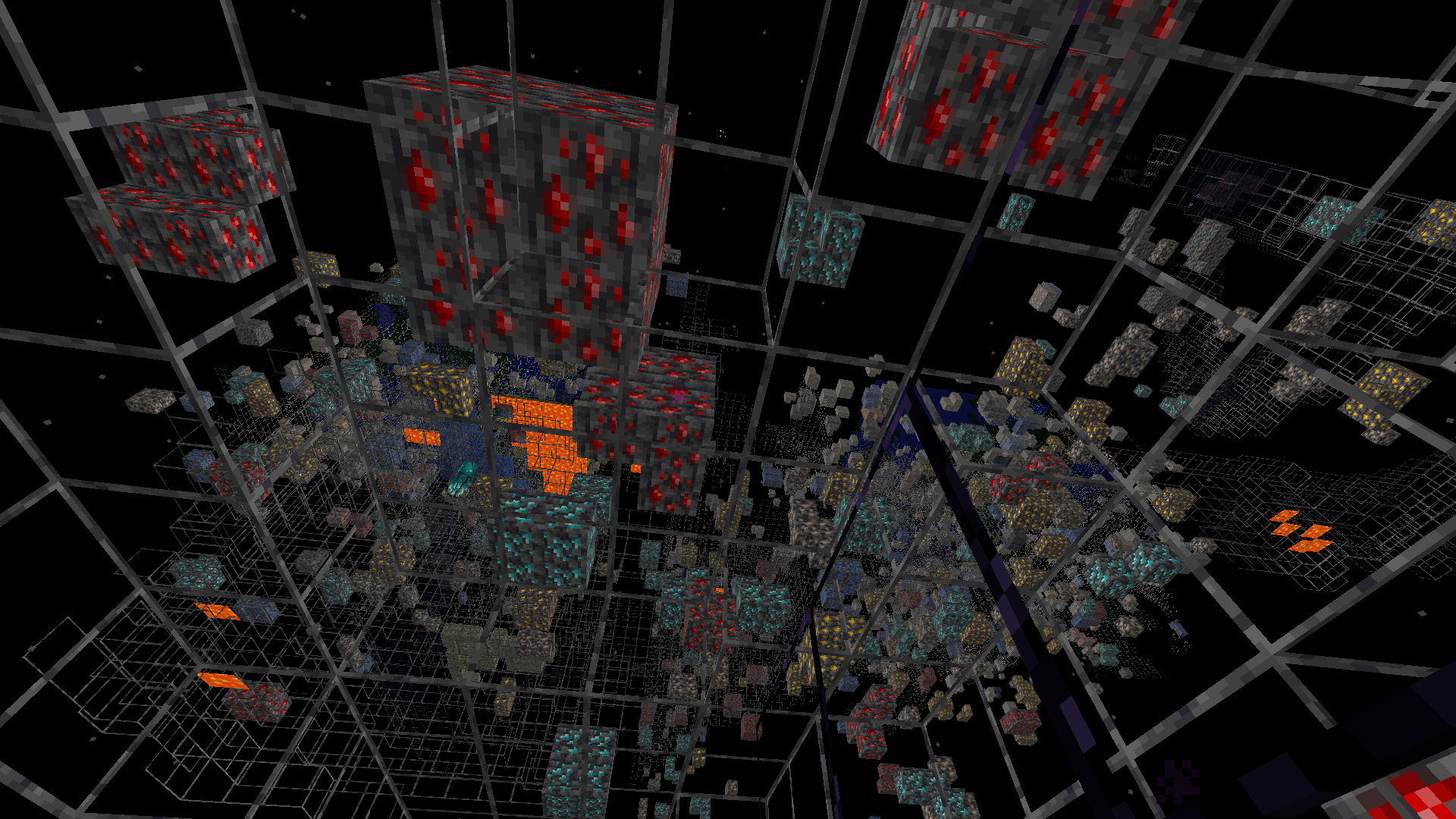
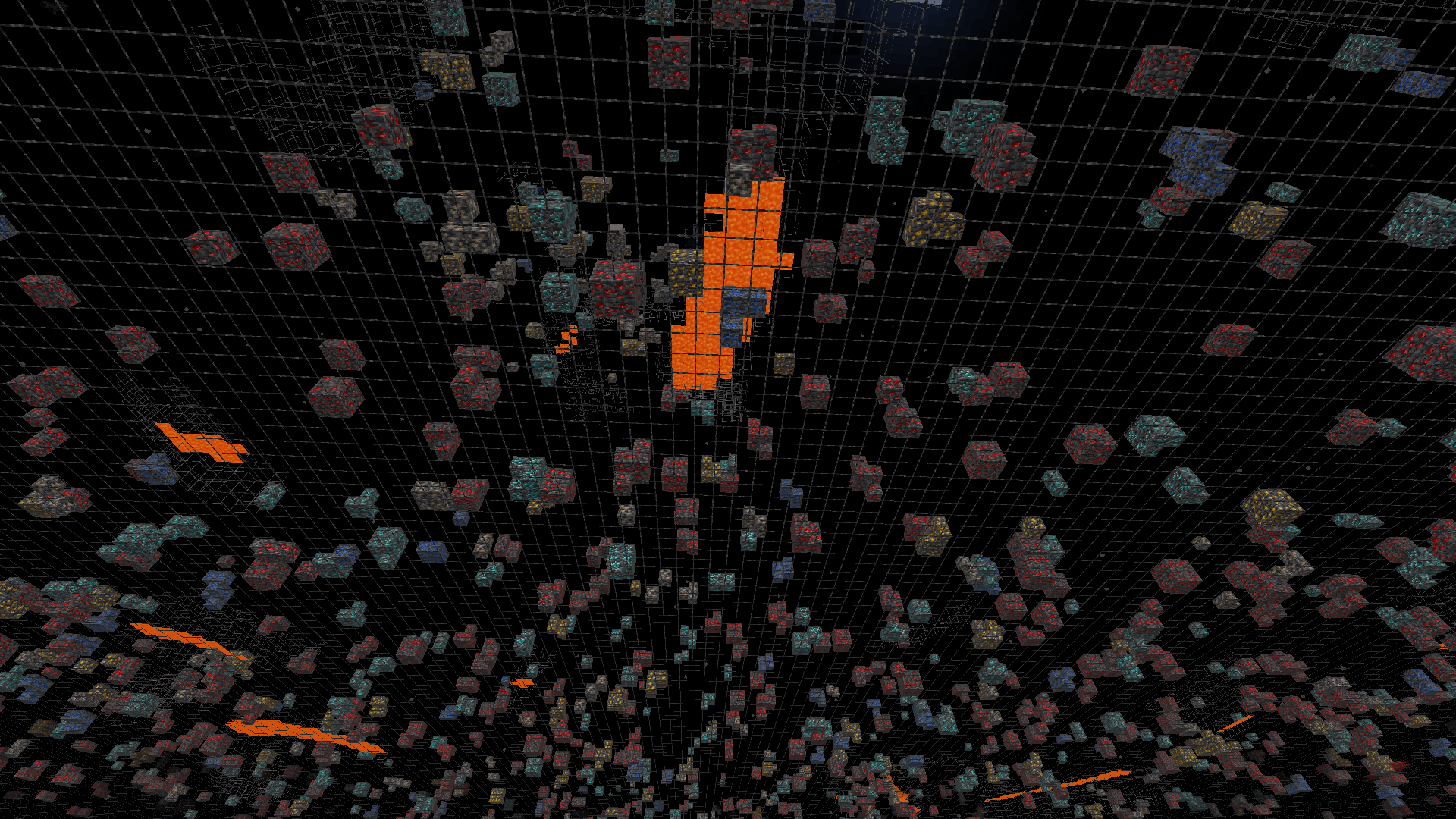
This mod makes stone, deepslate, and netherrack blocks transparent while keeping all ores fully visible perfect for finding resources quickly in both the Overworld and the Nether.
Screenshots
Overworld View

Nether View

⚠️ Note: This mod is intended for use in singleplayer or on servers that explicitly allow it. Using it on public servers without permission may violate server rules.
How to Install (.jar Version)
- Make sure you have Forge or Fabric or Quilt or NeoForge installed (matching your Minecraft version).
- Download the
.jarfile from the Files section. - Place the
.jarfile into your.minecraft/modsfolder. - Launch Minecraft with the correct mod loader profile.
Enjoy seeing through stone and finding ores instantly!
Frequently Asked Questions
- Does this mod work with other mods? Yes, it’s lightweight and should work with most mods, but test for compatibility on your setup.
- Can I toggle the X-Ray effect? Currently, the effect is always on when the mod is active. A toggle feature may be added in future updates.
- Will this mod get me banned on servers? Only use it on servers that allow X-Ray mods to avoid violating rules.
常见问题
X-RAY Java Edition 支持哪些 Minecraft 版本?
X-RAY Java Edition 支持 Minecraft Java 版 1.16–26.1.2,共 38 个版本,可用的加载器:Fabric / Forge / NeoForge / Quilt。下载时注意选择和你游戏版本一致的文件。
X-RAY Java Edition 怎么安装?
先用 PCL2 或 HMCL 启动器安装对应版本的 Fabric / Forge / NeoForge / Quilt,再把下载的 .jar 文件放进游戏目录的 mods 文件夹,重新启动游戏即可。开启了版本隔离的,mods 文件夹在 versions/版本名 下面。
quillphen 的其他作品
查看全部 →
Ore Vein Miner
Vein Miner 会在你挖掘一块矿石时,自动挖掉与之相连的矿石。
Tree Vein Miner
Tree Vein Miner Removes entire trees (logs and leaves) when crouching

Tree Vein Miner
树木矿脉挖掘:潜行时移除整棵树(原木和树叶)

Ore Vein Miner
连锁挖矿会在你破坏一个矿石方块时自动挖掘相连的矿石方块
评论
登录后评论和评分