
X Client
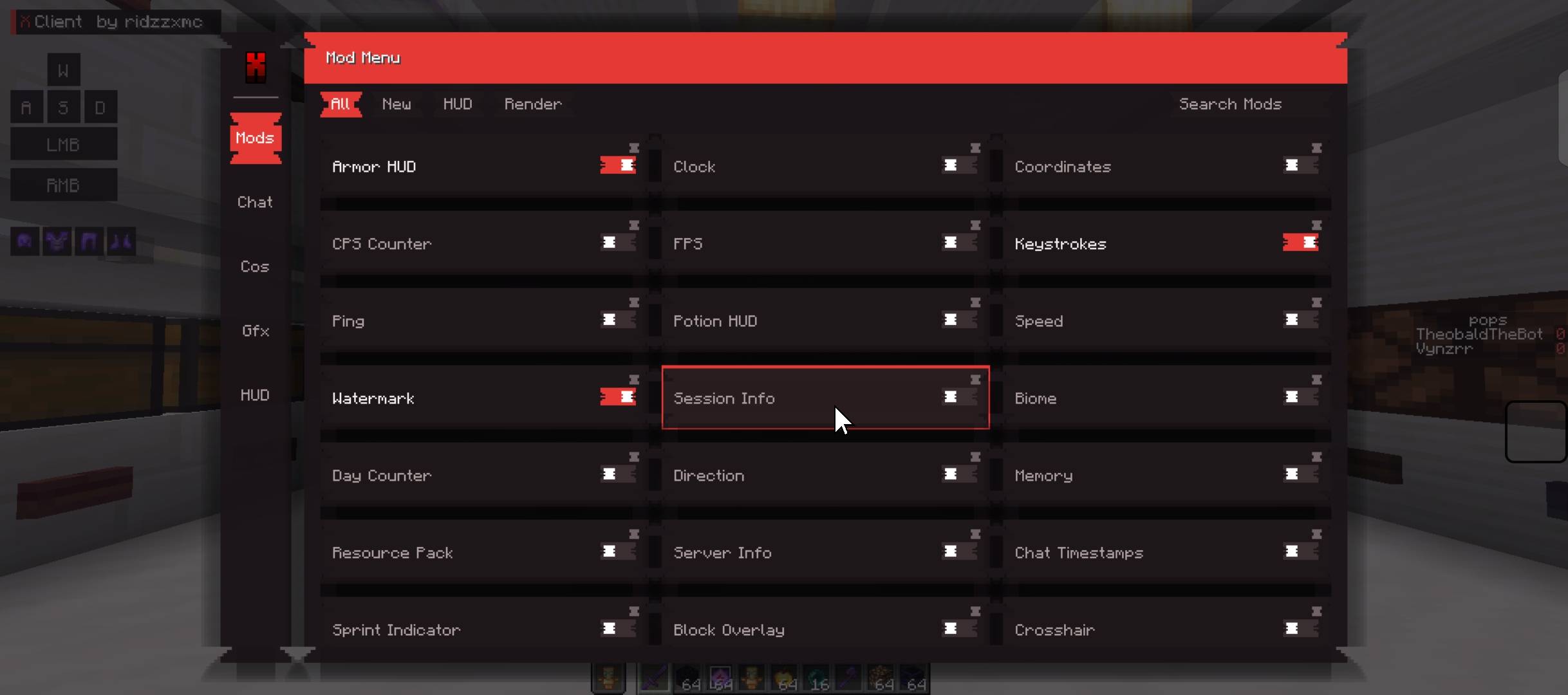
X Client is a custom modular Minecraft client focused on: ⚡ Performance optimization (FPS & chunk processing) . 🎨 HUD and visual customization . 🧩 Utility & quality-of-life features. 🧱 Advanced rendering and culling systems
截图
介绍
# X Client
**A modular, performance-focused Fabric client for Minecraft 1.21.11** — a clean red-and-black “Mod Menu” ClickGUI, fully draggable HUD widgets, and a set of client-side optimization modules. No ESP, no aim-assist, no auto-clicker, no reach modification — nothing that reads through walls or breaks legitimate PvP. Just visual, informational, and performance tools.
## ✨ Highlights
– **Red-themed ClickGUI** — press `Right Shift` in-game to open the Mod Menu
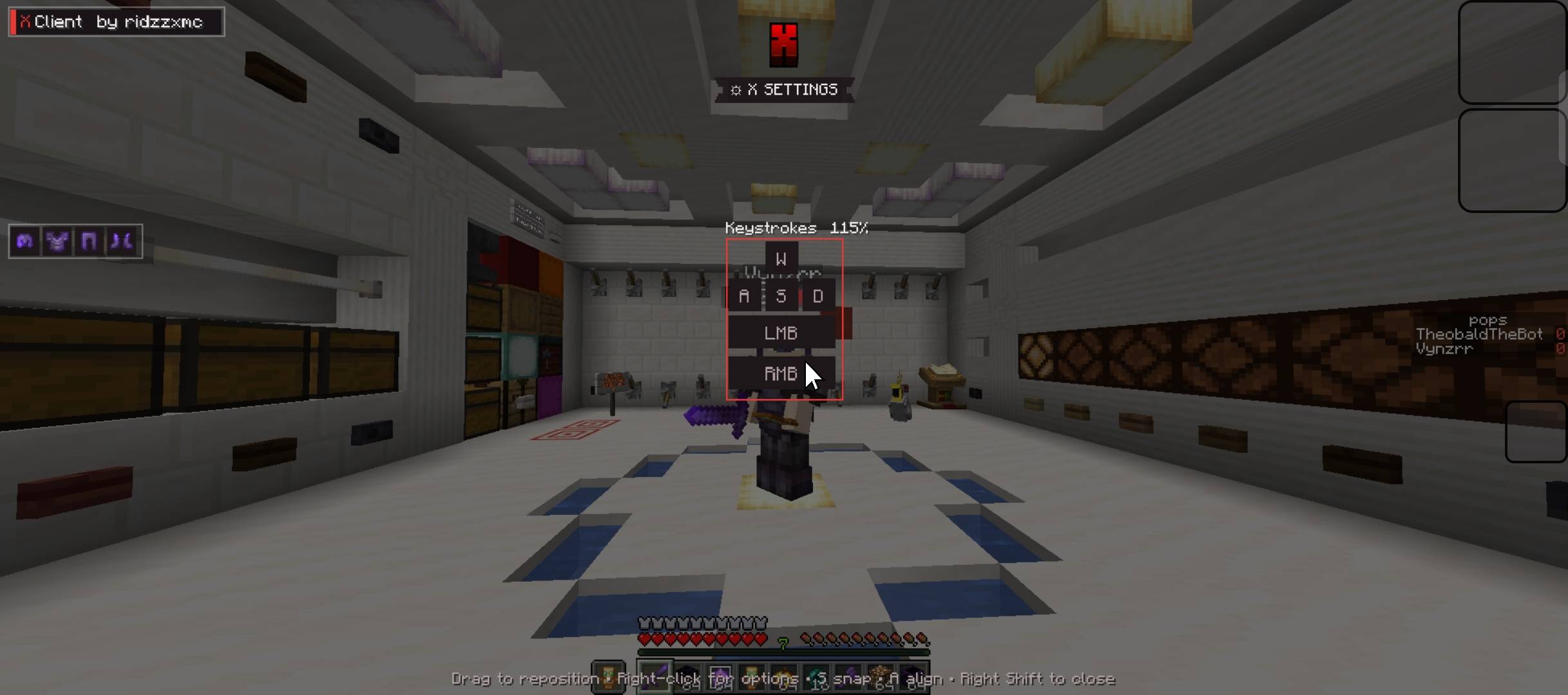
– **~20 draggable, resizable HUD widgets** with a dedicated layout editor
– **8 optimization modules** for smoother FPS on heavy servers/worlds
– **Exclusive X Client Cape** cosmetic with a live preview on your own skin
– Per-module settings (toggles, sliders, modes) saved automatically
– Fair-play by design — no unfair PvP advantages
## 🖥️ How to open the menu
Press **Right Shift** in-game to open the Mod Menu (ClickGUI).
Hold **Left Shift** over a module to open its Settings panel.
> ## 📌 **NOTE: Use your mouse SCROLL WHEEL to resize a HUD widget.**
常见问题
X Client 支持哪些 Minecraft 版本?
X Client 支持 Minecraft Java 版 1.21.11,可用的加载器:Fabric。下载时注意选择和你游戏版本一致的文件。
X Client 怎么安装?
先用 PCL2 或 HMCL 启动器安装对应版本的 Fabric,再把下载的 .jar 文件放进游戏目录的 mods 文件夹,重新启动游戏即可。开启了版本隔离的,mods 文件夹在 versions/版本名 下面。
评论
登录后评论和评分