
截图

介绍
WynnBuild
_A simple mod that lets you generate WynnBuilder links directly in-game._
How to Use
Everything is done through the /build command and its subcommands:
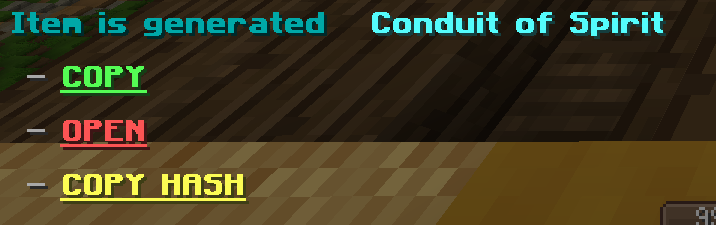
/build– generate a WynnBuilder link for your current build./build loadout <loadout_name>– generate a WynnBuilder link from a saved build loadout./build config– open the config menu (see below)./build encodehelditem– generate a WynnCustom link for the item you’re holding, sharing it with its exact rolls.

Ability Trees
WynnBuild can share your ability tree with the WynnBuilder website.
/build exporttree <loadout>– prints an encoded hash of any build or ability-tree loadout, with a one-click copy button. Paste it into the Ability Tree section on the WynnBuilder website./build importtree <tree_code> <class> <loadout_name>– imports a hash back into a new Wynntils ability-tree loadout.
Precision Settings
You can control how detailed your build stats are through the Precision option in /build config:
- OFF – Items are treated as average (default rolls)
- ON – Items use your exact rolls for maximum accuracy.
Tomes & Aspects
Tomes and aspects are supported. You can choose whether to include them in your builds via the config menu.
Crafted Items
Crafted items are automatically detected and included in your build. However, since WynnBuilder doesn’t support crafted items with custom rolls, they’ll show up as a Normal rarity custom item.
Config Options
Open the config with /build config. From here, you can:
- Toggle tomes and aspects
- Set the precision of your equipment stats
_All item, tome, and aspect encoding logic comes from the wynnbuilder repo_
_In-game info gathering is done by Wynntils_
常见问题
WynnBuild 支持哪些 Minecraft 版本?
WynnBuild 支持 Minecraft Java 版 1.20.2–1.21.11,共 5 个版本,可用的加载器:Fabric。下载时注意选择和你游戏版本一致的文件。
WynnBuild 怎么安装?
先用 PCL2 或 HMCL 启动器安装对应版本的 Fabric,再把下载的 .jar 文件放进游戏目录的 mods 文件夹,重新启动游戏即可。开启了版本隔离的,mods 文件夹在 versions/版本名 下面。运行环境:仅客户端。
评论
登录后评论和评分