World In a Jar
(Snowglobe) A terrarium-inspired block made for builders and survival players alike.
截图


介绍
Warning (Read This!)
Do not use versions marked as “BlanketCon”! These will not work in your world.
1.20.1 is also not supported and does not resemble the mod in its current state. That is, do not use the 1.20.1 version.
World In a Jar
This mod squeezes entire worlds into jars for your enjoyment. Play god or go home.
You can put blocks in a jar block with a lot of room! All of your storage issues are solved!
Make little snow globes, make a cool redstone contraption; The possibilities are endless.


How To Use
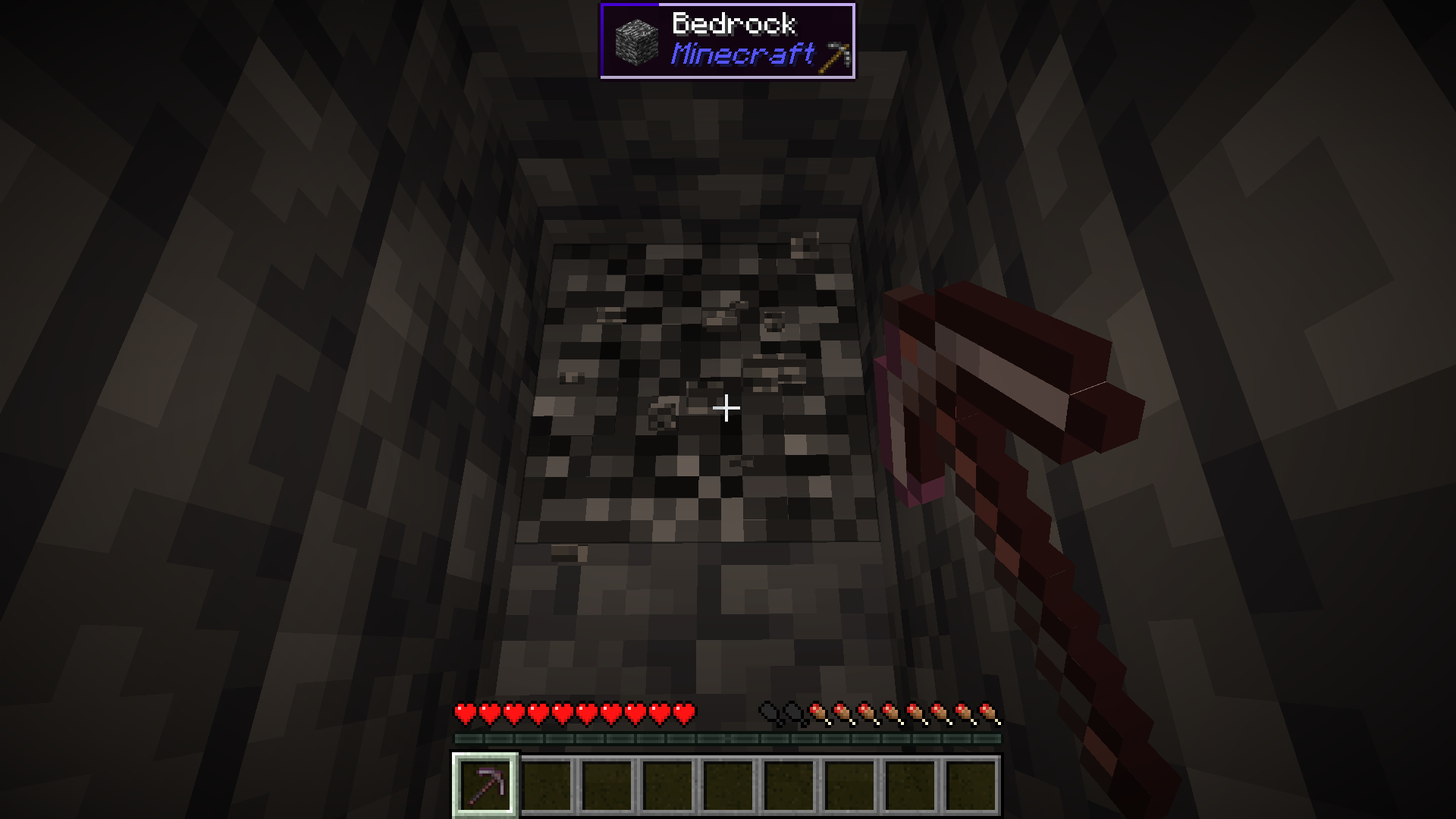
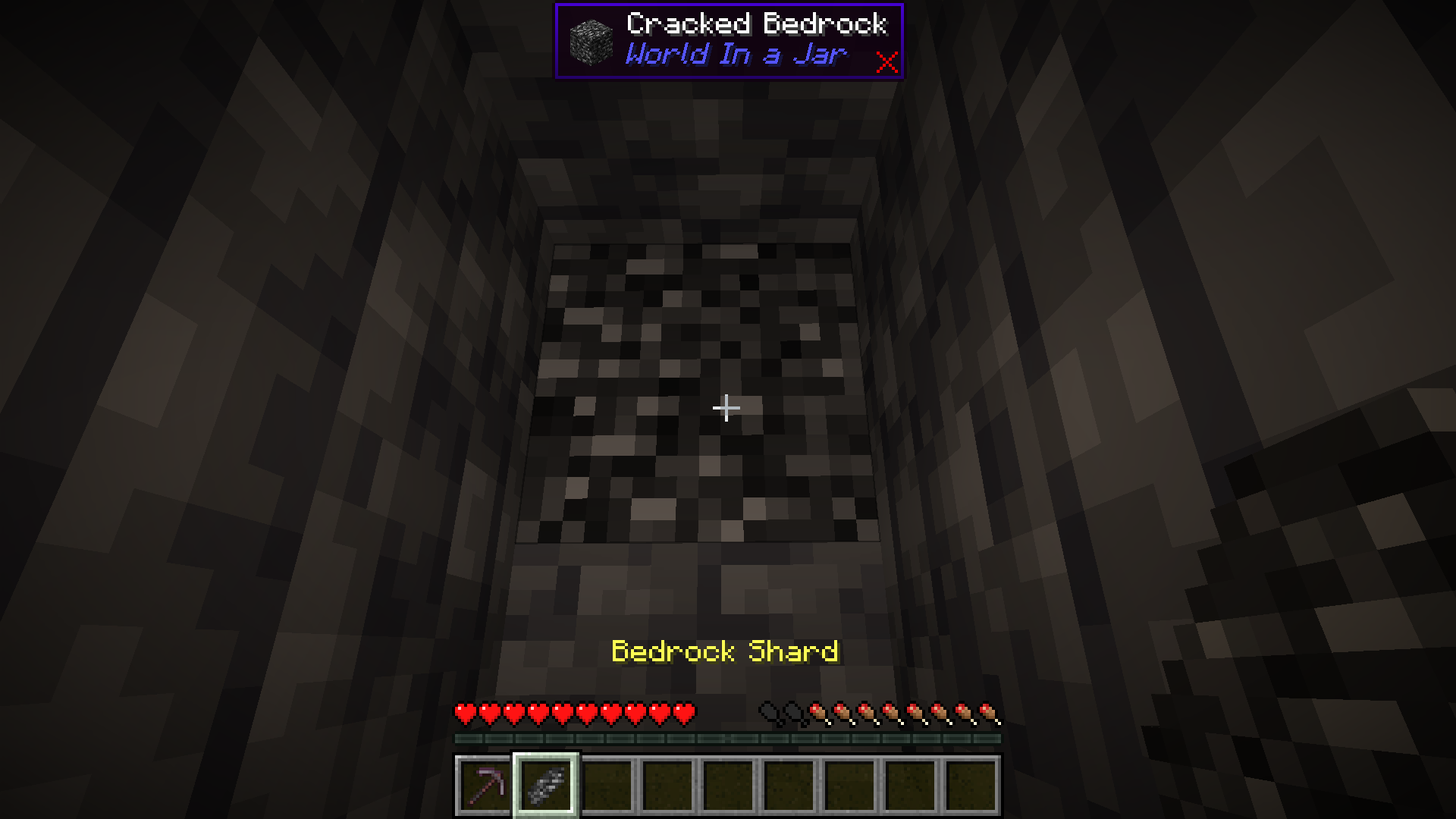
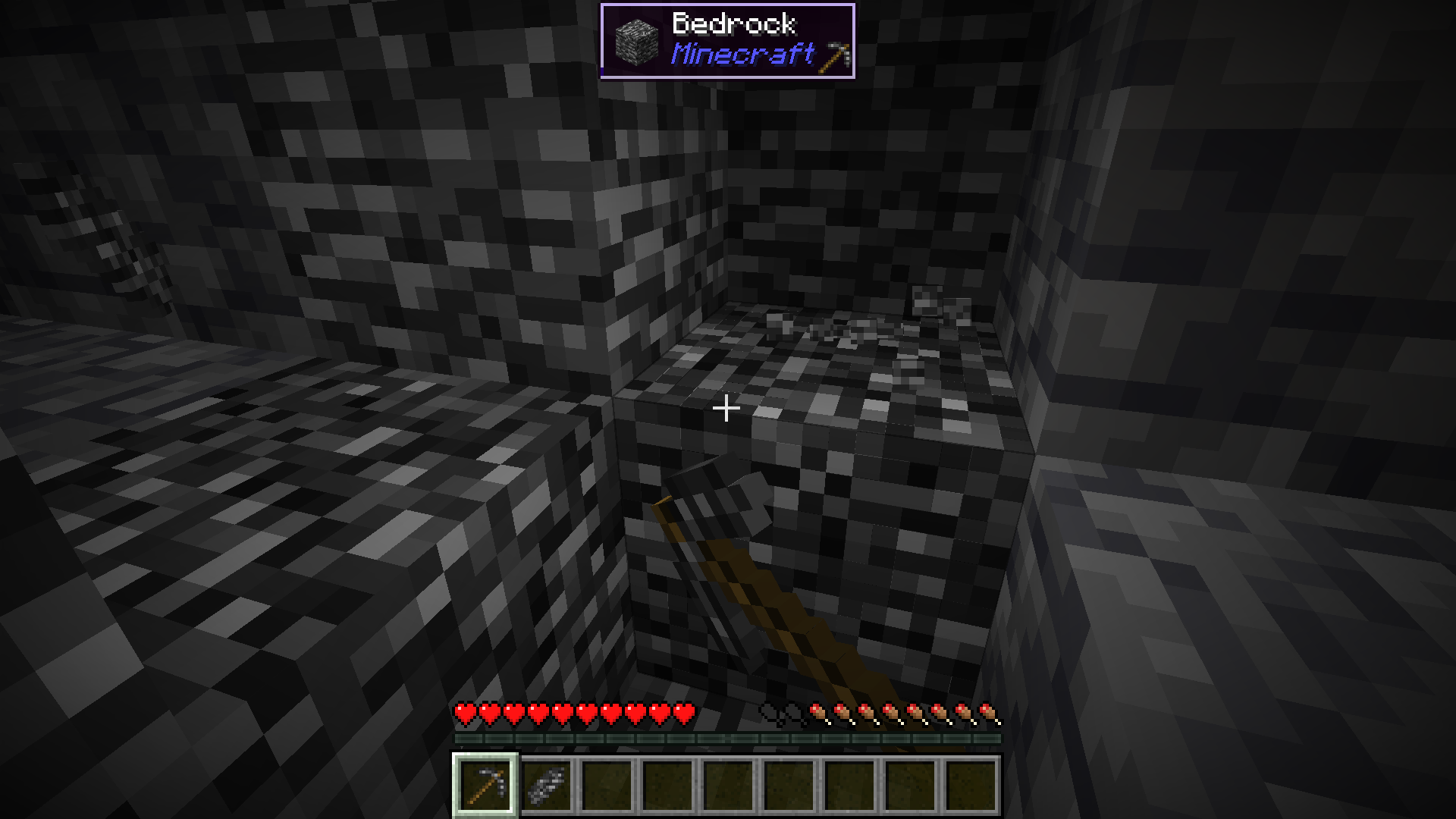
Mine Bedrock
Start by mining bedrock using a Netherite Pickaxe. This may take a few tries before a shard drops.
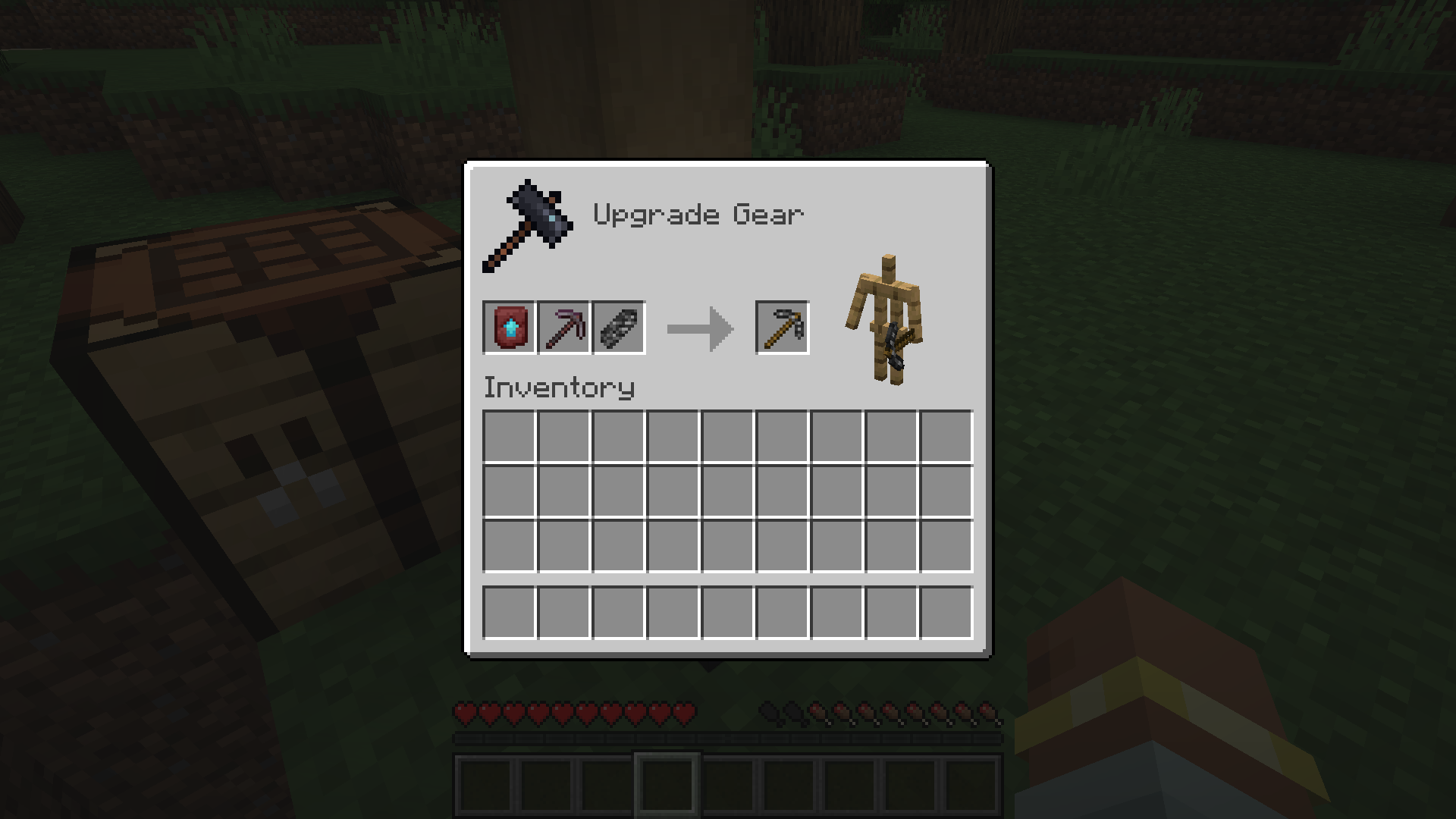
Upgrade To a Bedrock Pickaxe
Upgrade your Netherite Pickaxe to a Bedrock Pickaxe using a Smithing Table.
Mine More Bedrock
Mine more Bedrock with your Bedrock Pickaxe. You will need 28 Bedrock Shards.
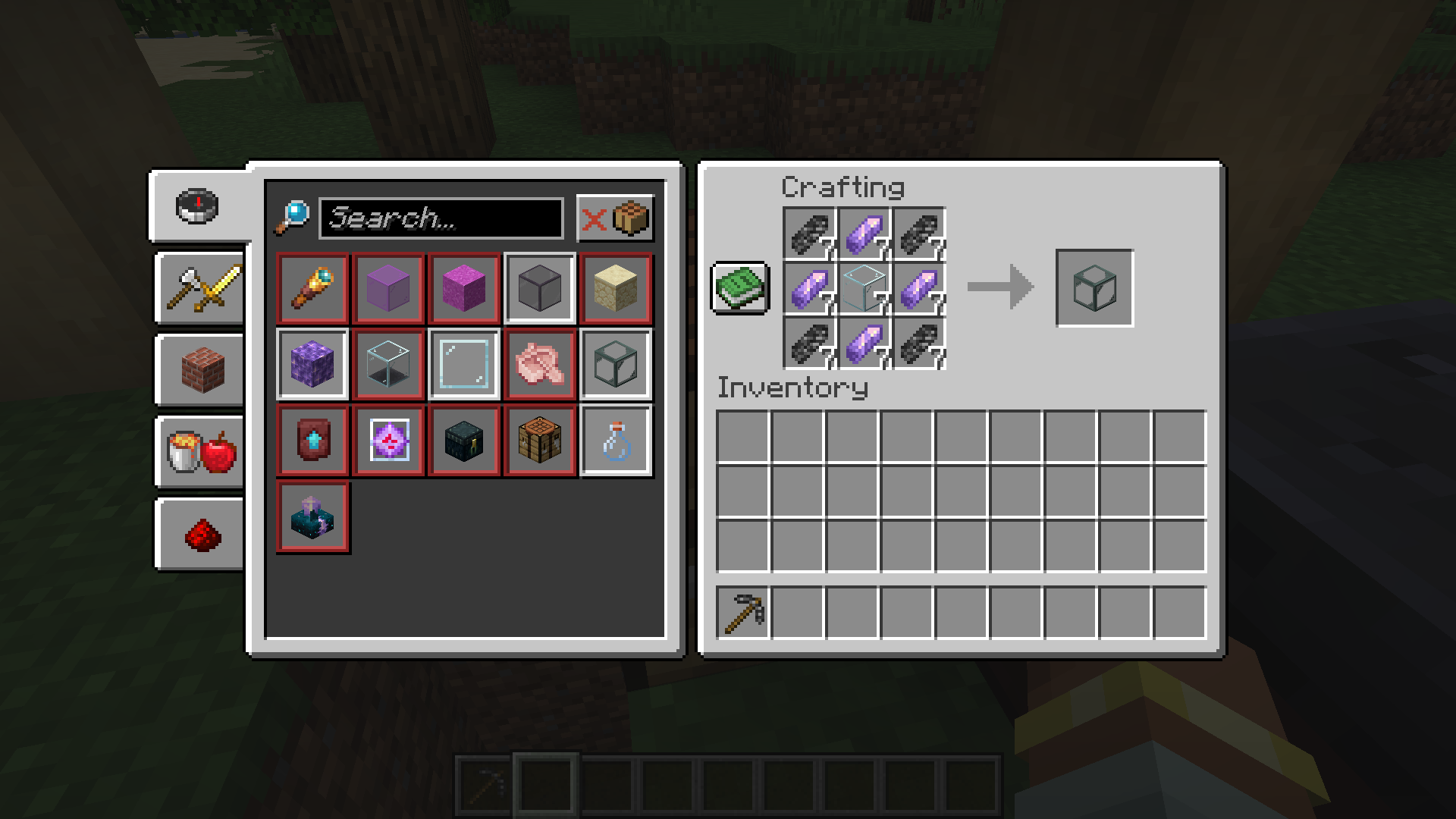
Obtain Ingredients And Craft Reinforced Echnoplast
Obtain 7 Glass and 28 Amethyst Shards to craft 7 Reinforced Echnoplast.
Strip Logs To Obtain Bark
Strip logs to obtain their bark. You will need 9 bark of any type.
Craft a World Jar
Craft a World Jar using a Cork Block, Eye of Ender, and 7 Reinforced Echnoplast.
Enter the World Jar
Place the World Jar and interact with (right-click) the jar to enter it. You can interact with the jar again to exit.
Video Demonstration
Permissions (Not Working)
This does not currently work.
The number stated after the permission ID is the minimum OP level that users will need to have the permission. This mod can also use permissions with mods compatible with Fabric Permissions API (such as LuckPerms). The permission ID and OP level are written respectively (in that order).
worldinajar.lock_jar2- Allows a user to lock/unlock a jar. A locked jar cannot be edited. When right-clicked, a locked jar simply teleports the player if they do not have this permission.
FAQ
- ### Port to NeoForge? Quilt? \?
- no
- ### Port to 1.12.2? \? Update to version X?
- no
- ### There is a bug and I need to report it!
- Please go to the issue tracker and create a bug report.
- ### Please add X feature.
- yesn’t (feel free to open an issue)
- ### Can I port this mod to X?
- Please ask for permission before doing so. I also ask that you credit the original mod and state that it is an unofficial fork, however. Forks claiming to be official will be taken down.
Redistribution 🖍️
VulpixelMC does not sanction any redistributions not hosted on its website, GitHub, or Modrinth. Do not upload this software to any other services without due credit and links to the original file from which the redistributed software was downloaded.
You may use this software in Modpacks, given due credit and a link to download the original software.
License
World In a Jar is licensed under LGPL-3.0-only. See COPYING and COPYING.LESSER for details.
常见问题
World In a Jar 支持哪些 Minecraft 版本?
World In a Jar 支持 Minecraft Java 版 1.19.2–1.21.1,共 4 个版本,可用的加载器:Fabric / Quilt。下载时注意选择和你游戏版本一致的文件。
World In a Jar 怎么安装?
先用 PCL2 或 HMCL 启动器安装对应版本的 Fabric / Quilt,再把下载的 .jar 文件放进游戏目录的 mods 文件夹,重新启动游戏即可。开启了版本隔离的,mods 文件夹在 versions/版本名 下面。运行环境:客户端和服务端都要装。
Vulpixel 的其他作品
查看全部 → World In a Jar
(Snowglobe) A terrarium-inspired block made for builders and survival players alike.

Weird Wares
Weird wares for your wacky world! This mod adds various unobtainable and forgotten items, blocks, and features plus a few extras.

Silicate
A library providing powerful client-server-agnostic predicates with a simple API.

Legacy Landscape
Legacy landscapes for your lugubrious level.
评论
登录后评论和评分