WorldEdit Selection Overlay
Make your WorldEdit selections visible, readable, and predictable.
截图
介绍
Watch the full overview on YouTube
WorldEdit Selection Overlay
See your selection. Look inside your build. Check an edit before Enter.
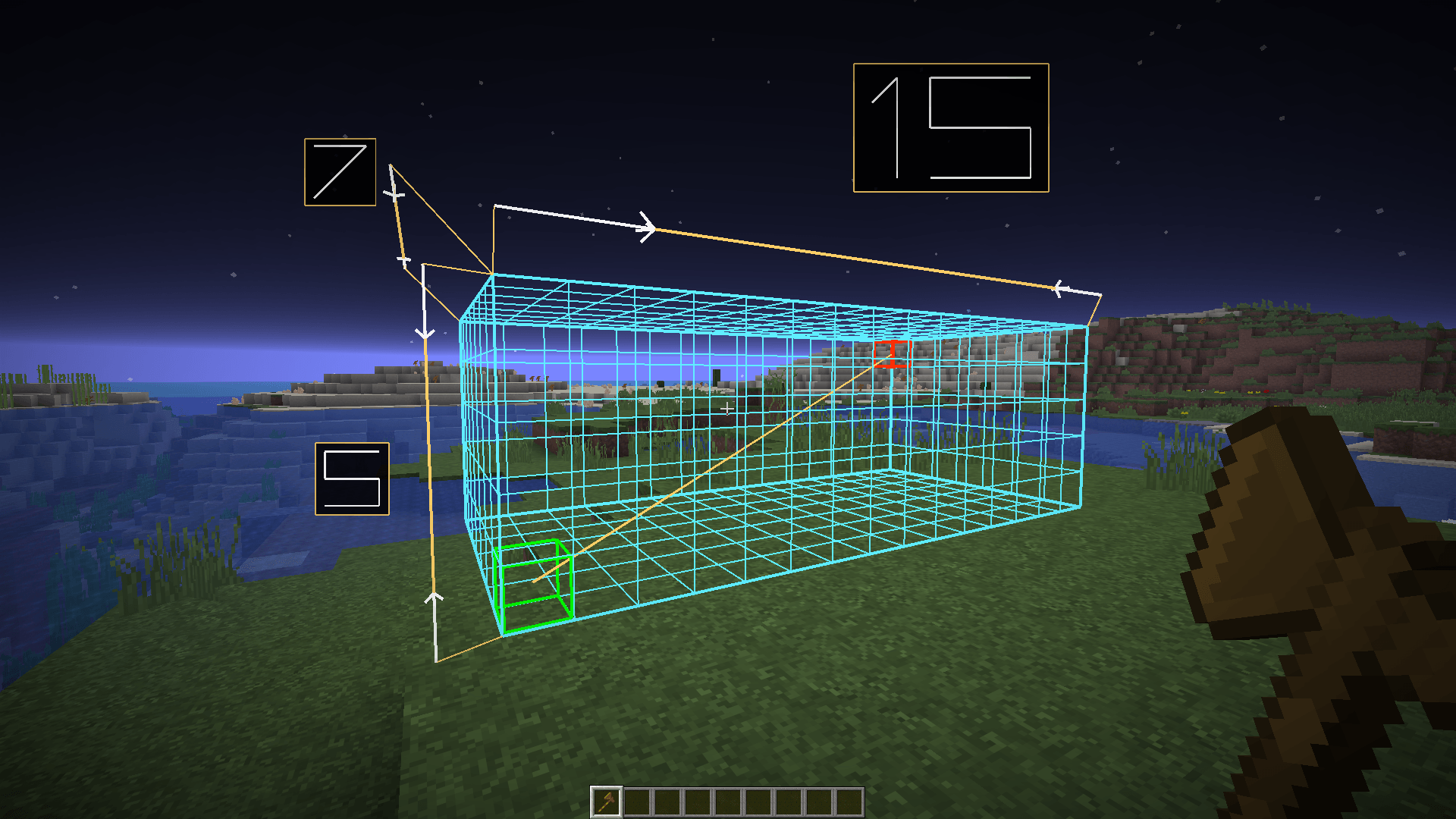
A client-side WorldEdit addon with clear selection shapes, a dimension ruler,
block inspection and a live palette editor.
1.8.0 preview: the video also shows upcoming command previews and selection
editing. That update is not downloadable yet. Choose an available release under
Files / Versions for your exact Minecraft version and loader.
See Inside Your Build
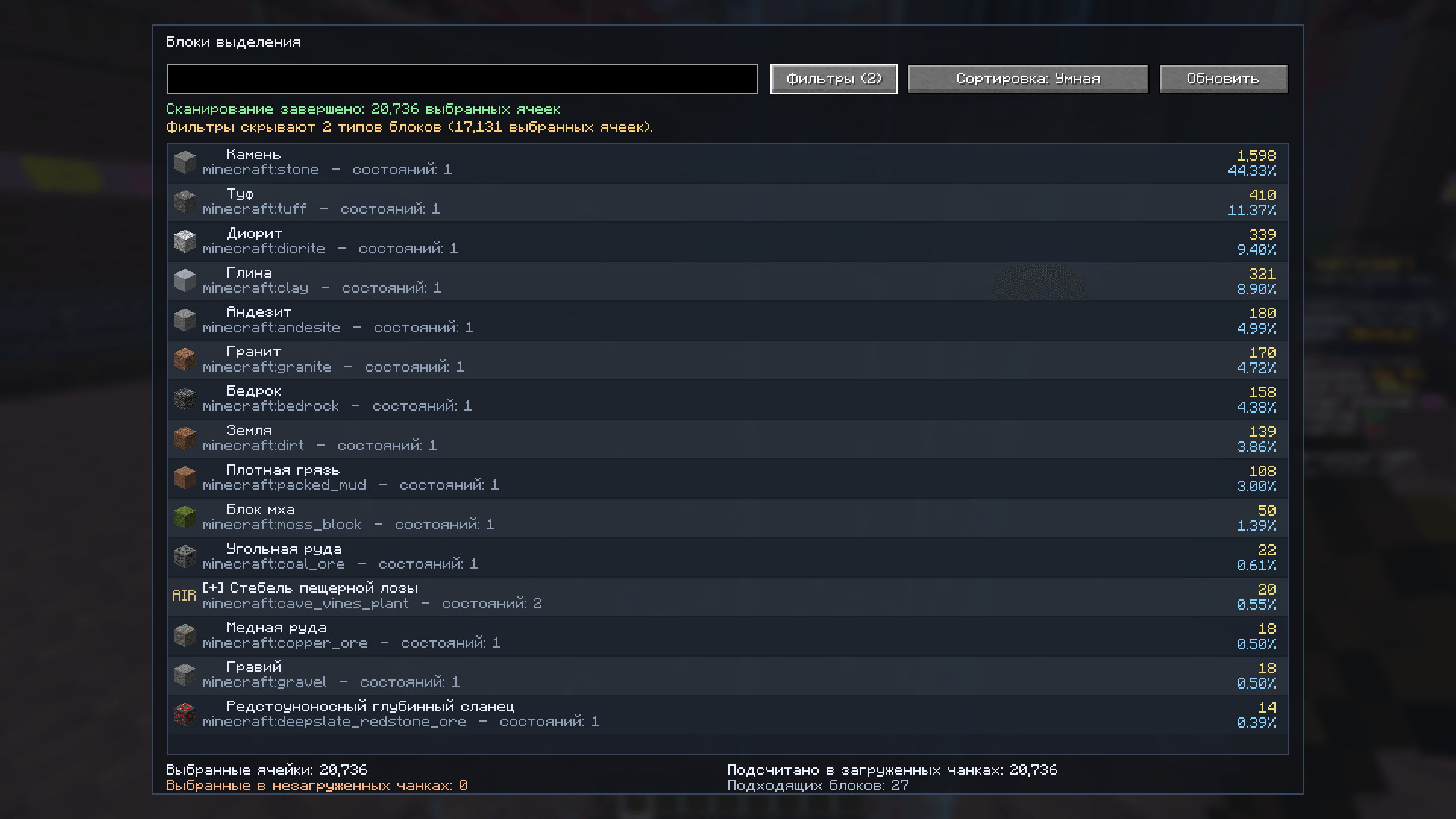
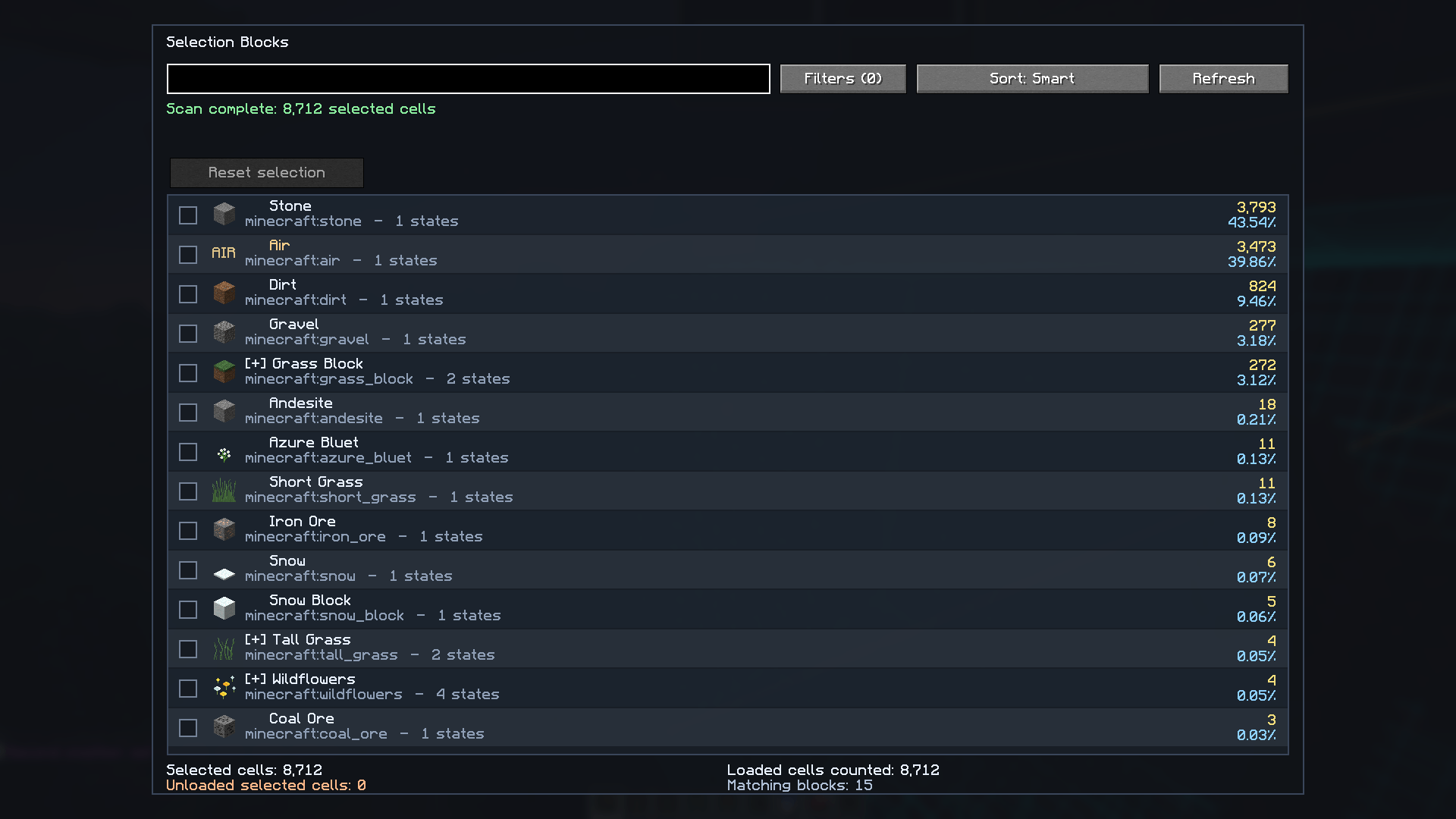
Press B to search materials, compare counts and inspect loaded/unloaded
cells. Use filters such as #air, #fluid and #solid.
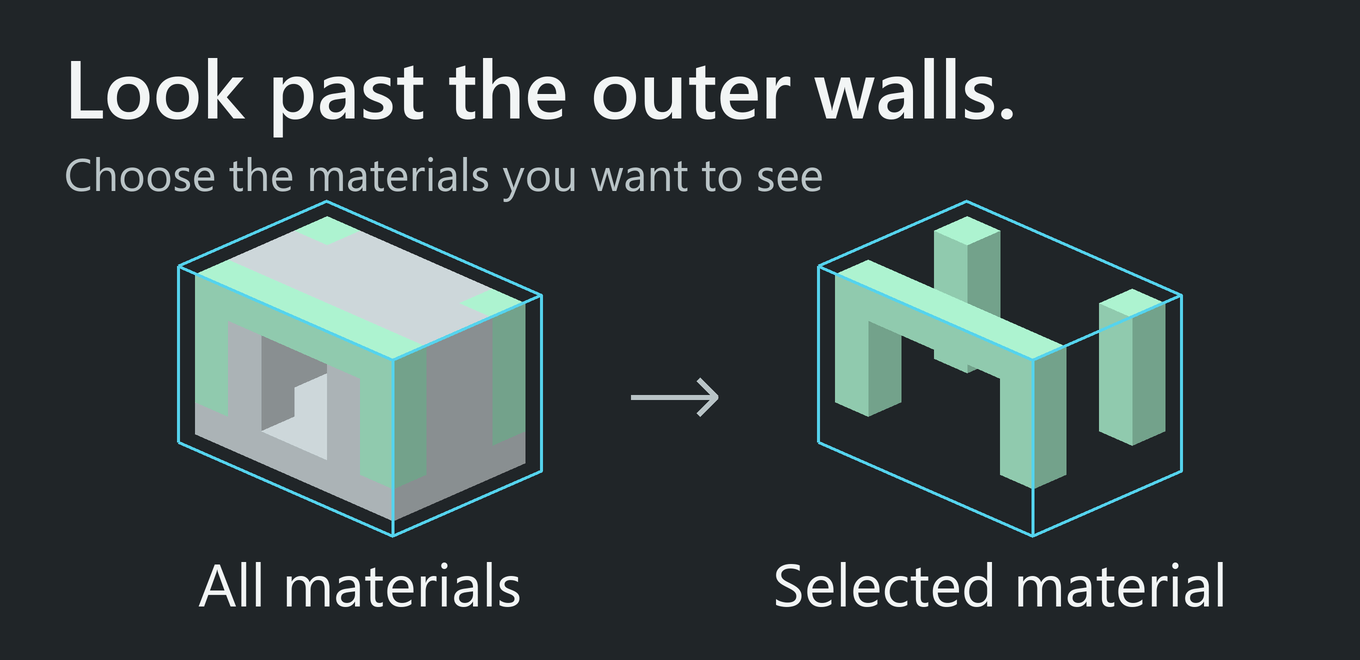
Tick one or several materials to hide the others only inside the selection.
Chosen materials stay bright and appear first in the list. Reset the checkboxes
to restore the view. Hidden blocks still exist and collide.
Coming in 1.8.0
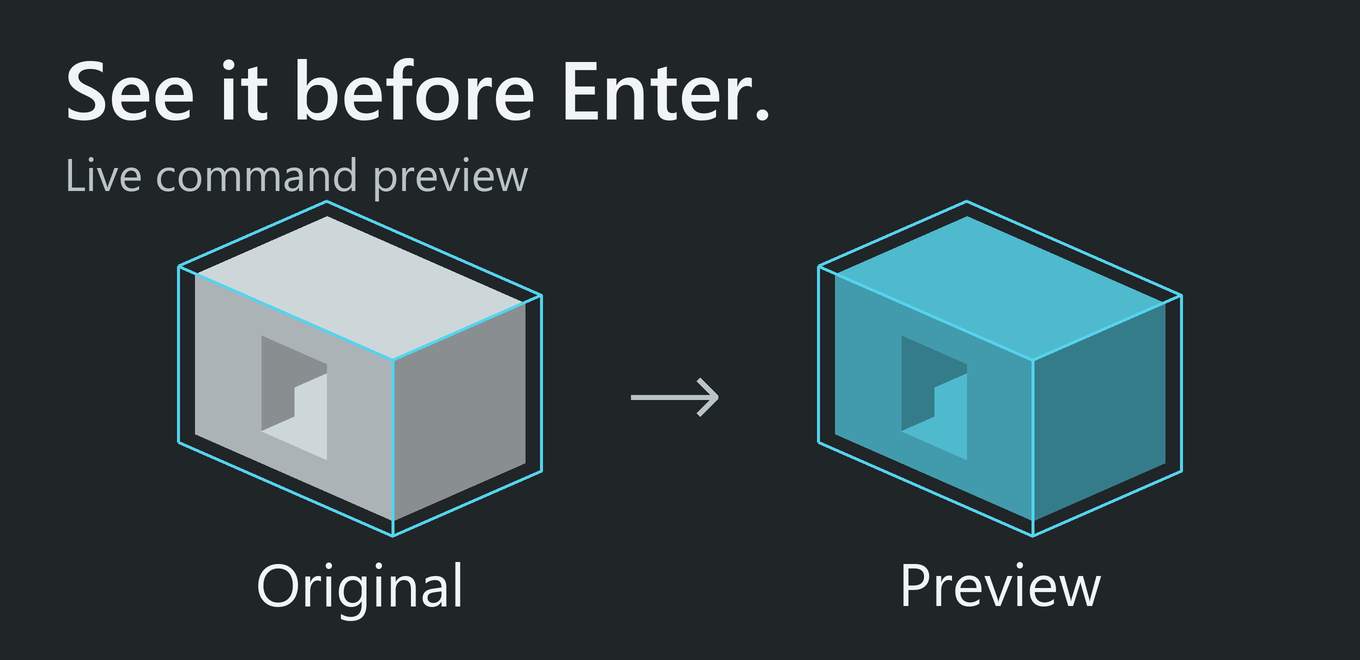
Live command previews. Type a supported command to inspect a textured draft
before running it. Change the material or press Escape to return to the
original view. Until Enter, the world and WorldEdit history stay unchanged.
Includes //set, //replace, shape and surface commands, block states, legacy
numeric IDs and percentage mixtures. Random mixtures show a sample, not an
exact prediction. Previews use loaded chunks.
Edit selection bounds in the world. Tap G to begin; hold it briefly to
choose Resize or Move. Drag corners or faces, or move along X / Y / Z
with the mouse wheel. A 3D axis indicator follows your camera. Tap G to apply;
Escape cancels. Only cuboid bounds move, not the building. Editing starts off.
Check a copy’s orientation. Enable Clipboard Preview to see a copy at its
placement position. Typing //rotate or //flip / //mirror previews the
orientation without changing the real buffer. Clipboard Preview starts off.
Make It Your Own
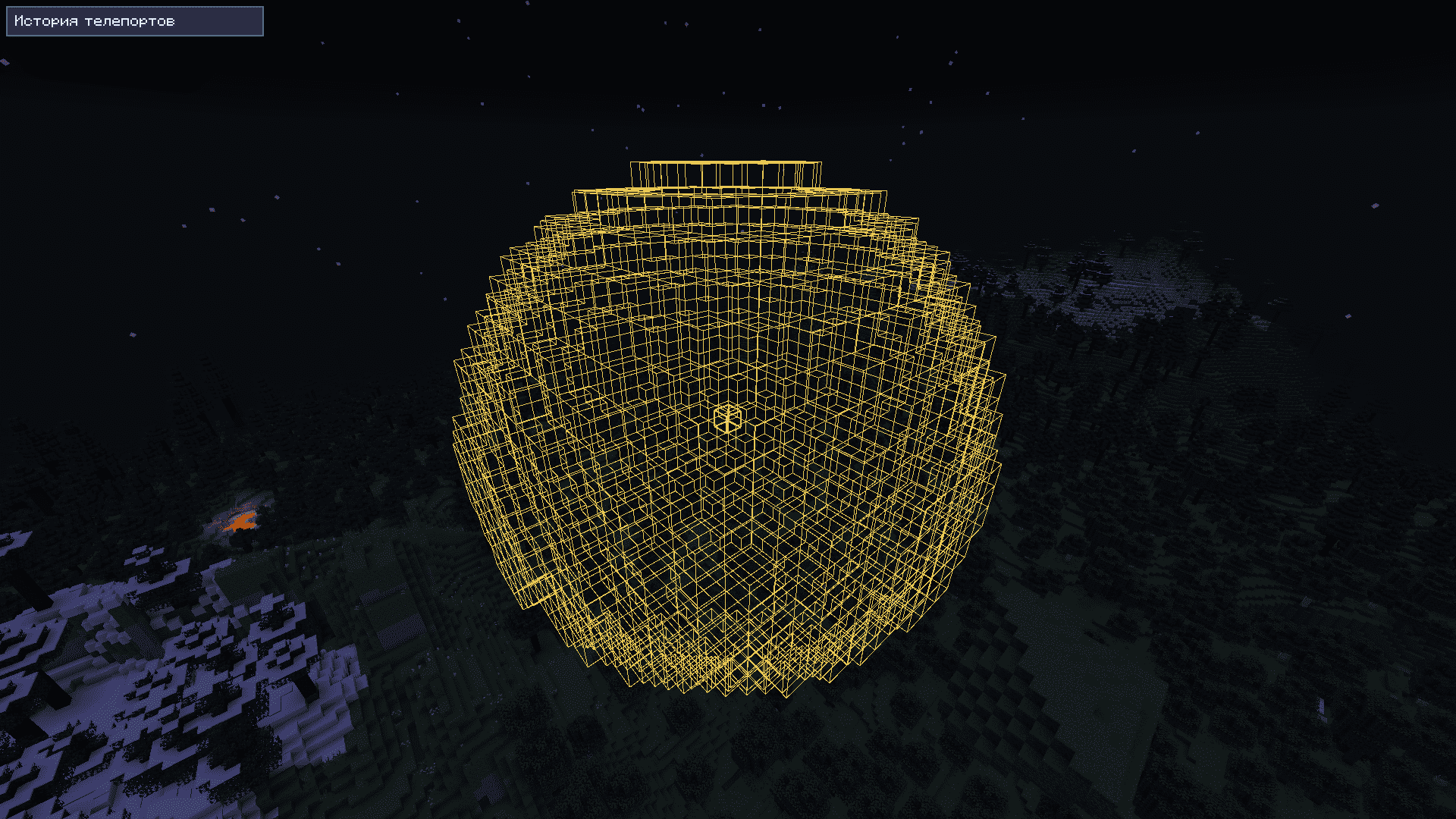
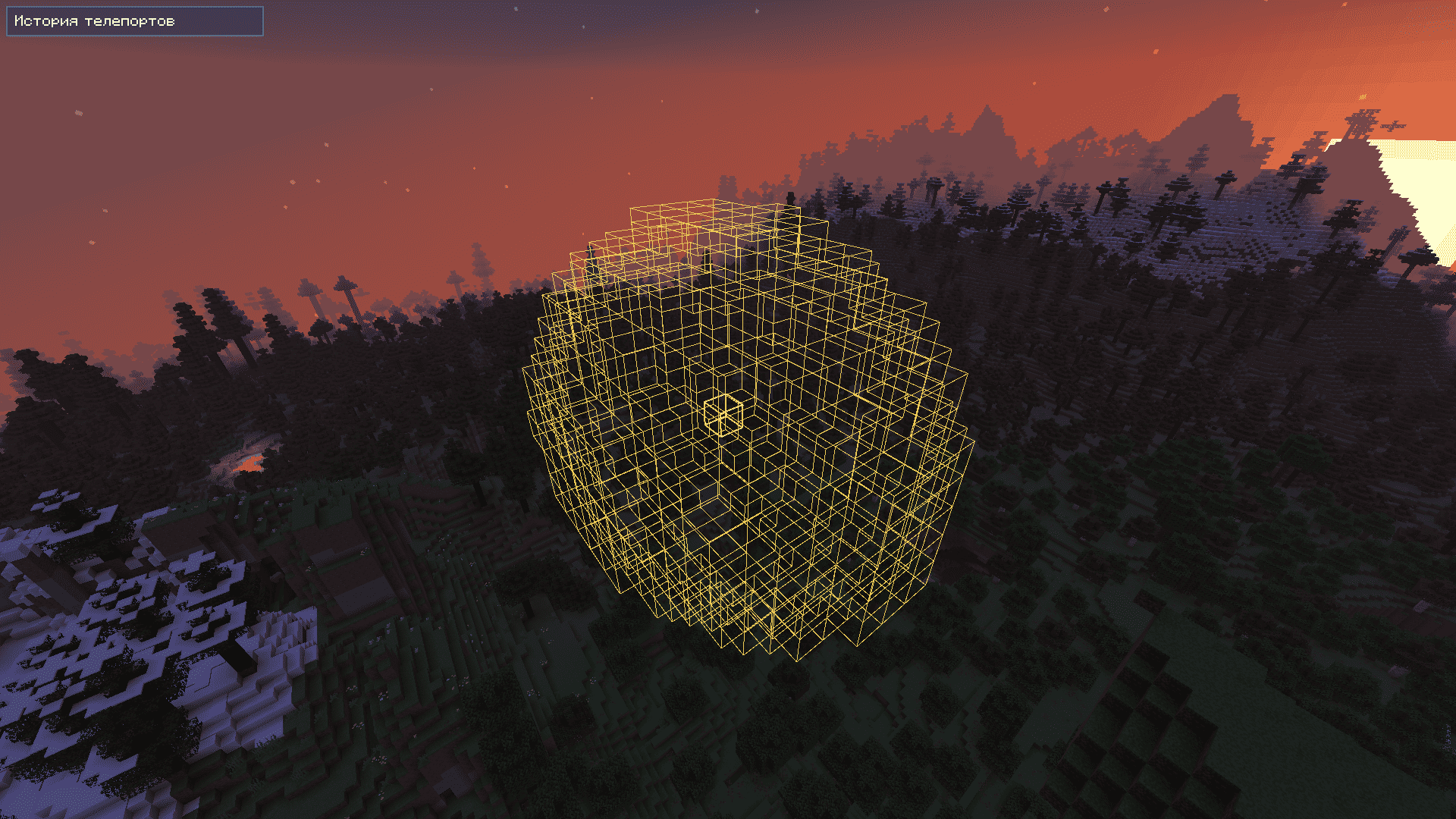
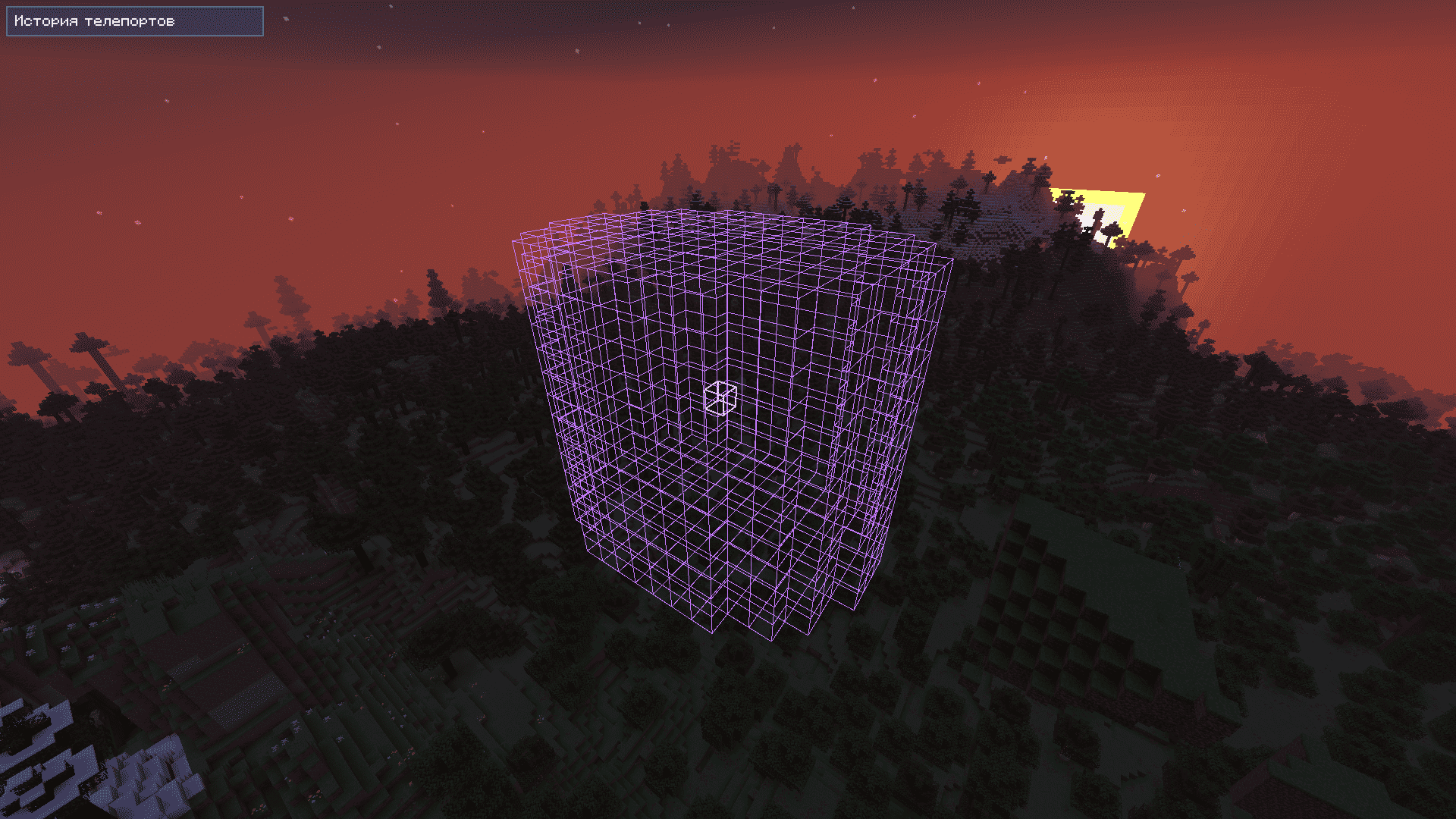
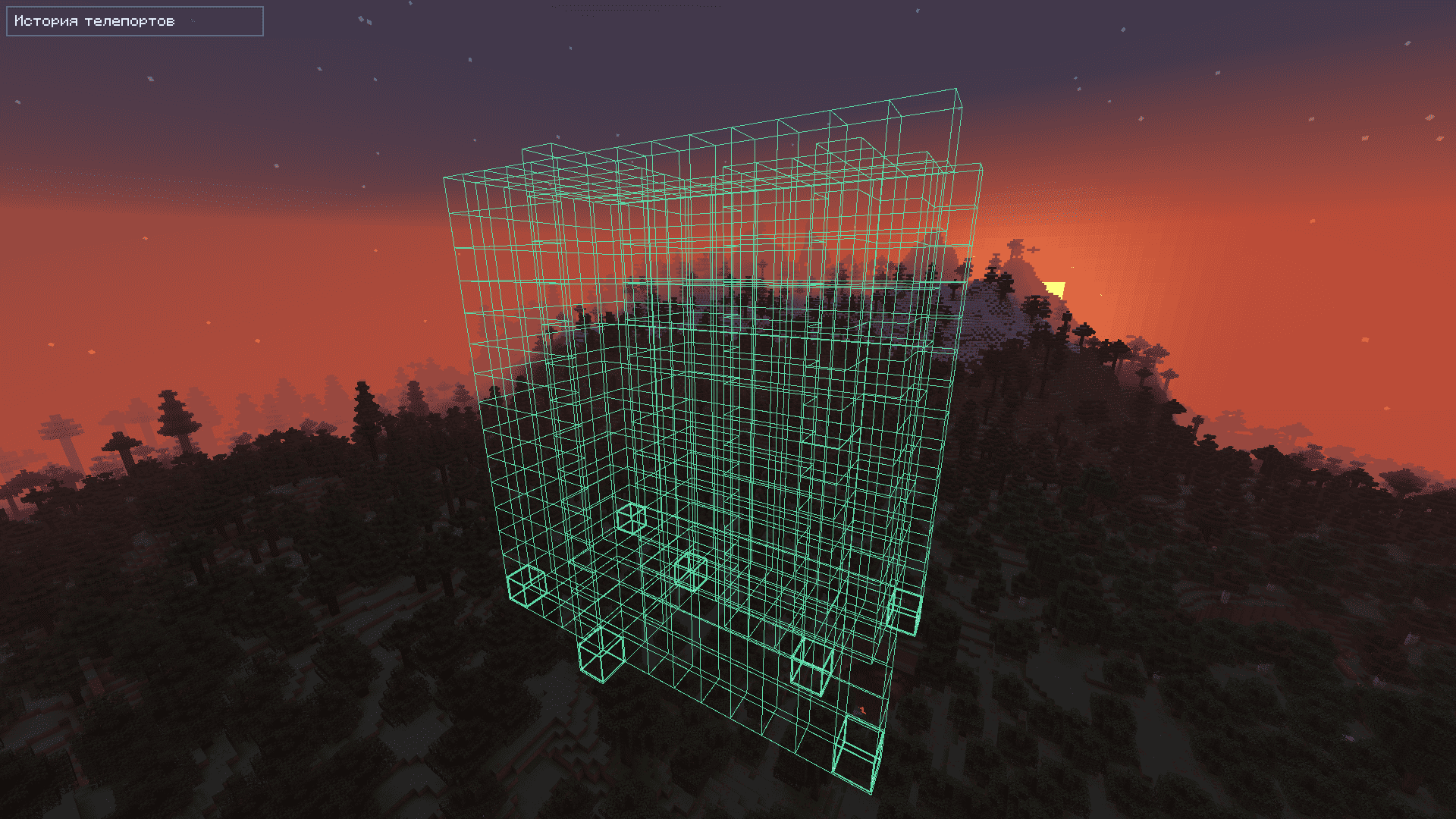
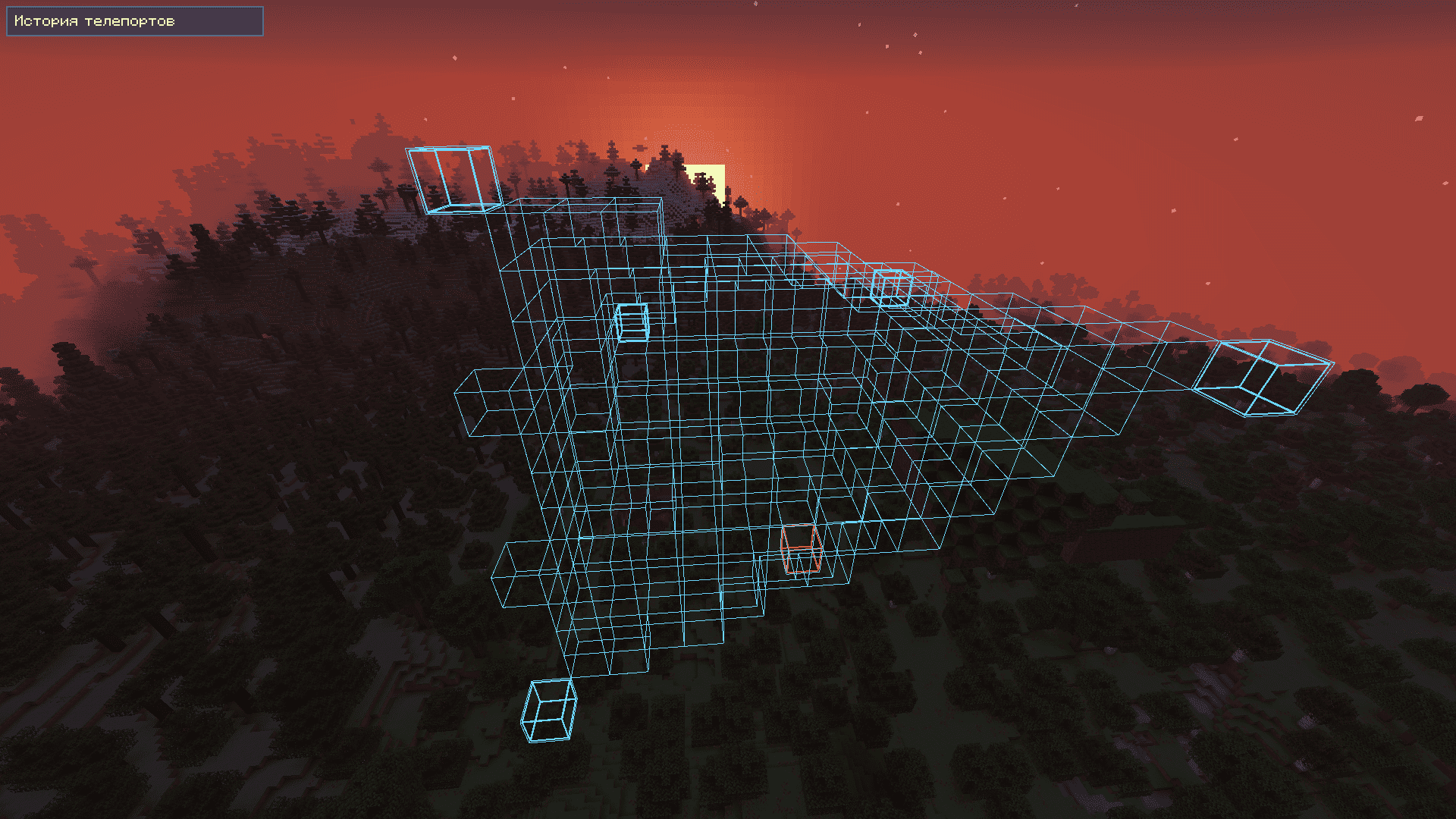
- Cuboid / Extend, Polygon 2D, Ellipsoid / Sphere, Cylinder and Convex / Polyhedron.
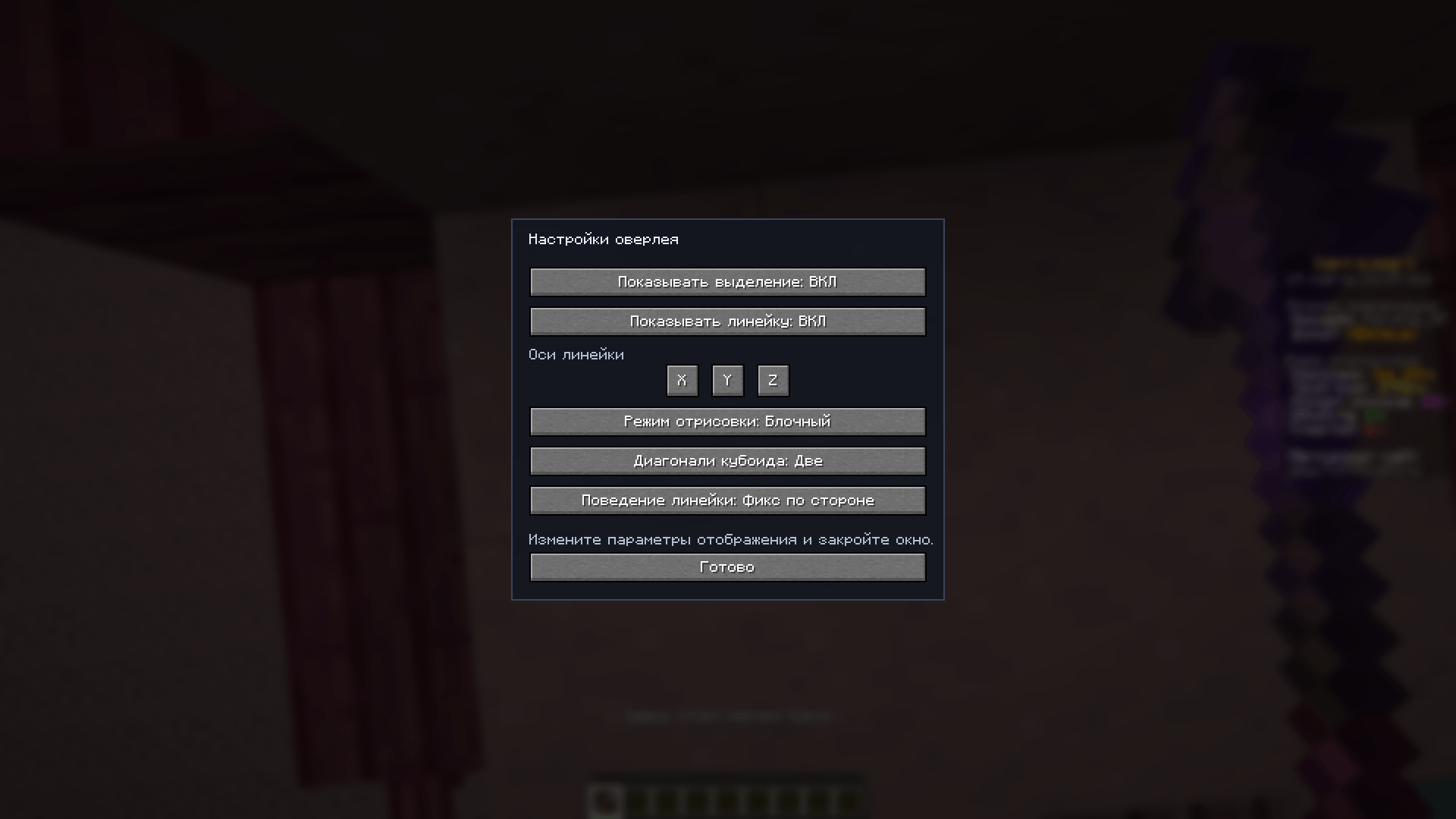
- Blocky or Smooth rendering, optional ruler and independently hidden grid.
- Live 3D palette: colors, opacity, thickness, presets and per-element resets.
- In 1.8.0: palette Ctrl+Z / Ctrl+Y and Glass, Studio or Classic menu styles.
Get Started
Install the JAR matching your Minecraft version and loader into mods.
Fabric also needs Fabric API. Install
WorldEdit for local
selection data and editing; on servers, WorldEdit CUI supplies the overlay and
local inspection, not command simulation or the server clipboard.
The game can launch without WorldEdit. An overlay needs selection data.
For 1.8.0, the prepared Fabric and NeoForge builds target 1.21.11 through
26.2; Java 21 is needed for 1.21.11 and Java 25 for 26.x.
NeoForge’s local WorldEdit on the 26.1 branch needs 26.1.2 or newer.
Default keys: O settings, B inspector, N deselect.
In 1.8.0: F8 command preview and G editing.
All keybinds are configurable. Recommended GUI scale: 2x.
Showcase: Celestia Town by Fireless007 / leolerenard.
Contact: [email protected].
常见问题
WorldEdit Selection Overlay 支持哪些 Minecraft 版本?
WorldEdit Selection Overlay 支持 Minecraft Java 版 1.21.11–26.2,共 5 个版本,可用的加载器:Fabric / NeoForge。下载时注意选择和你游戏版本一致的文件。
WorldEdit Selection Overlay 怎么安装?
先用 PCL2 或 HMCL 启动器安装对应版本的 Fabric / NeoForge,再把下载的 .jar 文件放进游戏目录的 mods 文件夹,重新启动游戏即可。开启了版本隔离的,mods 文件夹在 versions/版本名 下面。

评论
登录后评论和评分