截图
介绍
World Downloader
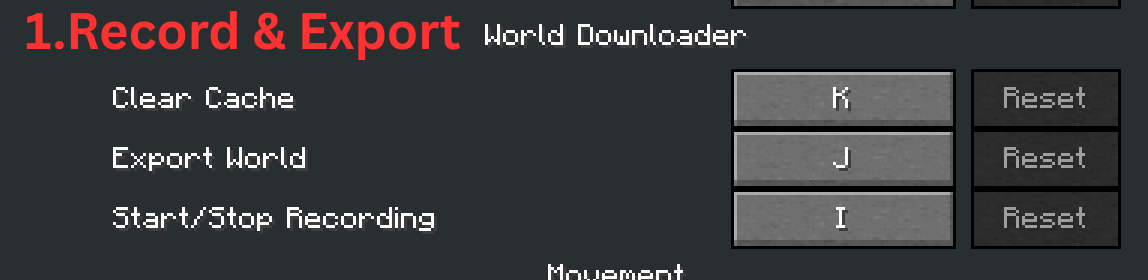
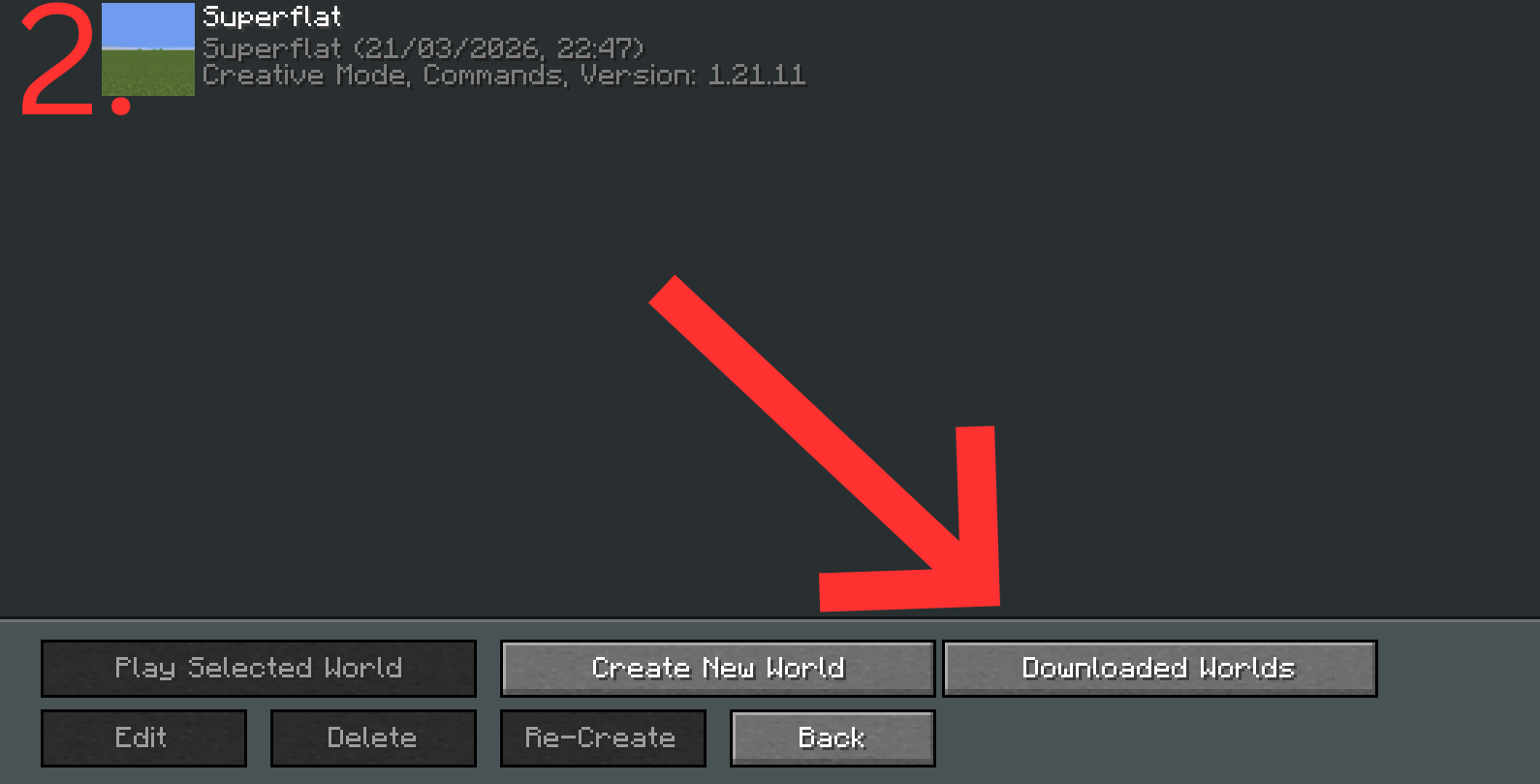
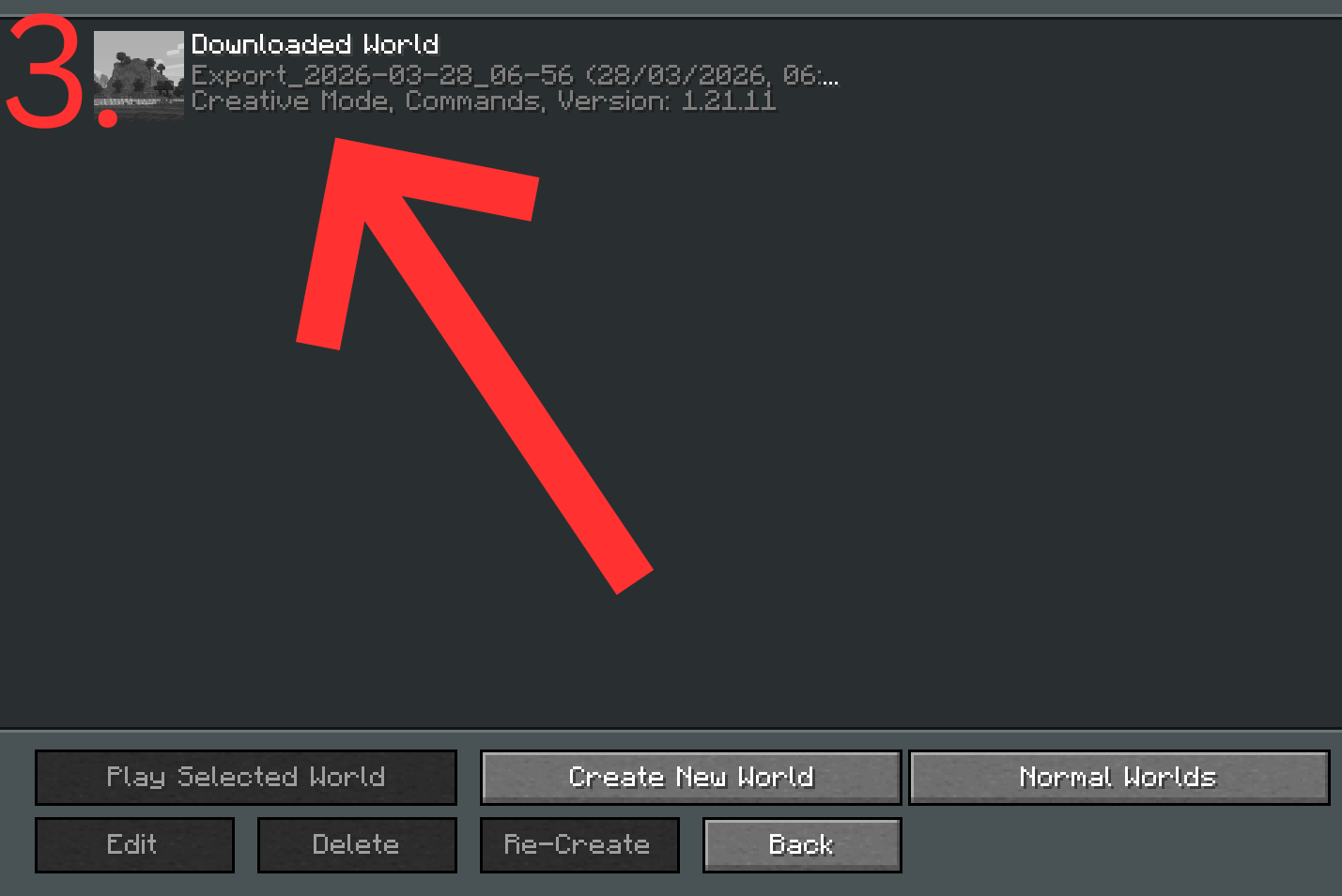
Download and save any Minecraft world you visit — whether singleplayer or multiplayer — with a single keypress. _Quick Tutorial in Galerie on how to use it._
Features:
World Export
Press J at any time to export the world around you. Every chunk you’ve loaded gets saved to a fully playable world in your downloaded_worlds folder.
Container Support
Chest contents, inventories and block entity components are correctly saved and preserved in the exported world.
Texture Pack Export
Resource packs are automatically included with the exported world so it looks exactly as you experienced it.
Downloaded Worlds Browser
A dedicated “Downloaded Worlds” button in the world selection screen lets you browse and open all your exports separately from your normal saves.
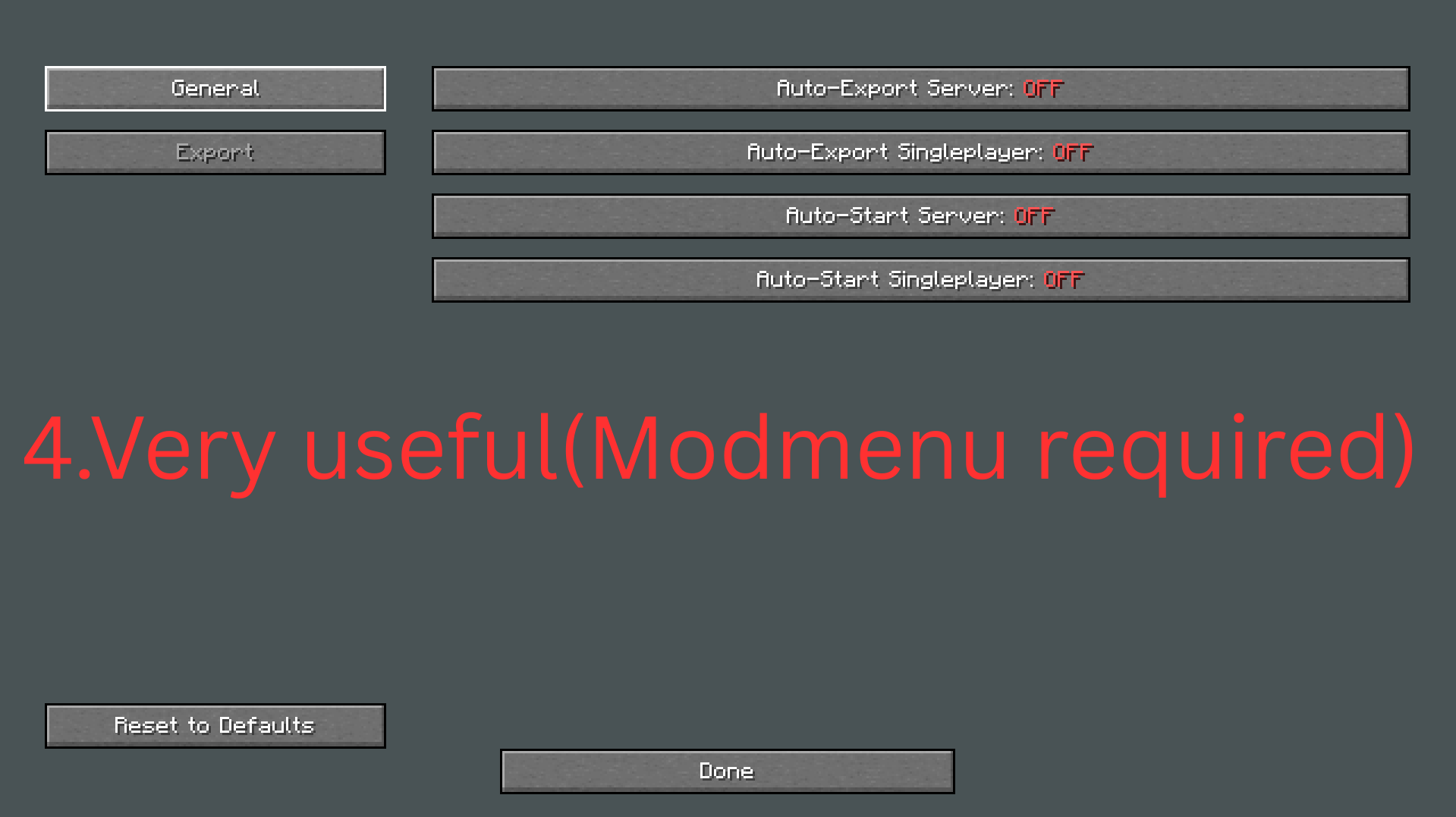
Mod Menu Integration
Configure the mod to your liking directly from the Mod Menu screen.
Notes:
- Currently supports Minecraft 1.21.1
- Client-side only — works on any server
- Exported worlds open in Creative mode with cheats enabled so you can freely explore
Required Mods:
- Fabric Api
- ModMenu(optional)
Please report any bug on github, or join my discord!
常见问题
World Downloader² 支持哪些 Minecraft 版本?
World Downloader² 支持 Minecraft Java 版 1.21.11,可用的加载器:Fabric。下载时注意选择和你游戏版本一致的文件。
World Downloader² 怎么安装?
先用 PCL2 或 HMCL 启动器安装对应版本的 Fabric,再把下载的 .jar 文件放进游戏目录的 mods 文件夹,重新启动游戏即可。开启了版本隔离的,mods 文件夹在 versions/版本名 下面。运行环境:仅客户端。

评论
登录后评论和评分