
World Syncer
作者:Tomesh
World Syncer is a mod that keeps your game world data synchronized across devices for smoother cross-device experience or as a backup system.
截图
介绍
中文介绍正在准备中,下面暂时显示原文。
World Syncer
World Syncer is a Minecraft mod designed to seamlessly synchronize your world data across multiple devices. Whether you’re switching between computers or running multiple sessions, World Syncer ensures your world is always up-to-date and accessible wherever and whenever you play.
Features
- Automatic Synchronization: Keeps your Minecraft world data in sync across devices with minimal setup.
- Cross-Platform Support: Compatible with all major platforms that support Minecraft Java Edition.
- Lightweight & Efficient: Minimal performance impact, focusing only on world and essential data—no unnecessary overhead.
Usage
- Install the Mod: Download and add World Syncer to your mods folder.
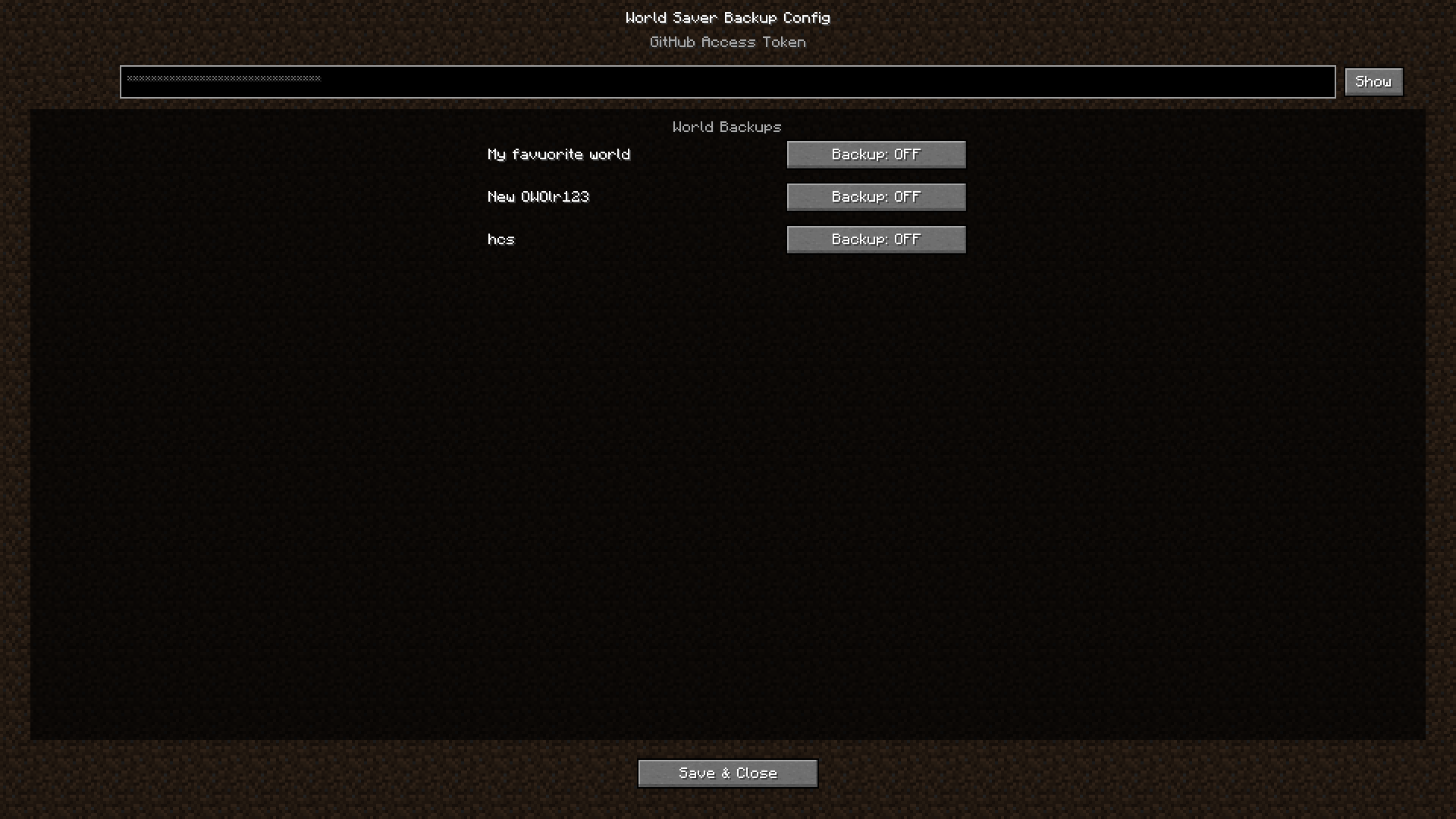
- **Get your Github access token via GitHub Settings > Developer settings > Personal access tokens (classic) – more help in the projects github repo
- **Leave and Relaunch Minecraft
- Multi-Device Play: Install World Syncer on all devices you use. Log in with the same access token to keep worlds aligned.
Dependencies
- Minecraft Java Edition: Version 1.20.1 or any 1.21.x
- **Fabric API
- **Cloth Config API
- **Mod Menu (optional)
- Java 17 or higher
- **Github access token (via Usage)
Compatibility
- If some parts of the config screen are blured turn off menu blur in video settings
- Works with most other mods.
- Designed for singleplayer enviroment.
- No known conflicts, but always back up your world before first use.
Additional Information
- Open Source: Contributions are welcome! Check out the GitHub repo for details.
- Support: For help or to report bugs, use the issues tab on GitHub.
- Regular Updates: Stay tuned for new features like scheduled syncs, more cloud providers, and advanced conflict management.
常见问题
World Syncer 支持哪些 Minecraft 版本?
World Syncer 支持 Minecraft Java 版 1.20.1–1.21.5,共 6 个版本,可用的加载器:Fabric。下载时注意选择和你游戏版本一致的文件。
World Syncer 怎么安装?
先用 PCL2 或 HMCL 启动器安装对应版本的 Fabric,再把下载的 .jar 文件放进游戏目录的 mods 文件夹,重新启动游戏即可。开启了版本隔离的,mods 文件夹在 versions/版本名 下面。运行环境:客户端和服务端都要装。

评论
登录后评论和评分