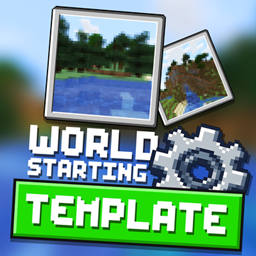
介绍
Allows map makers to force a template world to be chosen from instead of a creating a new world. This is designed for modpacks with worlds that are premade.
As a user to make a new instance click the “Create from template” button on the world list and select the world you want and then give it a name!
As a mod pack dev:
In the game directory, you will want to put the map in the “maps/” folder. Inside this folder you want create a info.json file with the following contents
{
“author”: “No Author”,
“thumbnail”: “icon.png”,
“description”: “”,
“sort”: 0
}
This is based of Hardcore Map Reset by Modmuss50
常见问题
World Starting Template 支持哪些 Minecraft 版本?
World Starting Template 支持 Minecraft Java 版 1.16.5,可用的加载器:Forge。下载时注意选择和你游戏版本一致的文件。
World Starting Template 怎么安装?
先用 PCL2 或 HMCL 启动器安装对应版本的 Forge,再把下载的 .jar 文件放进游戏目录的 mods 文件夹,重新启动游戏即可。开启了版本隔离的,mods 文件夹在 versions/版本名 下面。
Kehaan 的其他作品
查看全部 →
Checklist
为玩家准备一份操作清单
Farming Valley
这个整合包围绕《星露谷物语》和《牧场物语》这类游戏风格展开。
Soul Sand Life
新增灵魂沙武器和盔甲,以及一种新的下界生物。
Kehaan Modpacks Paintings
将原版画作替换为Kehaans整合包美术资源的Minecraft资源包。
评论
登录后评论和评分