
World Edit Swap
Adds a GUI to automatically trigger block replace commands, making color ranging easy!
介绍
中文介绍正在准备中,下面暂时显示原文。

Many builders build in wool, and many times hand writing commands to color range that wool can be time consuming, tiresome, and small mistakes can be annoying to fix. So use a GUI instead! Enjoy!
This tool was made for saving time in mine and my staff’s builds, therefore it is built to work with any mod but also auto-integrated with SWDM.
IMAGES – How does it look?
Dark Theme
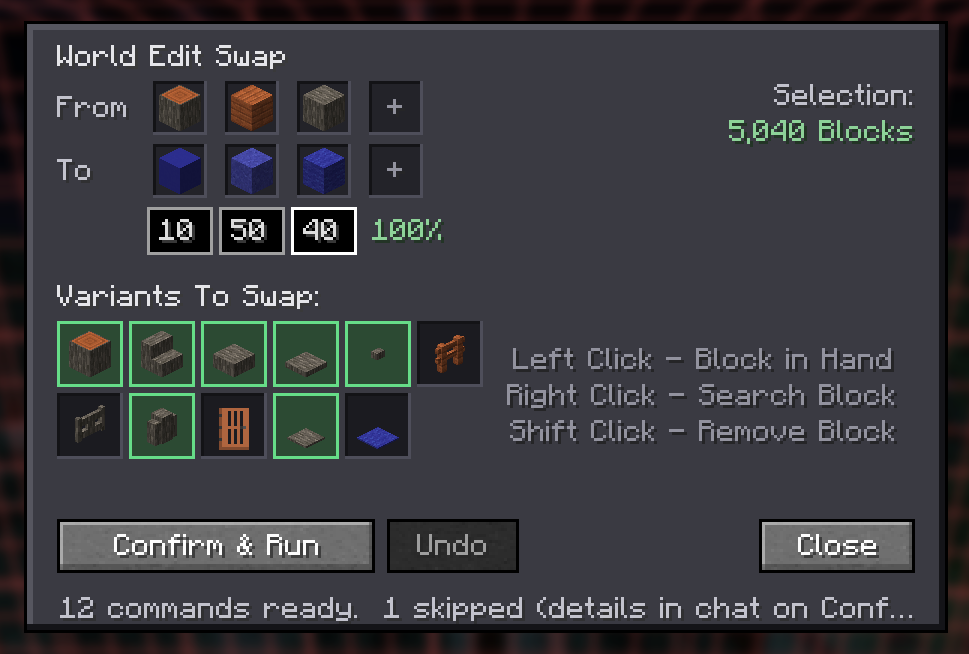

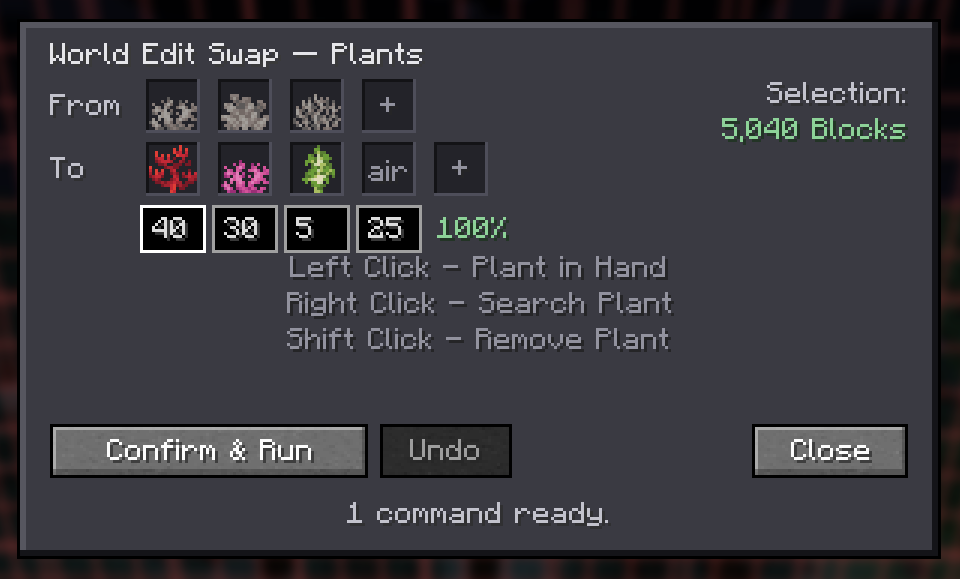

ADDITIONS – What’s Included?
- To Use
- Left Click – Use block in hand
- Right Click – Open block picker
- Shift Click – Clear chosen block
- auto runs commands to swap all of X block into Y block
- intigrated ability to choose %s of block mixes
- “/weswap block” to open Block Swap GUI
- swap includes chosen variants, like stairs/slabs/walls, in matching blockstate (^)
- “/weswap plant” to open Plant Swap GUI
- picker allows to choose between whole plants or plant peices, assumed [persistent=true]
CONFIG OPTIONS – How can I change certain aspects?
- Selection Size Limit
- Light/Dark Theme
- OP Required to run commands
常见问题
World Edit Swap 支持哪些 Minecraft 版本?
World Edit Swap 支持 Minecraft Java 版 1.21.1–26.2,共 3 个版本,可用的加载器:NeoForge。下载时注意选择和你游戏版本一致的文件。
World Edit Swap 怎么安装?
先用 PCL2 或 HMCL 启动器安装对应版本的 NeoForge,再把下载的 .jar 文件放进游戏目录的 mods 文件夹,重新启动游戏即可。开启了版本隔离的,mods 文件夹在 versions/版本名 下面。
AlaharranHonor 的其他作品
查看全部 →
Star Worm Equestrian (Upgrading Horses)
by AlaharranHonor
升级一切与 Minecraft 马术相关的内容,只因我们热爱马匹。
347.7万
24 天前
CurseForge

Star Worm Decor
by AlaharranHonor
多用途且原版增强的装饰方块与附加物。
102.2万
12 天前
CurseForge

Star Worm Lighting
by AlaharranHonor
添加发光的原版建筑方块,既能照明又不会显得难看!
70.4万
12 天前
CurseForge

Vulcan’s Flashlights
by AlaharranHonor
手持或可穿戴的手电筒,为你照亮前路。
40.5万
2 天前
CurseForge
评论
登录后评论和评分